Everything posted by Gmsalterego
-
No filter tested, sorry
-
Apple iMac @Nando Diver Do you use GP-TUNE+ Transform as first node?
-
Thank you @Nando Diver Now I've DR21 studio version. I bought DCTL by xtremestuff too, as you suggested. Do you use GP-TUNE+ Transform? I suppose + has more controls not very effective in my case. Last but not least, a LUT is also provided together the DCTL: I suppose LUT is not necessary using DCTL as first node. Bye Giacomo
-
I'm thinking to buy DR21 studio version too. Do you need to buy also the GP-TUNE Transform in addition to GP-TUNE plugin? GP-TUNE TRANSFORM as DCTL? And last question: do you still use FLAT or GPLOG? Thank you Giacomo
-
Hello @Davide DB hello everybody. inon gr140 zd pro declares 4 cm minimum focus distance but with gopro 12 the subject very close to the lens (>5cm) is not sharp and focus. Why? What is the actual minimum focus distance underwater of gopro12+inon gr140zd pro? Thank you Giacomo
-
Hello @Nando Diver In davinci resolve 21 free I'm using GP-Tune plugin as suggested but ... I combined such input transform with REFERENT DWG TO REC709, the Curren Kelly free LUT as final output. I used pre clip group with GP-Tune and post clip group with the CK's LUT. It works fine. Bye Giacomo
-
-
-
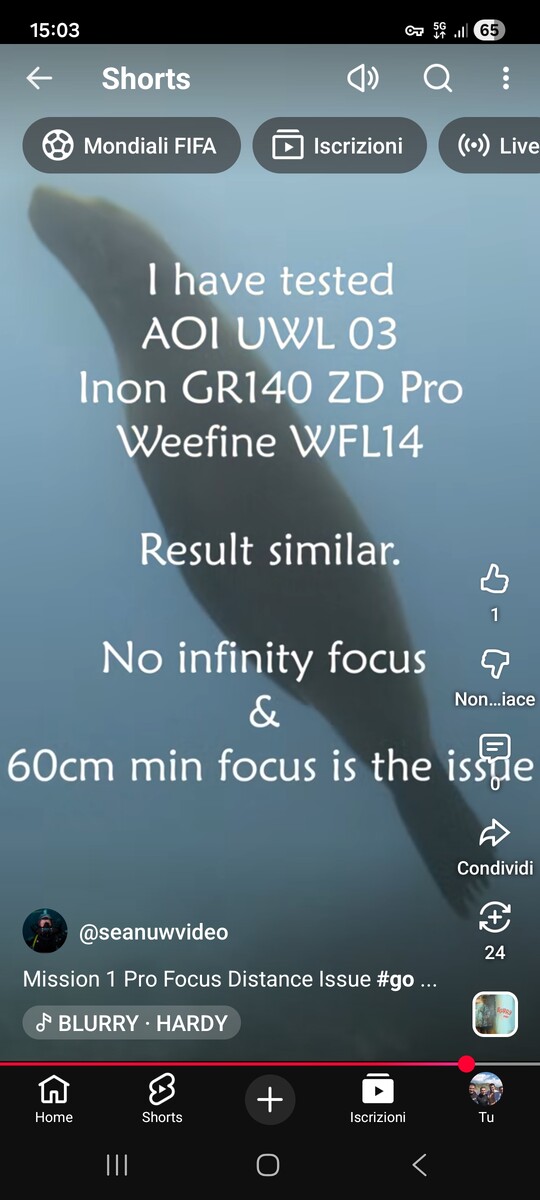
Hello. I follow Sean Elliot's YT channel. Full lenght review this weekend, I suppose he's always reliable He says "The Mission 1 Pro has a lot to love but sadly the way they have set the focus for a more cinematic look above water has made it VERY difficult to use undewater. Everyone knows there is an issue with minimum focus but you cant fix that with lenses. The BIG issue is that it also has a very short maximum focus and once you put any of the current wide angle lenses on it makes it unuseable past a few metres and I have tried the AOI, Inon and Weefine." I'm speechless...
-
Hello, I'v read some trouble about close focus distance underwater... bad news for inon lens owners. Bye
-
Hello, I have a rig just like your, GP12 and wet lens by INON (macro and wide) with floating arms. I was considering the new Mission 1 but I'm not sure about the availability of lens adapters by the manufacturers. For my purposes GP system is the right choice Ciao
-
Ok @Nando Diver , thank you. One more question: I use GP-TUNE as IDT, I correct WB and contrast if necessary. I didnt understand if the last node should be a CST to get rec.709 before delivery. Whats your opinion for better results? Bye
-
Thank you, what about noise reduction? The DR20 free version doesn't support NR effects. Bye
-
Very beautyful ! @Nando Diver Gp-tune in Davinci resolve yrgb or davinci resolve color managed? I suppose first.
-
As I wrote in compact section...Great action camera but ... it will be retrocompatible with wet lens and other accessories?
-
Great action camera but ... it will be retrocompatible with wet lens and other accessories? This is a big problem
-
The video says it' revolutionary I cant wait :-)
-
Looking around.... https://www.leeminglutpro.com/downloads/Leeming_LUT_Pro_4_GoPro_11_12_13_Setup_Guide.pdf It seems interesting, a bit more expensive. Ictu oculi Bye
-
Installed on macOs, DR20 free. First tests: the optimal result depends by the correct workflow adopted. At the moment color Management is set to DaVinci YRGB, timeline color space rec709 and gamma 2.4. Bye
-
Thank you @Nando Diver I think i'll do the same choice due to the cheap cost of such plugin. With FLAT and WIDE what are your settings for color Management settings? Thank you
-
Hello @Nando Diver hello everybody. About the best mix between standard gopro settings and gopro labs firmware. I use DIVE, BITR, of course WBLK. Color is FLAT as I try post with DR20. I have some doubt about WB setting, I"m wondering about setting 4500 kelvin due to lights temperature (I always use dive lights) or leave AUTO WB or choose NATIVE. what's your opinion ? Thank you
-
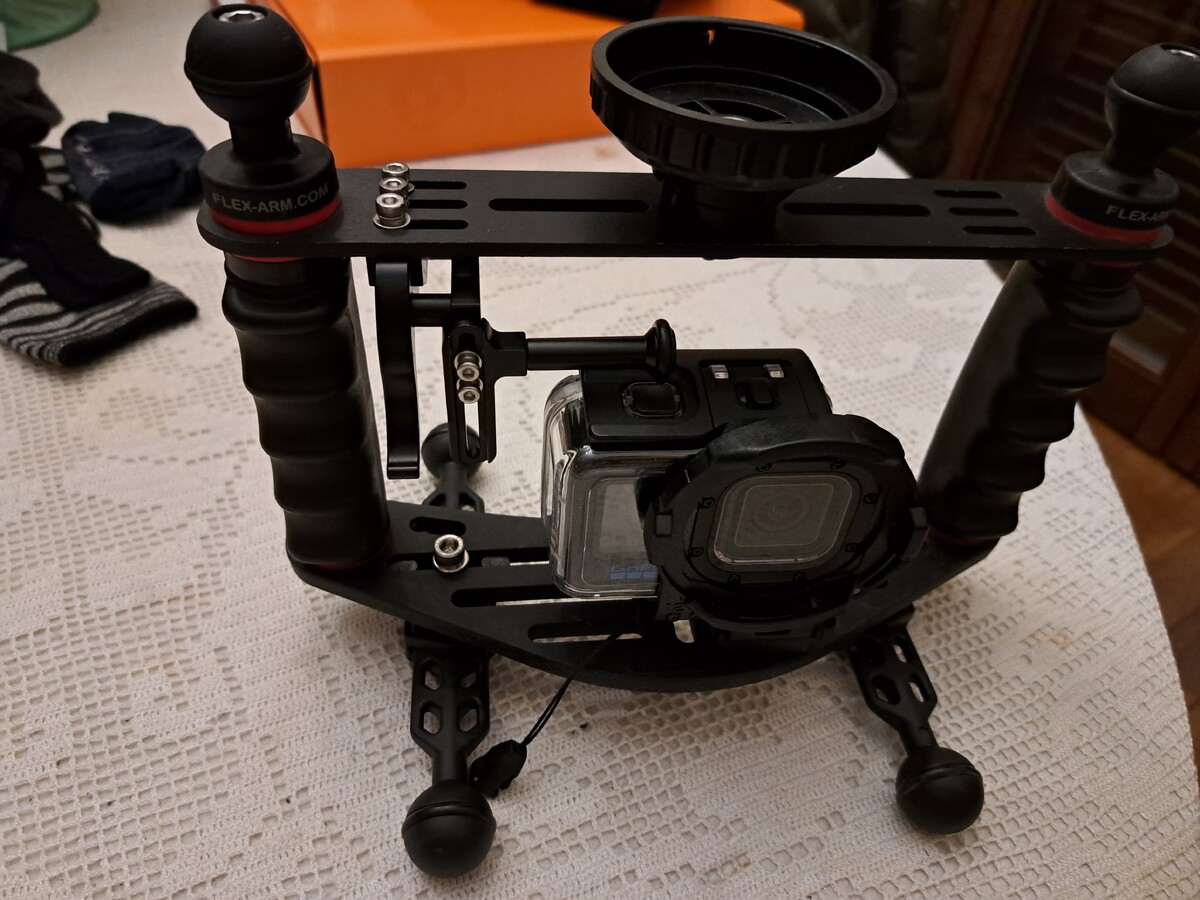
To whom may be concerned. Further upgrade as "tripod" by flex-arm
-
I asked to David Newman, gopro labs. He told me: Format the SD card, run a speed test $SPED=1, and if it reads under 400Mb/s, replace the card. I did some speed test under 180 mb/s, then the results always around 600 mb/s.... May be some sectors corrupted, l'll buy another one. Bye
-
Hello @Nando Diver which is the memory card you use with 190 mb/s? I'm still having video freezing or chopping last days, Thank you
-
I like the gopro 12 footage, less expensive, excellent result. Bravo