



Here are some of my favorites, enjoy!
#1

#2

#3

#4

Read-only discussion
Here are some of my favorites, enjoy!
#1
#2
#3
#4
Those are some nice shark shots but can be improved easily in photoshop by auto adjeusting everything or maybe a little curve action ... if you shot in RAW then calculating white balance will greatly help as well (as I am learnign ...)
... anyway .. I hope you dont mind but i auto adjusted them as an example of what I think looks nicer. nothign special just let photoshop do it's thing.
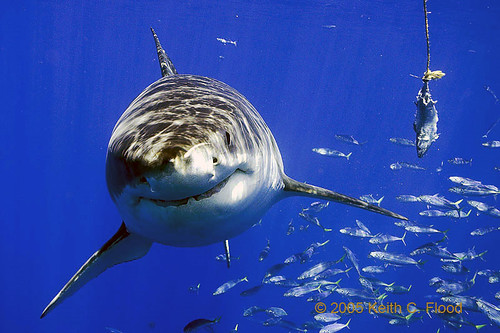
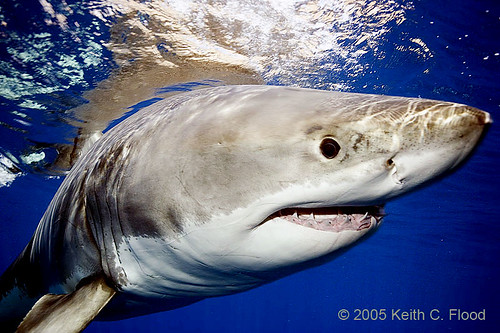
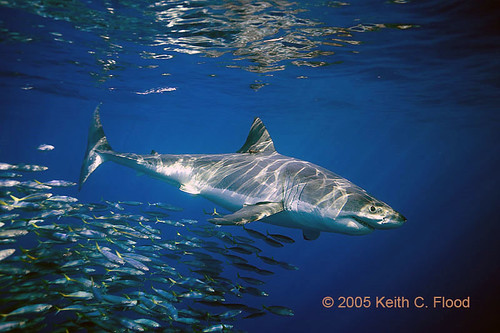
Thanks, I did a batch process on the boat and need to go back through my files and do a final edit.
Keith
Great looking shots Keith, i especially like #2 and the dappled light on 1 and 3.
Hi Keith,
I was thinking the same thing as Giles when viewing your photos - of paramount importance is a good white balance.
The shots are great but they will really shine.
Cheers
James
Thanks for the feedback guys. I corrected the WB and added another image.
Regards, Keith
Awesome!!! They all are very good, 1st one for that enormous mouth, 2nd pic because the animal is so close, 3rd one, I love that point of view with the shark coming. And last one, becasue of the delicate light and the composition.
Really good jobb, thanks for sharing 

Terms of Use Privacy Policy Guidelines We have placed cookies on your device to help make this website better. You can adjust your cookie settings, otherwise we'll assume you're okay to continue.

A worldwide community for underwater imaging.
