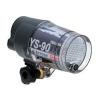
I have a brand new, never been used Sea & Sea YS90DX Stobe for sale! The ONLY reason I am selling this strobe along with my other gear is I just have no use for it. I own six of them at the moment, along with 2 120s and it really would get great use in someone else's kit. The cost is for this strobe is $500 USD If you are interested, please contact me at doug@oceanmagicproductions.com
Hi Everyone,
I am reducing the price of my BRAND NEW, NEVER BEEN USED YS90DX strobe from $500.00 down to $450.00 It is a steal at that price! It comes with everything but the original box and the 4 AA batteries Sea&Sea normally sends with the strobe. I really would like to move the strobe but this is the lowest I can let it go for. That is a savings of around $175.00 if I am not mistaken. If you are interested, feel free to respond here or email me at doug@oceanmagicproductions.com If there are no takers in the next few days or so, it will probably go into my already overloaded strobe collection or who knows, it might even end up in Mike Veitch's (my partner in crime) christmas stocking in Yap. Anyway, it is a great value at that price, let me know if you're intrested...
Doug
Hi Everyone,
Just wanted to let everyone know I just sold the YS90DX. Thanks to all the fellow Wetpixel people who emailed me about wanting to buy the strobe. Good luck the next time and thanks again for looking!
Doug
Does this mean i won't get a stocking now?
damn...
Sorry Mike,
No electronics this year, just some betel nut and some cheese!