



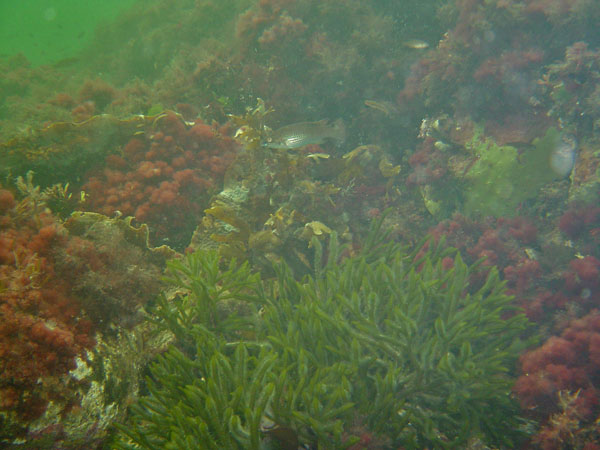
Hi, took this picture a week or so ago and I really like the scene. But I dont know what I should do in photoshop to fix the white "mist".
Anyone have any ideas?
Shooting Technique, Workflow and Editing / Archived topic
Started by Style ·
Read-only discussion
Hi, took this picture a week or so ago and I really like the scene. But I dont know what I should do in photoshop to fix the white "mist".
Anyone have any ideas?
Is the "mist" fogging in your housing? If so, its much easier to prevent the fogging by using dessicant packs than to try and fix it later. I use them religiously. They're cheap insurance.
You probably already know that, though.
I have no idea how to photoshop away that big of a problem. Sorry.
David
Is the "mist" fogging in your housing? If so, its much easier to prevent the fogging by using dessicant packs than to try and fix it later. I use them religiously. They're cheap insurance.
You probably already know that, though.
I have no idea how to photoshop away that big of a problem. Sorry.
David
unfortuently it isnt fogging in the housing. I have an other picture shot about 2 sec before that one and it hasnt any fogging at al.
Quick edit - the most basic tools in Photoshop - brightness and contrast.

Quick edit - the most basic tools in Photoshop - brightness and contrast.
Good job. I should have downloaded the photo and given it a try instead of just talking about it. I was overthinking it in my head.
David
.jpg.857dbbfbdc4d79d9c6ebf7b4ba96ed1b.jpg)
Terms of Use Privacy Policy Guidelines We have placed cookies on your device to help make this website better. You can adjust your cookie settings, otherwise we'll assume you're okay to continue.

A worldwide community for underwater imaging.
