I'd like to know what people recommend for a nikon to shoot humpbacks. I figure the wide options would be the 10.5, 16, or 12-24? would the 10.5 be too wide & fishy?? i only have the 10.5 right now, with my busted 12-24 at nikon with no news as per the extent of damage. Was thinking of getting the 16. Suggestions?
Also, has anyone used magic filters? I suspect they would work well for shooting level to downward with the sun, but would perhaps ruin any potential upward silhouette shots??
Cheers,
Chris
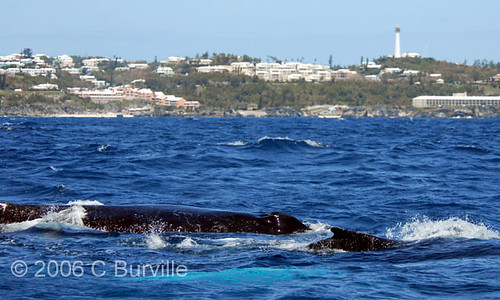
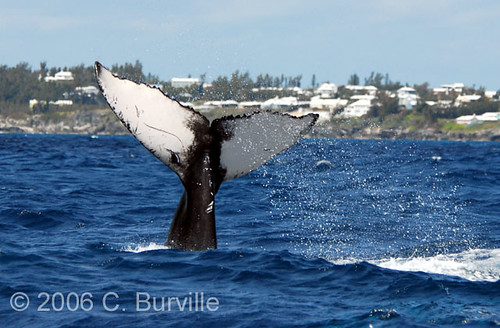
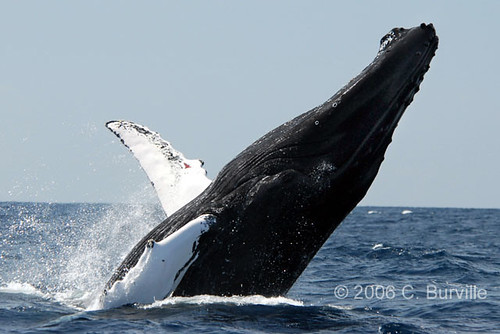
here's a couple from last year before i got my housing. All D200 + 80-400VR (my favorite lens):
I'd put my money on the 10.5mm... if you can get close enough, otherwise the 12-24 but really would try for the 10.5mm first. BTW that look like the coast line of Bermuda, that light house seem familiar.
I'd put my money on the 10.5mm... if you can get close enough, otherwise the 12-24 but really would try for the 10.5mm first. BTW that look like the coast line of Bermuda, that light house seem familiar.
Hi Jean,
You are right, it is Bermuda. This is Chris Burville, we spoke on the phone the other day about the button issue on my housing and your upcomming trip here.
I'd still like to hear what others use to shoot this magnificent creatures. Especially from people that have been places like the silver banks. Also if anyone's used colour correction (i.e. magic, ur pro) filters for shooting them.
Cheers,
Chris
i used my 15mm fisheye on my D60 (crop sensor)
if i was uncropped i would say 15mm would be perfect
on a cropped sensor you could use a little wider .. wider is always better
i used my 15mm fisheye on my D60 (crop sensor)
if i was uncropped i would say 15mm would be perfect
on a cropped sensor you could use a little wider .. wider is always better
I used my 12-24mm to shoot sperm whales with good result. A couple of time I got close enough to wish I had taken a 10.5. I used available light ISO set at 320. I had magic filters aboard but didn't use them. only got one really good day in the water with the whales. Most of the time was spent looking for the right pod of whales that wanted human company.
I would if I could shoot with and also without the magic filter. To compare results
I used a 14mm and a 12 to24 in tonga. You really have a variety of ecnounters. Some will come close and check you out, some are more timid. I was very happy with a 12 to 24, but i was using a film camera ie no crop factor. My wife and I found it to be the most incredible u/w experience we ever had.
I used my 12-24mm to shoot sperm whales with good result. A couple of time I got close enough to wish I had taken a 10.5. I used available light ISO set at 320. I had magic filters aboard but didn't use them. only got one really good day in the water with the whales. Most of the time was spent looking for the right pod of whales that wanted human company.
I would if I could shoot with and also without the magic filter. To compare results