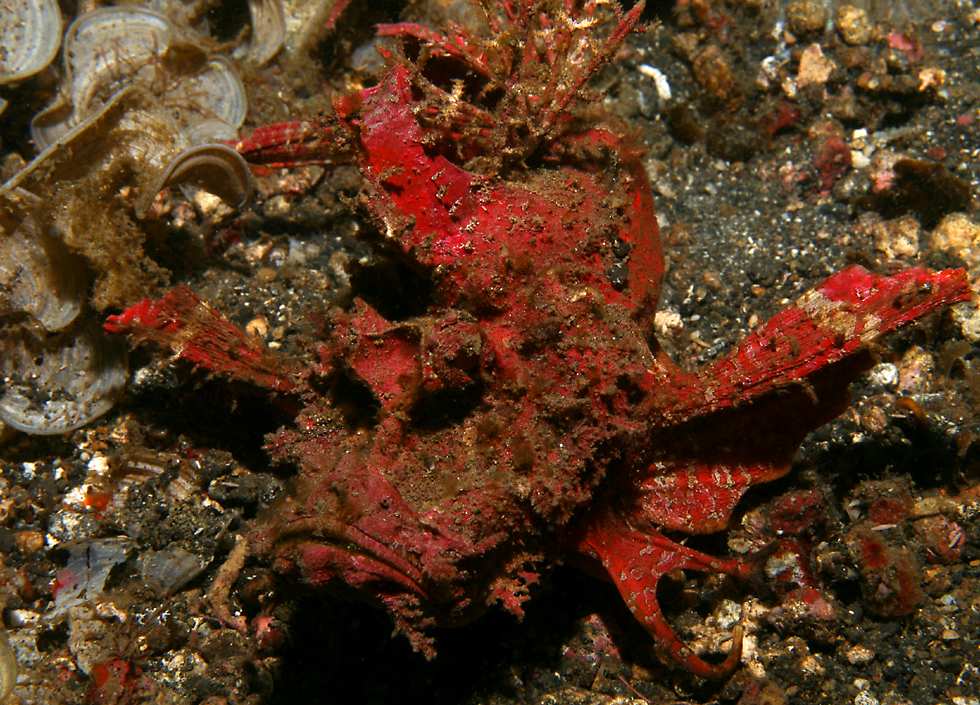
Last week I ordered my copy of "Reef Fish Identification - Tropical Pacific" by Humann, Steene, et al, but I find I need an ID of this critter today. I looked under scorpionfish in FishBase but couldn't turn anything up:
Thanks in advance,
Richard.
It's a walking sea devil, genus Inimicus. I. didactylus is common around Lembeh.
Lovely shot of the Inimicus. It's good to see they are still in abundance in Lembeh.... the red coloration is really something special to them in Lembeh... One night dive there I found 9 of them... most in pairs!
Beautiful shot. I've never seen the red color variant before. One more reason to head back to Lembeh, I guess.
Frogfish (Robert Delfs)
Thanks all, I appreciate it.
I think I'll have to head back to Lembeh, too - my trip there this time was cut short, and one day's photos were lost, with all sorts of cool stuff, like two different Rhinopias species.
That place is enough to convert anyone into a dedicated muck diver!
Richard.
Great to see divers really into muck diving. Once you get into the muck and critters, there's no looking back! Although is great to dive on gorgeous from time to time as well of course, variety is the spice of life after all... and Lembeh certainly has that!
Maybe the same one? My pic is not nearly as dramatic. Taken to identify.
Ah... A lot easier to ID with the side shot!
I agree with the others and think both are what is commonly known as a Bearded Ghoulfish (Inimicus didactylus). Here is the link for the fishbase page: