Skip to content

Photo / Video Showcase / Archived topic

Are my photos too saturated?

Started by Pacislander ·

  • 9Posts
  • 9Replies

Read-only discussion

Are my photos too saturated?

9 posts
  1. Just want some advice from some more experienced UW shooters. I went out for my second time today with my camera. Things were a lot easier the second time around. The water was pretty merky and green though, which is the case around most of Hawaii's shore dives. Anyways. I hate doing too much post processing work on my photos and I think I went a little overboard whenever I look at the final product. I feel like they look too fake, and I can't seem to get them right. Can anyone give me any feedback and advice. My photos are on the site link. Thanks a lot.

    Dan


    http://pacislander2.deviantart.com/

  2. From my uncalibrated office monitor and my untrained eyes, I thought your two turtle shots came out nice. On the hawkfish shot, did you do some noise reduction? The details on the coral look a bit unnatural.

    Edited by pakman
  3. From my uncalibrated office monitor and my untrained eyes, I thought your two turtle shots came out nice. On the hawkfish shot, did you do some noise reduction? The details on the coral look a bit unnatural.


    Yea i did some noise redutcion on all of them I think. i may have oversharpened the hawkfish picture and probabaly undersaturated the greens perhaps.

  4. Ok, one more thing. I've been looking at some of the photos in this weeks photo contest, and the blues are so much more natural then mine. My shots are from fairly shallow water and im guessing it is just because the water im diving in is more green and merky then deeper dives, but can anyone give me any advice on how to get that natural blue color from the water? Maybe when i go dive another area where the water is deeper my shots will look better. I just feel like im over proccessing my shots to make them look natural and in the end they actually look unatural.

  5. Alex posted a good article in UWMAG about "getting the blues" I'm sure someone will tell us which edition, I can't recall. But for myself I find that, the right camera angle, tilting up, getting close and the right f-stop works great, more than anything it the tilting up of the camera. Hope this helps, but read that article if you can.

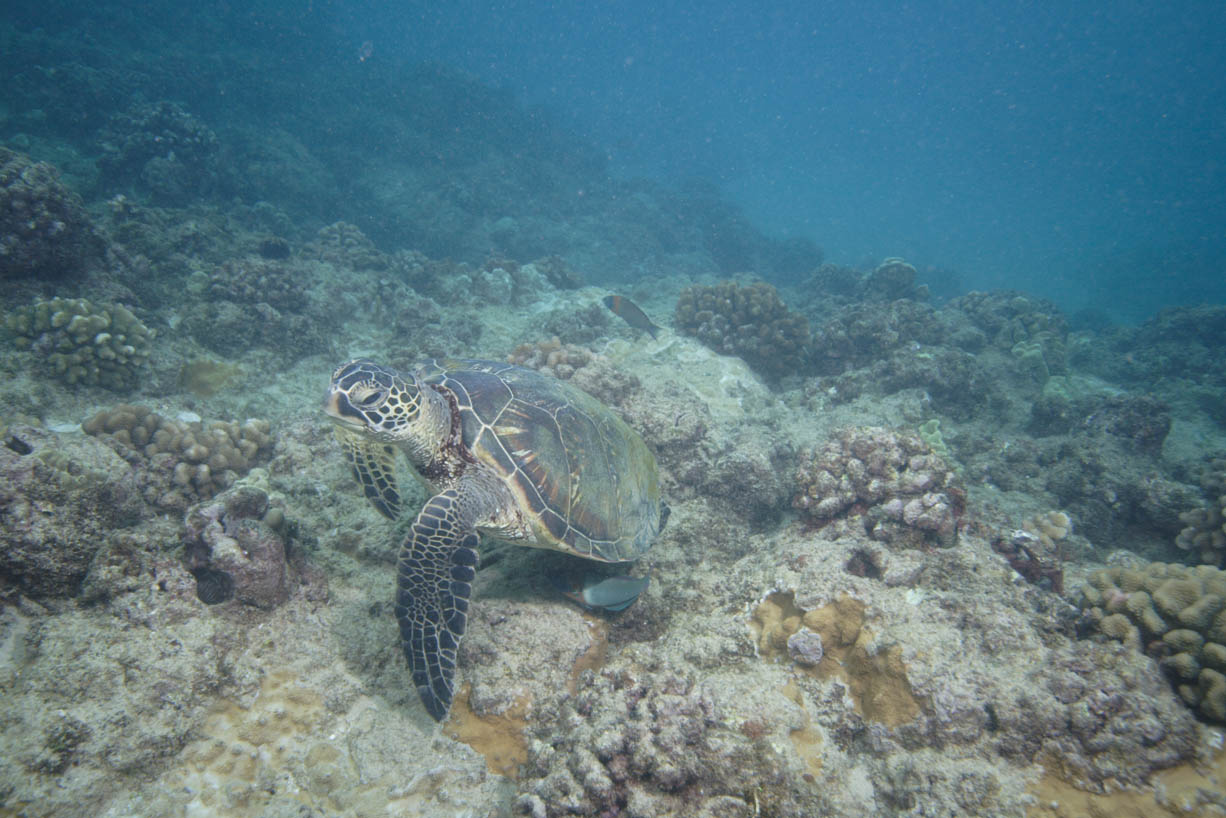
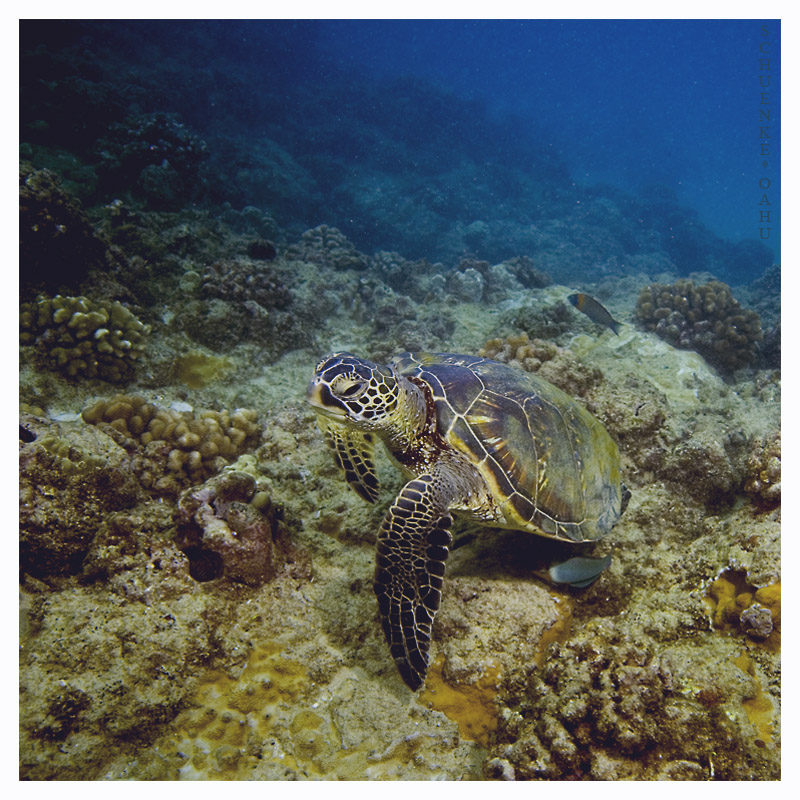
  6. Are you able to post some unprocessed versions next to processed versions for comparison?

  7. Are you able to post some unprocessed versions next to processed versions for comparison?


    See if that works. I feel like i over do it though on processing them. I should be able to take a better original, but maybe itsuscause im still new to UW photography. I think i took this on my second dive with my camera. Any suggestions are welcome. Good or bad, please. i could use some input.

    post-14213-1196212236_thumb.jpg

    post-14213-1196212290_thumb.jpg

  8. See if that works. I feel like i over do it though on processing them. I should be able to take a better original, but maybe itsuscause im still new to UW photography. I think i took this on my second dive with my camera. Any suggestions are welcome. Good or bad, please. i could use some input.

    If the viz was poor as you say, then that original probably resembles the way things looked. Probably in that situation, getting closer and reducing the effect of the intervening water would have been helpful.

    Sometimes in conditions like this, you have no option but to make adjustments to your original to get a visually pleasing image. The obvious answer is just to be less radical in your adjustments. If you are working in Photoshop there is another option. If you do all your adjustments on a duplicate layer, then after your adjustments are done, play with the opacity slider at the top of the layers palette. By decreasing the opacity of the adjusted layer, you can make the adjustments look more natural.

    Probably a little more complicated than you wanted to hear, but I think sometimes you have no choice but to make adjustments when conditions are less than ideal.


  9. If the viz was poor as you say, then that original probably resembles the way things looked. Probably in that situation, getting closer and reducing the effect of the intervening water would have been helpful.

    Sometimes in conditions like this, you have no option but to make adjustments to your original to get a visually pleasing image. The obvious answer is just to be less radical in your adjustments. If you are working in Photoshop there is another option. If you do all your adjustments on a duplicate layer, then after your adjustments are done, play with the opacity slider at the top of the layers palette. By decreasing the opacity of the adjusted layer, you can make the adjustments look more natural.

    Probably a little more complicated than you wanted to hear, but I think sometimes you have no choice but to make adjustments when conditions are less than ideal.

     

    That doesn't sound too complicated. I can figure that out. Sounds like a good idea too. And yea, the conditions wernt great, shallow dive and a bit if surf which churned things up. I might have been able to get a little closer but i was already about 3 feet from him. Thanks for the input. Much appreicated

    Edited by Pacislander
Sea & Sea

Account

Navigation

Search

Search

Configure browser push notifications

Chrome (Android)
  1. Tap the lock icon next to the address bar.
  2. Tap Permissions → Notifications.
  3. Adjust your preference.
Chrome (Desktop)
  1. Click the padlock icon in the address bar.
  2. Select Site settings.
  3. Find Notifications and adjust your preference.