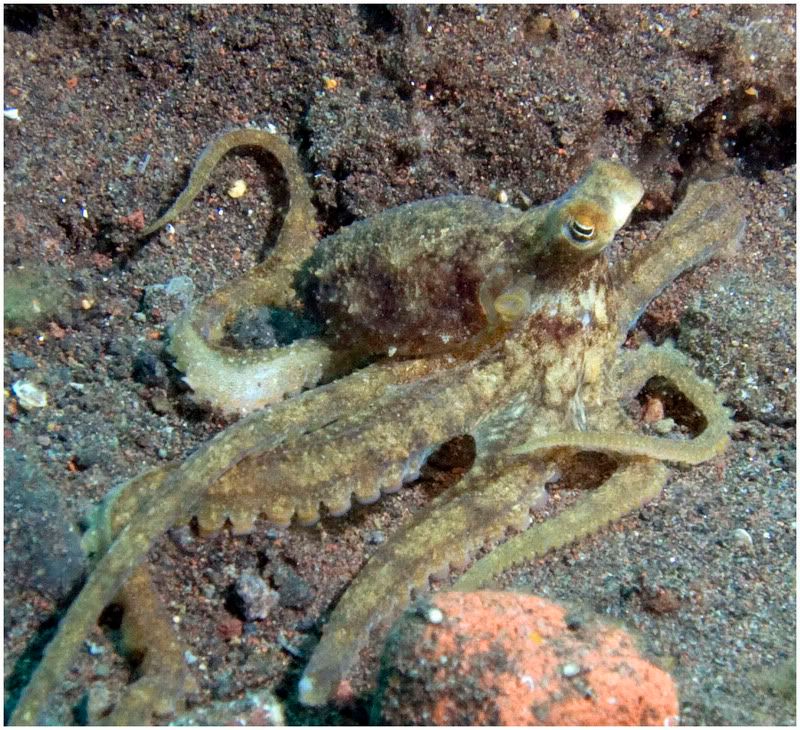
this should be an easy one, but I dont own any indo-pacific invert guide books Any way, i got one shot before i lost it. I found it in Seraya secrets in tulamben Bali. I dont have a better picture, it was lucky just to get one.
Thanks a lot
Guess all our octopus exerts are out diving. Octos aren't that easy to id from pictures unless you're a specialist in the group. especially when there doesn't seem to be any thing really distinctive about their coloration (like Wonderpus) or behavior (the coconut octopus).
Guess all our octopus exerts are out diving. Octos aren't that easy to id from pictures unless you're a specialist in the group. especially when there doesn't seem to be any thing really distinctive about their coloration (like Wonderpus) or behavior (the coconut octopus).
Thanks Leslie. I figured it was a pretty common octopus so it wouldn't be too hard, but i guess many look similar. Any idea where i could try myself online (i already tried cephbase)?
I appreciate your response!
Matt
There's a relatively new & quite informative website on cephalopods at http://www.australiancephalopods.com/index.html It has a lot of interesting looking links including one entitled "identification". My server was unable to connect to that link site but maybe you'll have better luck. the other option is to send your pic to Dr. Mark Norman (one of the heads of the Ceph Research project for his expert opinion. He's at the Museum victoria, Australia. If you get an answer please let us know.




 Any way, i got one shot before i lost it. I found it in Seraya secrets in tulamben Bali. I dont have a better picture, it was lucky just to get one.