



Jeff's dolphin's looked so cool I figured I would give the HDR thing another try ...
Whaddya think? (I know it ain't underwater, but I was 50 feet from the bank of the river ...  )

Read-only discussion
Jeff's dolphin's looked so cool I figured I would give the HDR thing another try ...
Whaddya think? (I know it ain't underwater, but I was 50 feet from the bank of the river ... )
lol, new ps3 game - Police nice
Nice Jeremy; looks like a drawing doesn't it?
How are you enjoying the D700? I love mine!
Nice Jeremy; looks like a drawing doesn't it?How are you enjoying the D700? I love mine!
Thanks! I am absolutely loving this camera ... the 17-35 is a whole new world for me. I've never owned anything wider than 24mm and only played with 20mm once or twice.
I'm actually having some technical issues with HDRs in Photoshop - if you look closely at this image you'll see some small areas where the pixels went pure white. It has something to do with the interaction of the Photomatix tonemapping plugin and the 32-to-16bit conversion in CS3. I may try and get the stand-alone app instead if I can't figure it out.
I like the Photomatix tone mapping and anti-ghosting features, but CS3 seems to do a better job of preserving the full DR of the RAW files when it makes a 32bit file ... my workflow on HDR is not 100% settled ... but one thing is for sure - the essentially noiseless files from the D700 make for GREAT inputs to tone-mapped HDR images.
... I also bought a few other bits to go along with it ... my kit is now:
D700
Gitzo Series 2 sticks with Giottos ballhead
17-35mm
70-200mm VR
50mm 1.4
1.7 TC II
52mm Canon 250D
77mm Canon 500D
24-120mm VR
Tamrac Expedition Backpack
I'm ready for anything! (except underwater )
I do have a question that you (or someone) may be able to answer ...
I noticed that there is a setting in the camera for "Long Exposure Noise Reduction" - which I have "off" ... and I remember reading somewhere (prior to the D700) that Nikons make sh*tty astro-cameras because the RAW files aren't actually "RAW" - meaning that there was some long-exposure (1 sec +) NR that affected RAW files and couldn't be shutoff (and which had the nasty effect of deleting stars!).
Do you know if this is what that setting does - ie turns that NR off - and whether this setting impacts RAW files or just JPEGs?
I'm very interested in night shots of the city and other low-light stuff and I just want to know what's what ...
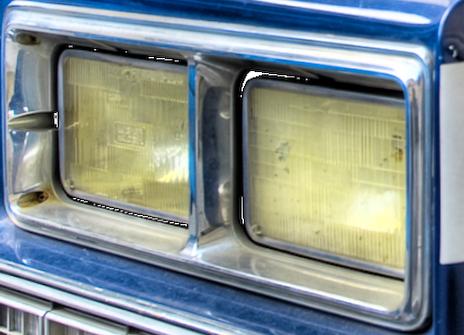
Here's a crop showing the blown out pixels:
Thanks! I am absolutely loving this camera ... the 17-35 is a whole new world for me. I've never owned anything wider than 24mm and only played with 20mm once or twice.
I'm actually having some technical issues with HDRs in Photoshop - if you look closely at this image you'll see some small areas where the pixels went pure white. It has something to do with the interaction of the Photomatix tonemapping plugin and the 32-to-16bit conversion in CS3. I may try and get the stand-alone app instead if I can't figure it out.
I like the Photomatix tone mapping and anti-ghosting features, but CS3 seems to do a better job of preserving the full DR of the RAW files when it makes a 32bit file ... my workflow on HDR is not 100% settled ... but one thing is for sure - the essentially noiseless files from the D700 make for GREAT inputs to tone-mapped HDR images.
... I also bought a few other bits to go along with it ... my kit is now:
D700
Gitzo Series 2 sticks with Giottos ballhead
17-35mm
70-200mm VR
50mm 1.4
1.7 TC II
52mm Canon 250D
77mm Canon 500D
24-120mm VR
Tamrac Expedition Backpack
I'm ready for anything! (except underwater
I do have a question that you (or someone) may be able to answer ...
I noticed that there is a setting in the camera for "Long Exposure Noise Reduction" - which I have "off" ... and I remember reading somewhere (prior to the D700) that Nikons make sh*tty astro-cameras because the RAW files aren't actually "RAW" - meaning that there was some long-exposure (1 sec +) NR that affected RAW files and couldn't be shutoff (and which had the nasty effect of deleting stars!).
Do you know if this is what that setting does - ie turns that NR off - and whether this setting impacts RAW files or just JPEGs?
I'm very interested in night shots of the city and other low-light stuff and I just want to know what's what ...
Looks like you're ready with your kit. I don't have the 24-120, I have the 24-70 which seems to be pretty sharp.
I use the Photomatrix standalone, and have not seen the blown out pixels. My thoughts are that if those are specular highlights which are blown out even in your underexposed images, this could be the problem.
I'm not sure about earlier Nikons, but I can turn off long exposure NR on my D200. It seems Long Exposure NR has different mechanisms in different cameras.
Wow, your police cars in America look just like the ones in the movies. Cool picture. Look forward to seeing this techniques used effectively underwater.
Alex
Wow, cool effect, Jeremy. You have missed your vocation, you should be producing computer games.
Looks like you're ready with your kit. I don't have the 24-120, I have the 24-70 which seems to be pretty sharp.
I've played with a friend's 24-70 and 14-24 and they are both wicked sharp.
The 24-120 isn't awful, but it isn't great either. The VR is nice, but it is slow (obviously) and pretty soft in the corners (not as obvious), but when the sun is shining and IQ isn't the number one priority, it seems to make a nice single lens solution.
That said, with ISO 6400, even at a slow 5.6 you can get pretty good results in low light. Here's a couple good low-light examples with the 24-120 from inside Madison Square Garden:
1/20 @ f5.6 / ISO 6400

1/60 @ f5.6 / ISO 6400

Wow, your police cars in America look just like the ones in the movies.
Haha! The car is an "antique" NYPD car that is parked outside the "NYC Police Museum" ...
Cool picture. Look forward to seeing this techniques used effectively underwater.
Thanks! If I ever get this thing underwater, I'll try it for sure! Underwater ambient light photography with the big sensor is very intriguing.
I've tried with my G9, but never with any luck ... both due to a lack of tripod and the lack of high ISO capability.
Wow, cool effect, Jeremy. You have missed your vocation, you should be producing computer games.
Thanks, Brian! You jest ... but that's actually something under serious consideration ... I'm looking for the "next thing" right now, and I actually have some interest in a video game company idea I have ... probably won't go anywhere, but very funny you should say that!

Terms of Use Privacy Policy Guidelines We have placed cookies on your device to help make this website better. You can adjust your cookie settings, otherwise we'll assume you're okay to continue.

A worldwide community for underwater imaging.
