Hi.
I just bought a Tokina 12-24 f/4 and of course I want to use it underwater. I shoot with a Nikon D80 in an Ikelite housing with the 8" dome. According to the port chart Ikelite has, I'm supposed to use the 5510.16 port body. However, I did a test according to the "Dome" article in UwP #36 and came across some strange information.
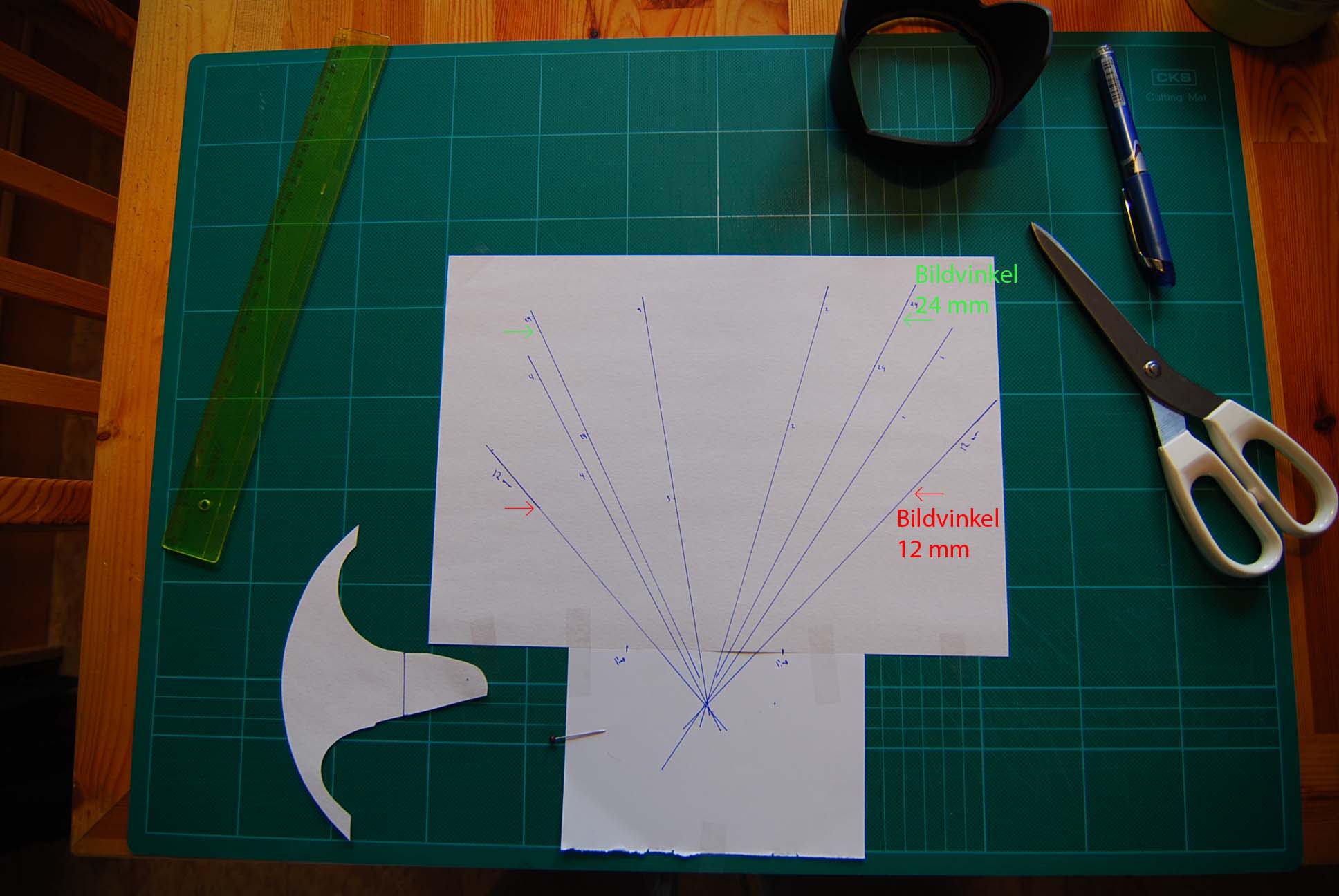
If you look at the first image, there you can see the angle of view at 12mm (red arrows) and the angle of view at 24mm (green arrows), the front part of the lens (blue marks where the papers meet) and the "Apparent Font Entrance Pupil" which is where all the lines meet (~25mm from the front of the lens)
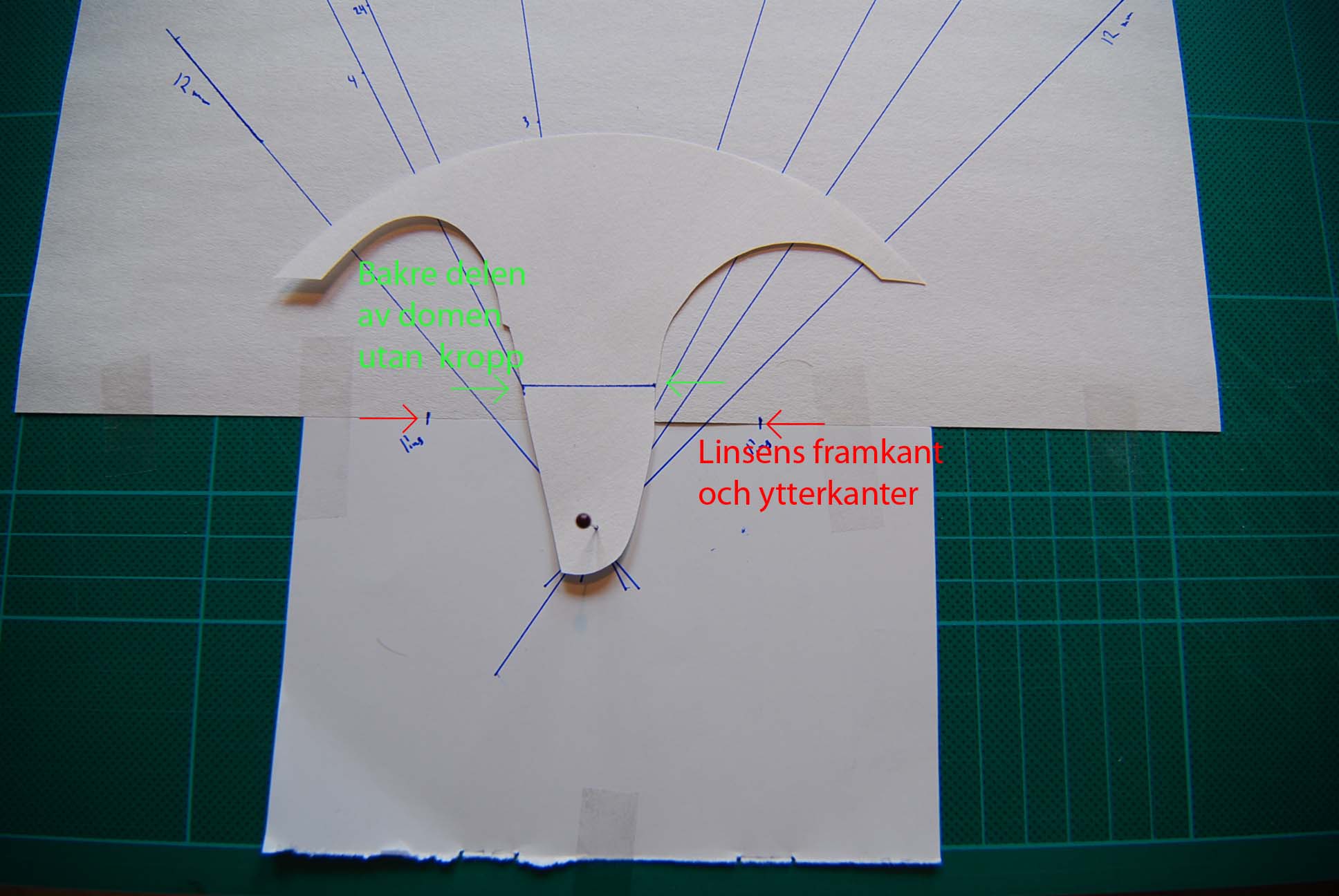
The second image shows where the dome is located when the dome's centre is in the same place as the "AFEP". According to this, you are not supposed to have the lens in the dome at all, but ~8mm behind the dome itself!!! (The curved part shows the interior diameter of the dome, and the blue line between the green arrows the exterior och the dome backside) Trying to shoot some photos with a tripod and the dome that far away, you can clearly see parts of the port body in the images.
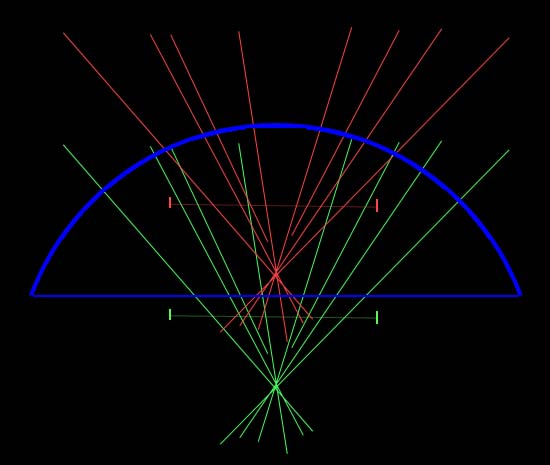
In the third image, you can see the difference between the 5510.16 port body (red) and where it is "supposed" to be (green). The image is nog 101% exact, but gives you a good idea in how big difference it is.
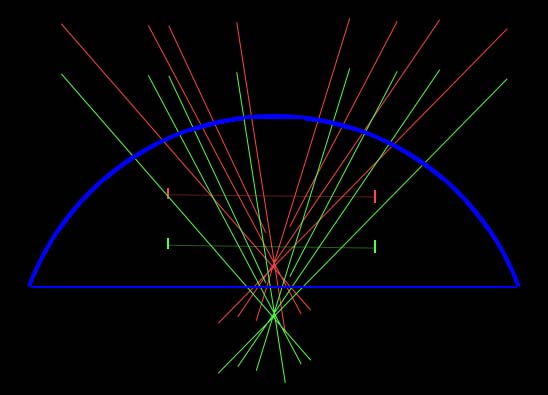
The forth image shows the difference (~19mm) between the .16 (red) and .22 (green) port body.
What do you think, those of you that have the Tokina 12-24? Any problems with the .16 or do you use an another port body? Have you encountered other problems with recommendations about port bodies?
Personally, I think I'm going to buy the .22 and see how it works...