



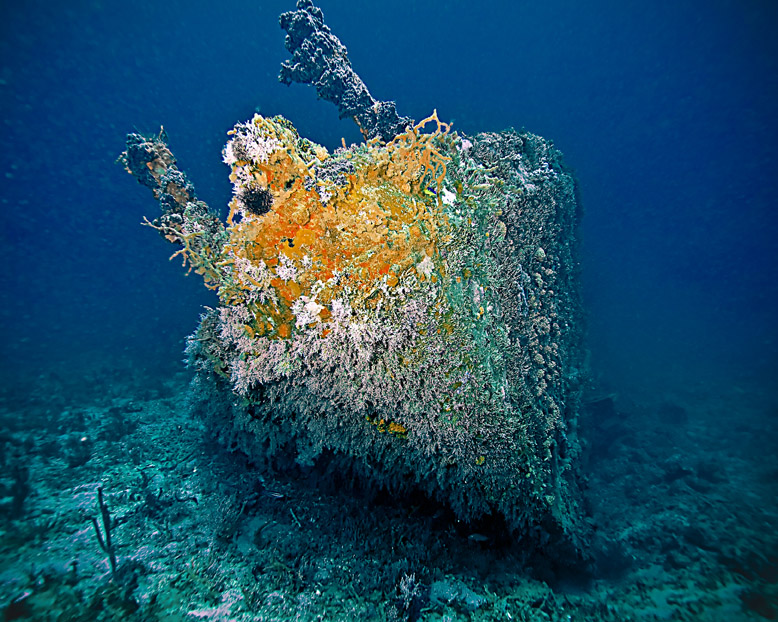
Shot in the Dominican Republic - tried to do a little post-processing to get that "Titanic" kinda feel to it.. C&C Welcome -
Read-only discussion
Shot in the Dominican Republic - tried to do a little post-processing to get that "Titanic" kinda feel to it.. C&C Welcome -
I like the colors and the way you have highlighted the bow so there is a nice contrast to the blue background. Maybe a bit too much sharpening in the post-processing ?
I did sharpen it quite a bit - I wanted all the little "rust-icles" and things to be a bit more prominent...
I like the colors and the way you have highlighted the bow so there is a nice contrast to the blue background. Maybe a bit too much sharpening in the post-processing ?
Nice shot with good colour. I'd try softening the water, do try and bring out a smooth, deep blue. Looks like ou've either had backscatter or too much sharpening.
Good work!
Had a TON of backscatter -there was a lot of crap in in the water - I went in with the healing brush out got out most of the offending lightspots, then once more over with a blur tool with a soft setting (like 20% hardness) -
D.
Nice shot with good colour. I'd try softening the water, do try and bring out a smooth, deep blue. Looks like ou've either had backscatter or too much sharpening.
Good work!
Is there an easy way to smooth out the blue so it's more uniform without the noise? I've tried using healing brush + blur tool + noise ninja but I'm not getting the result I want... there has got to be an easier way...
Any tips appreciated!
D.
Nice shot with good colour. I'd try softening the water, do try and bring out a smooth, deep blue. Looks like ou've either had backscatter or too much sharpening.
Good work!
let me play with it a bit and I'll let you know.

Terms of Use Privacy Policy Guidelines We have placed cookies on your device to help make this website better. You can adjust your cookie settings, otherwise we'll assume you're okay to continue.

A worldwide community for underwater imaging.
