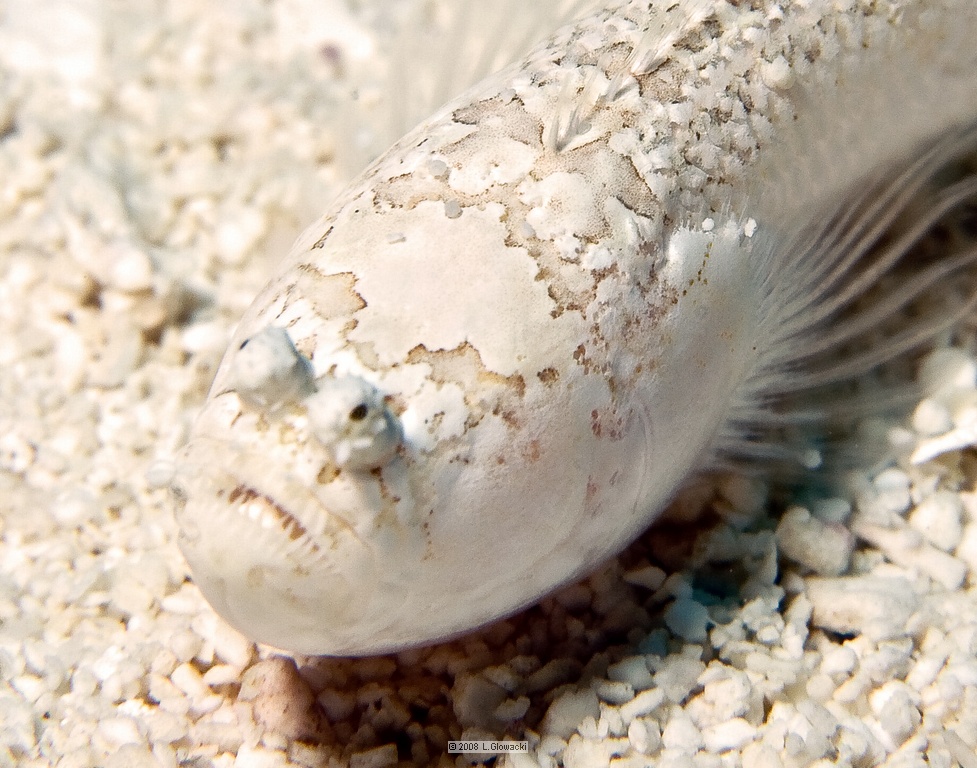
On my last dive trip to Cozumel (09/08) one the divemasters found the attached fish. It was in the morning with the depth between 35 to 40 feet on a sandy flat. The maximum approx. length was 2". The fish would only remain on top of the sand for about 30 to 45 seconds and then complete buried itself. Has the apperance of a star gazer but has eyes like a flounder.
Interesting find. Could be a weever fish - related to the stargazer.
Trachinus draco
On my last dive trip to Cozumel (09/08) one the divemasters found the attached fish. It was in the morning with the depth between 35 to 40 feet on a sandy flat. The maximum approx. length was 2". The fish would only remain on top of the sand for about 30 to 45 seconds and then complete buried itself. Has the apperance of a star gazer but has eyes like a flounder.
The long eyestalks, slender body, small size, and coloration suggest a sand stargazer (Dactyloscopus tridigitatus). Nice find.
Les Wilk
The long eyestalks, slender body, small size, and coloration suggest a sand stargazer (Dactyloscopus tridigitatus). Nice find.
Les Wilk
It's not in my excellent "Reef Fish ID - Florida, Caribbean, Bahamas DVD". Perhaps in the next version then Les?
It's not in my excellent "Reef Fish ID - Florida, Caribbean, Bahamas DVD". Perhaps in the next version then Les?
Hi Brian;
We thought we'd pushed the species count as far as possible with the 4th edition. We were wrong. There will indeed be a 5th edition.
Les
If Les says it's a sand stargazer then I stand corrected! Bring on the 5th edition!