Skip to content

Classifieds / Archived topic

FS Greenforce Squid 50HID Video Lighting System

Started by NWDiver ·

  • 4Posts
  • 4Replies

Read-only discussion

FS Greenforce Squid 50HID Video Lighting System

4 posts
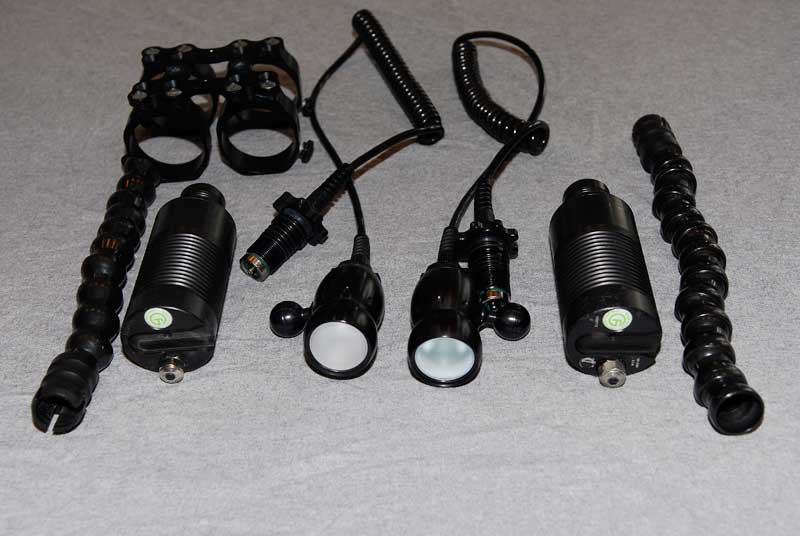
  1. Greenforce Squid 50HID Lighting System.


    These are one owner, lightly used (about 50hrs) and in excellent condition. We have owned them a little over a year. If you are not happy with their function or condition I will refund your money in full, minus shipping.


    New US$2,375

    Selling for US$1,125 or best offer


    Comes with

    Dual head HID.

    240 min FII batteries.

    Wide 110° diffused beam angle.

    Daylight-balanced 6200K color temperature.

    Fast 3 hr international smart charger x2.

    Included mounting hardware for Gates housing.

    Loc-Line light arms with Gates handle attachments.

    3 yr manufacturer warranty (1 yr batteries)


    http://www.h2ophotopros.com/component/page...mart/Itemid,26/


    Looking to sell to USA or Canada PM me or Post here!
    post-1729-1226880406.jpg

    post-1729-1226880418.jpg

    Edited by NWDiver
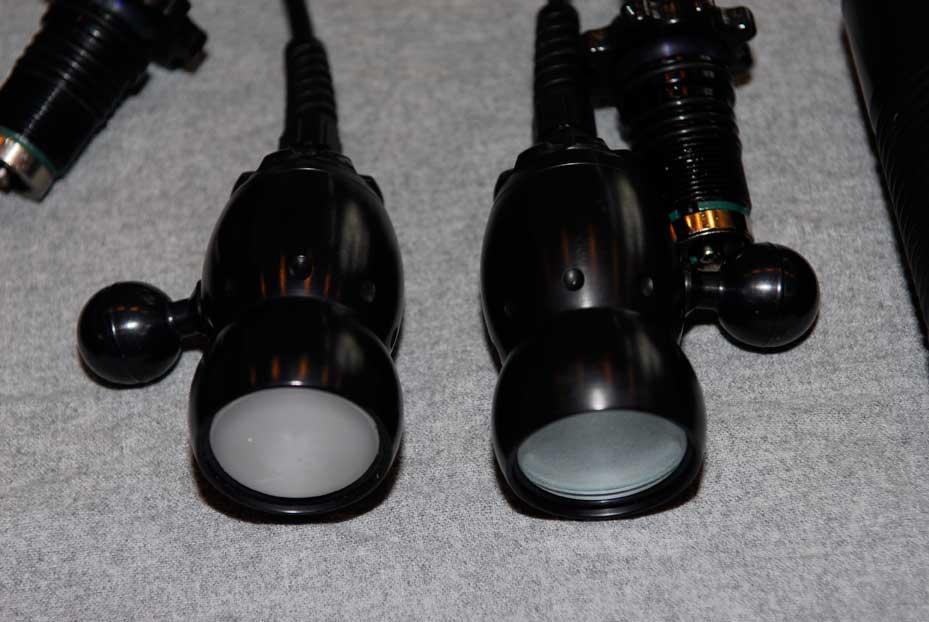
  2. One looks more frosted than the second or is that just the angle of the photograph? I could be interested.


    Any idea of shipping costs from you to Indo?


    Cheers,

    Mark.

  3. Mark,


    Sent you a PM.


    For others:


    Yes one lens has a little more frosting and has a little more of a "dome" shape to it. I asked about this when we got them and Greenforce said they had a change in lens makers but the tested them and found them to give out the same angle, color and intensity of light. I played with them on land, in a pool and underwater and found them to be the same. For example of them at work you can look at the MultiMedia Chuuk show at our website for some brief samples (please note this was my wife's first try at shooting with lights and was a little overwhelmed and one of the reasons they are for sale) Sorry about the low res version.

    Edited by NWDiver
  4. Turns out they are still for sale, feel free to make offer.

Marelux

Account

Navigation

Search

Search

Configure browser push notifications

Chrome (Android)
  1. Tap the lock icon next to the address bar.
  2. Tap Permissions → Notifications.
  3. Adjust your preference.
Chrome (Desktop)
  1. Click the padlock icon in the address bar.
  2. Select Site settings.
  3. Find Notifications and adjust your preference.