



Will it work optically to fit old motormarine/sea&sea WA lenses to a modern P&S housing?
The ones I've seen are:
20mm 4.5f
16mm 5,6f
Photography Gear and Technique / Archived topic
Started by oskar ·
Read-only discussion
Will it work optically to fit old motormarine/sea&sea WA lenses to a modern P&S housing?
The ones I've seen are:
20mm 4.5f
16mm 5,6f
Hi Oskar,
YES - it will work! Maybe you have to zoom in a little bit with the 16mm.
Regards,
Jock
Will it work optically to fit old motormarine/sea&sea WA lenses to a modern P&S housing?
The ones I've seen are:
20mm 4.5f
16mm 5,6f
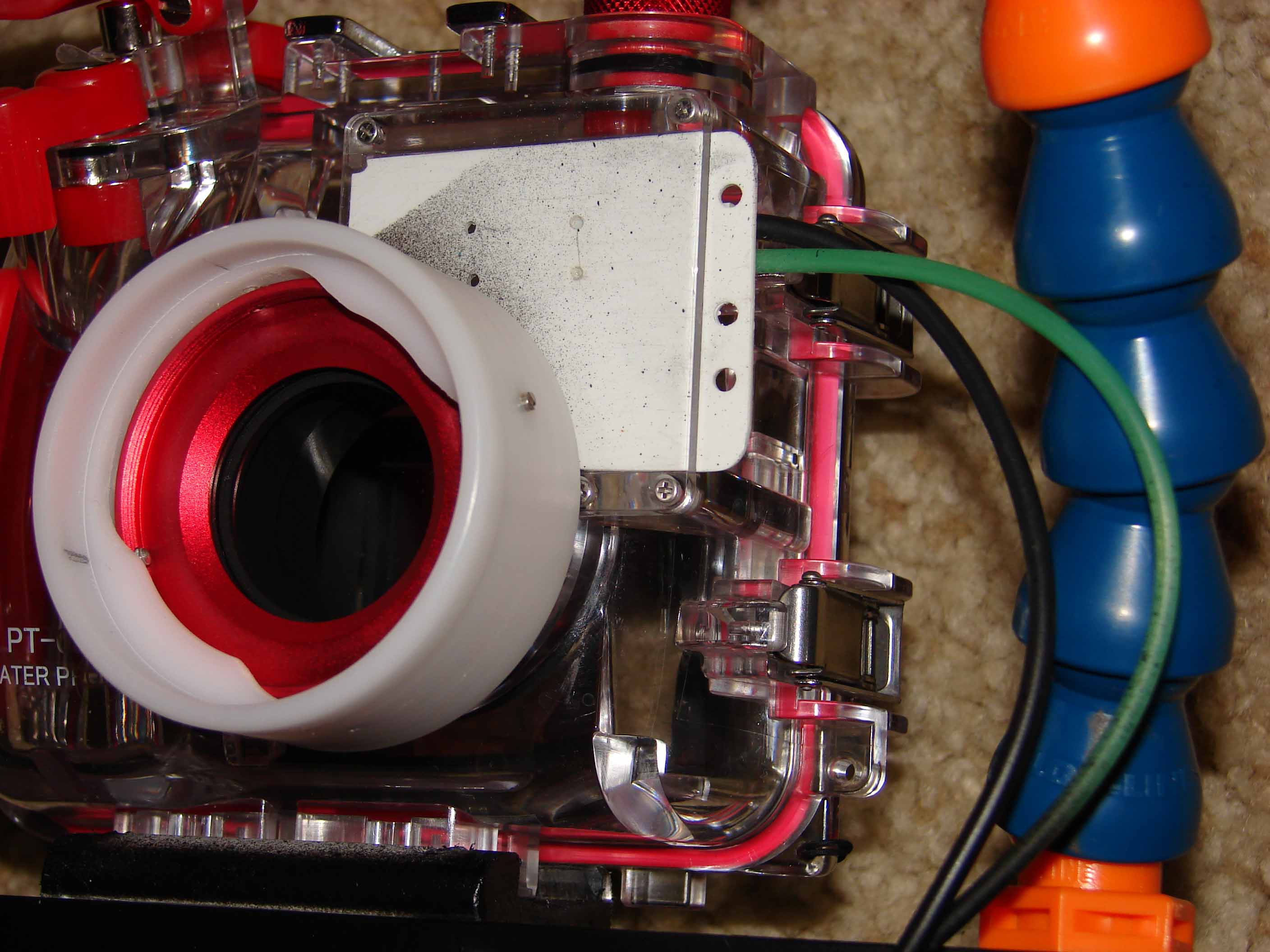
Be careful. There were several different models of those S&S lenses. Some of them had a bayonet mount and others were threaded. I have a wide conversion lens that was originally intended for a S&S MX camera but I could not physically attach it to the front of a point & shoot housing. I rigged up a pretty good method to push it on using some soft plastic lens caps, but you do need to zoom a little bit to get past the vignetting. But the pictures were nice and crisp. I've since sold the point & shoot housing, but still have the lens. If I can find it I'll take a picture to show you what I'm talking about. PM me is you want more details.
Bonnie
Hi Oskar,
just in case you would like to see some examples - I posted a few pics in the Photo and Gallery Showcase forum today (Olympus SP350 Wide Angle and Macro).
Jock
This is a sleeve mount for a Sea & Sea Motor Marine bayonet mount wide angle lens (20mm) on an Olympus PT-030 housing. A very small amount of zoom is required to avoid vignetting. I turned this from white nylon stock with a lathe. It was the only material I had available.

Terms of Use Privacy Policy Guidelines We have placed cookies on your device to help make this website better. You can adjust your cookie settings, otherwise we'll assume you're okay to continue.

A worldwide community for underwater imaging.
