How to attach fiber optic cable to Olympus housing?
Started by snowscuba ·
12Posts
12Replies
Read-only discussion
How to attach fiber optic cable to Olympus housing?
12 posts
Hi Guys,
I have a fiber optic cable to use with a YS-90 strobe and an Olympus SP-350 camera inside an Olympus PT-030 housing.
I am not sure how to connect the fiber optic cable to the housing. Should I black out the camera flash or blackout the housing only? How do I attach the end of the optic cable to the housing?
Have you done this on your camera, care to send a picture?
This sea & sea connection works ok for a manual flash, but an even better set up with the SP-350 and a YS-90 is to go TTL using the camera hot shoe, a converter and a nikonos 5 pin sync cord. See: http://reefphoto.com/index.php?main_page=p...roducts_id=1403
This sea & sea connection works ok for a manual flash, but an even better set up with the SP-350 and a YS-90 is to go TTL using the camera hot shoe, a converter and a nikonos 5 pin sync cord. See: http://reefphoto.com/index.php?main_page=p...roducts_id=1403
I am aware of that option, but I will keep it for the future.
Thanks
I am thinking that if I can find some type of grommet or a nut that can hold the optic cable, I could then try to fix it to the housing using a velcro or a sticker.
What do you guys think?
Or, could I cut the plug off and just connect the cable with a velcro or sticker to the housing?
Thanks
The kit I linked to above has the "grommet" and velcro. I have 2 YS-90's and this is what I use.
I am aware of that option, but I will keep it for the future.
Thanks
I have used both and found that a major advantage of the TTL is recycle time. The camera is ready for second exposure in less time so you can get another shot. Plus the exposure is usually dead on.
The kit I linked to above has the "grommet" and velcro. I have 2 YS-90's and this is what I use.
I am imagining here the grommet goes through the whole on the mask. And the mask is attached to the housing. With the velcro?
Could you explain?
Thanks
How does that thing work? Is the mask adehisive?
I am imagining here the grommet goes through the whole on the mask. And the mask is attached to the housing. With the velcro?
Could you explain?
Thanks
One side of the Velcro is adhesive, you cut it to fit the flash part of housing leaving a window to let the flash light pass through and attach it. In centering this section of Velcro it is important to completely block out the camera flash to prevent the camera flash light entering your photo. The other side is cut to match the attached side centering the hole with the grommet over the flash. The fiber optic cable plugs into the grommet on one side and the strobe on the other side. The strobe is set on slave mode and will fire when the camera flash goes off. You then need to adjust the strobe output, f stop and shutter speed to get the proper exposure.
One side of the Velcro is adhesive, you cut it to fit the flash part of housing leaving a window to let the flash light pass through and attach it. In centering this section of Velcro it is important to completely block out the camera flash to prevent the camera flash light entering your photo. The other side is cut to match the attached side centering the hole with the grommet over the flash. The fiber optic cable plugs into the grommet on one side and the strobe on the other side. The strobe is set on slave mode and will fire when the camera flash goes off. You then need to adjust the strobe output, f stop and shutter speed to get the proper exposure.
Thanks for clarifying.
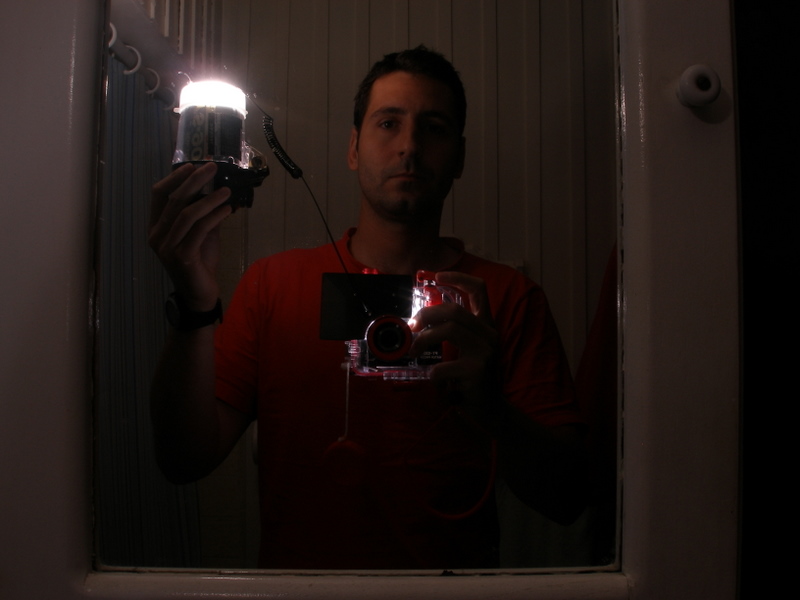
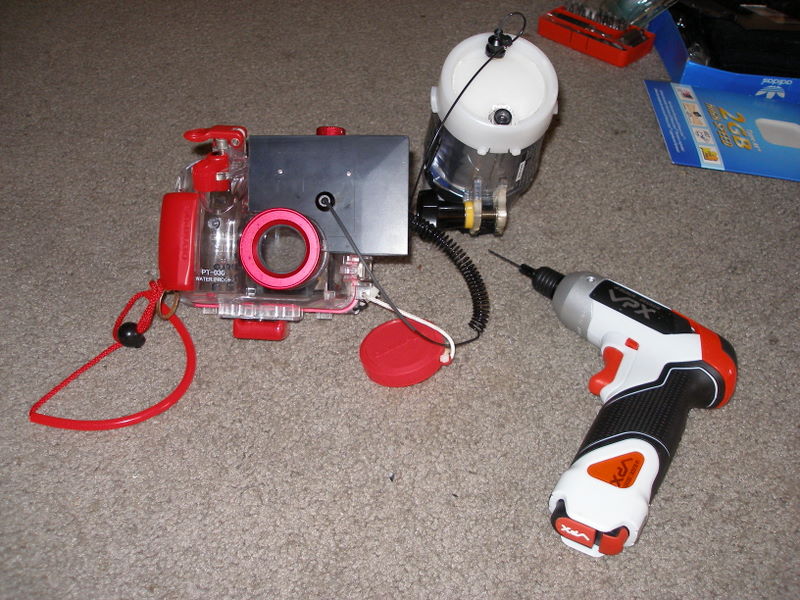
Dear friends, I don't know why I am so stubborn, but I did it. I enjoy DIYing!
Take a look, I built it from a $2 spatula from home depot.