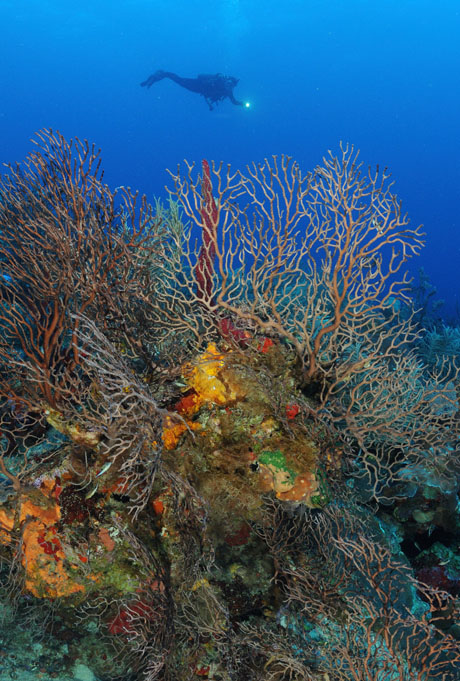
I am trying to get this WA shot and have yet to be satisfied with the results. The primary problem I'm having is that I think the diver silhouette should look sharper and I don't know what to do to make it better. I have adjusted shutter speed and f-stop. Here's my settings:
F13, 1/125, ISO400 Tokina 10-17mm lens on D300.
The diver is probably 30 ft away but viz was not very good. Is that the problem? Does the water need to be really clear for these type of shots or do my settings need adjustment? Any recommendations?
Hi Karen,
I would suggest you try getting the diver into more light if you want a clean silhouette. Fundamentally you’re trying to get dark image against light. To do that I think you typically need to shoot at more of a upward angle. More like your lead shot on your Roatan set. Is that what you mean?
Steve
Hi Karen,
I just did a quick test with my 10.5 fisheye topside, at apperture F13. It seems to me that if u focus on the coral in front of you, a diver this far (30 ft) behind it will never be in tack sharp. However, if u focus on something about 9 feet away from u, both the foreground and the diver will be sharp.
perhaps you could try this out next time in the water? You could try it out topside like I did and see if the results will be better.
looking forward to hear your opinion,
greetz Robin
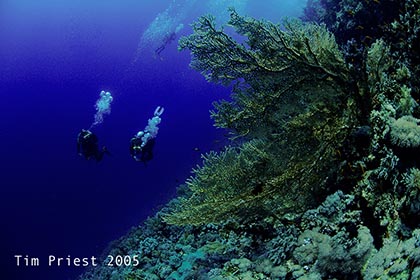
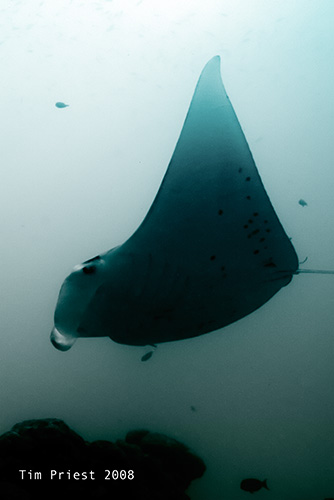
I think that the diver will never be sharp when the visibility is poor: you need crystalline water to have a sharp diver at that distance.
Divers, visibility 30m/100':
Manta at 2m, visibility 10m/30':
Robin is describing something that is also known as the hyperfocal distance. It's sometimes useful to set a wide-angle lens to that distance and leave it, so that the lens is in focus between your dome and a point in the distance. Although the focal point is behind the subject, it doesn't matter as you have maximised the range that is in focus, including both the foreground and a lot of the background.
Tim
Thanks folks. I've been shooting almost daily since my original post trying to get similar shots utilizing the ideas offered here. I think Tim is on the mark regarding the viz. Ours has just not been that good of late...lots of particulate in the water so I gave up and went across the street to the cenotes to shoot. No viz problems there!!!
You can, as well, easilly make it darker in photoshop : ) (layer overlay highpass deleteallexeptdiver selectdiver makeitdarker harder better faster stronger !!!)
Right: use the burn tool set to Darks and 20% or so. Run it over the diver a few times and it will darken him/her.
Cheers
James
Right: use the burn tool set to Darks and 20% or so. Run it over the diver a few times and it will darken him/her.
Cheers
James
You're right...very clever. However, for someone who is only a "hack" photographer, I remain a bit of a purist and want it right BEFORE photoshop!