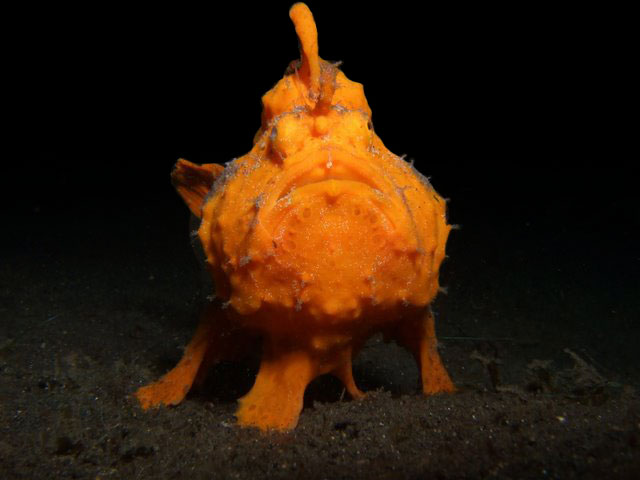
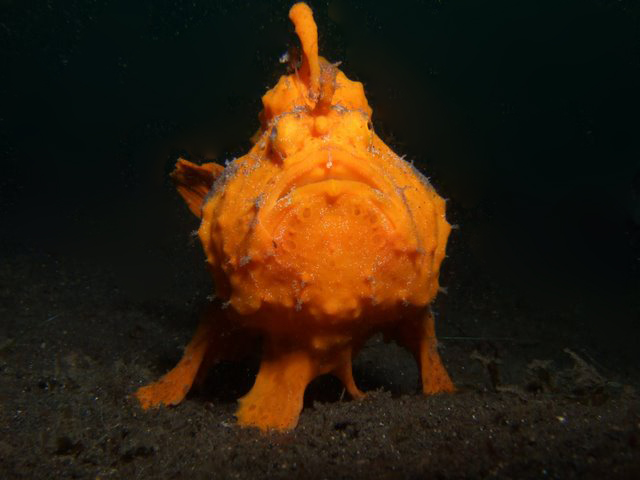
Hi, I took the following picture at Lembeh just last week. Could someone advise on how best to remove the backscatter on this picture. I tried using dust and scratches filter on Photoshop, but I'm having trouble with the transition between the background water (which appears black) and the ground (which is dark sand).
Picture was taken on fuji f31fd, f8, 1/60, iso200 with a inon d-2000. Thanks in advance.
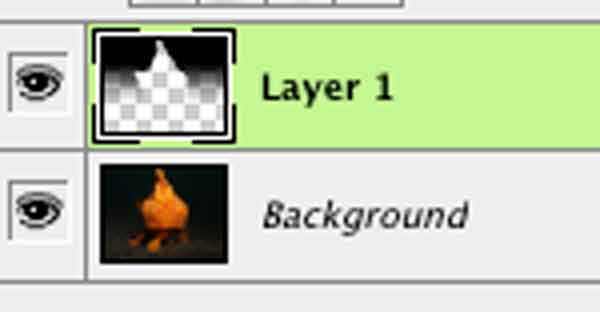
In Photoshop:
-use quick mask, paint the fish (fine tune as necessary)
-switch back to regular mode
-inverse the mask selection
-add a new layer
-gradient tool (black to clear) from the top down (repeat as necessary on gradient tool)
Here is another simple method that often helps photos with solid backgrounds such as yours:
Using the eydropper tool, sample the color of your background.
Use the brush tool, but set the mode to 'Darken' and simply paint over the areas with the worst backscatter. You may experiment with the opacity also, if the result looks too artificial.
I hope this helps.
Bentoni
Another one to remove the worst of it without replacing the background is the clone stamp tool which can copy adjacent areas of the image and stamp them over back scatter or dust. Select an appropriate size brush with a soft edge. Use Alt+click to copy and click to paste.
(4) fill mask with black: original appearance is restored
(5) paint white mask at 50% flow over particles in water: they disappear!
(6) flatten layers -
This is the fastest way I know to remove backscatter without degrading the image. One problem is that particles near to the animal may be rendered as a coloured blur, and might need a bit of cloning, or the patch tool to tidy them up.