Skip to content

Photography Gear and Technique / Archived topic

17-35 w/diopter

Started by jeremypayne ·

  • 9Posts
  • 9Replies

Read-only discussion

17-35 w/diopter

9 posts
  1. I have a Canon 500D diopter that I use with my 70-200 for quick and dirty macro on the D700.


    I've been playing around and trying to use the 17-35mm with the 500D on land - both out of curiosity to see the optical effects and because I thought I might be able to create some interesting images ...


    The 500D is a dual element achromatic +2 diopter.


    At 17mm, there is a significant amount of vignetting and corner smearing, but a 4x5 crop right down the middle helps a lot. At 35mm, you get a nice clean image.


    Here are two hand-held examples:


    17mm

    3224724342_020468c353_b.jpg


    35mm

    3224713664_854cf37428_b.jpg


    Here's one at 17mm without the crop:

    2811447818_8c23fa80c1_b.jpg

  2. The bokeh towards the outside gets a bit distorted too :lol:


    But why are you using a (dry?)diopter onto a wide angle?

  3. But why are you using a (dry?)diopter onto a wide angle?


    A) I wanted to see the "raw" optical effect as such diopters are often used with this lens behind a dome and I was curious to see what it was doing


    B) I thought it might produce an interesting effect that I could put in the "toolkit"

  4. A) I wanted to see the "raw" optical effect as such diopters are often used with this lens behind a dome and I was curious to see what it was doing


    B) I thought it might produce an interesting effect that I could put in the "toolkit"

    hey Jeremy, great work. I like the way it allows you to create wide-ish angle with selective focus. It also does something interesting to perspective -- certainly does the job of dragging the eye in.

    Can you tell me... at full native res are the captures nice and sharp at the focus point? And what aperture did you use?

    darren

  5. Interesting, gives me vertigo!

  6. hey Jeremy, great work. I like the way it allows you to create wide-ish angle with selective focus. It also does something interesting to perspective -- certainly does the job of dragging the eye in.

    Can you tell me... at full native res are the captures nice and sharp at the focus point? And what aperture did you use?

    darren

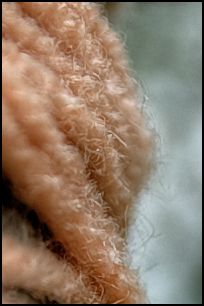
    Thanks! The one with the yarn was shot at f/2.8. The first shot looking up the tree was f/5 and the red painted wood was shot at f/8.


    Here's a 100% crop of the focus point on the last one - which was on a tripod ... it stays pretty sharp in the center. This one was actually an HDR composite, but you get the idea.


    post-14536-1233328805.jpg


    ... and a link to the full-sized image: http://www.flickr.com/photos/jeremypayne/2...57606433717788/


    Here's a link to a full-sized version of the one up the tree - not an HDR composite, but handheld:


    http://www.flickr.com/photos/jeremypayne/3...57612318767388/

  7. Compare the 17-35 with both a normal diopter vs the Canon close up lens. I think you will find that the dual element close up lens reduces the angle of coverage of the prime lens by about 25% vs the regular diopter.


    Fred

  8. fred what dioptre do you recommend?

  9. Lou,


    I try to avoid single element diopters as I prefer not to add any extra optics unless absolutely necessary. However, for the sake of the experiment I suggested, you need to pick a diopter of a strength that will allow you to focus on a subject the same distance away, with and without the diopter and with and without the dual element close-up lens.


    As a hypothetical example, put the camera and lens on a tripod. Without the close-up device move the camera and lens to near the minimum focus distance of the lens. Look carefully at the size a subject (ideally a ruler or measuring device of some sort) in the frame. The keeping the distance from the subject the same, add the close-up device. Refocus (the lens scale will indicate a greater distance as the close-up device is altering this) and look at the size of the subject again. If it is the same size or fairly close to the same, the close-up device is PROBABLY not making a significant difference in the angle of coverage of the lens.


    BUT, depending on the lens itself, the angle of coverage of the lens may change a bit as the lens is focused closer and closer. This is particularly true with IF (internal focus) lenses which actually shorten the focal length a little as they shift the elements to change focus without extending the whole optic outward in the way a helical focus ring would do. This can also be verified by putting the lens and camera on a tripod. Shoot a frame with the lens focused at infinity at an aperture about f11 to f16. Reshoot the same shot with the lens focused closer and the same (good depth-of-field) aperture. Compare the two shots. In my experience with internal focus lenses like Nikon's 17-35mm and the newer 14-24mm, I can see the frame get a little (not a lot) wider when the focus is closer. I can see this just be pressing the depth-of-field preview button.


    With the older 105mm Micro-nikkor, the close focus is achieved by moving the whole set of optics outward from the film or sensor. And the angle of coverage should not change significantly. This would be an ideal lens to try the various type of close-up devices with. An older manual focus wide-angle, such at the old 28mm f2.8 would also probably be similar in this respect. Newer lenses, particularly the newest wide-angle zoom lenses, have very complex movements of their elements relative to each other.


    Fred

Scuba.com

Account

Navigation

Search

Search

Configure browser push notifications

Chrome (Android)
  1. Tap the lock icon next to the address bar.
  2. Tap Permissions → Notifications.
  3. Adjust your preference.
Chrome (Desktop)
  1. Click the padlock icon in the address bar.
  2. Select Site settings.
  3. Find Notifications and adjust your preference.