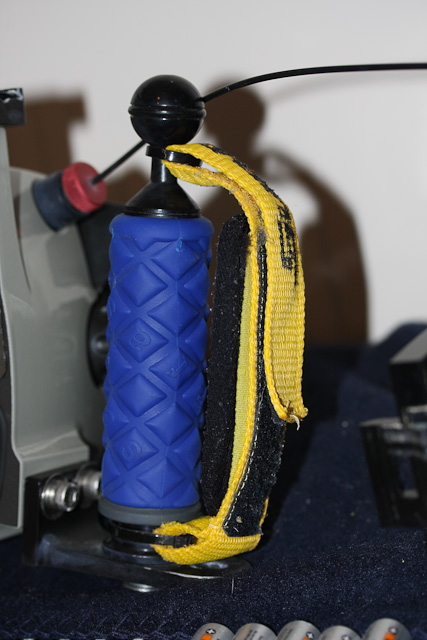
i have small to medium size hands and have been fighting the distance between the focus lever (custom function 4 on my 20D) and the shutter release. the focus lever has been modified to move it out, which helps. now i'm addressing the torque from the negtatively buouant inon flash. a strap on the right grip would be helpful as well.
any solutions?
The real solution is to:
-make your rig close to neutral in the water (slightly negative)
-floatation strobe arms
-floatation collar for macro port
-balance your rig
-domes ports tend to want to float the front of the camera toward the surface (small weights can be stuck to the back of the dome; i.e., alloy wheel balancing weights)
-macro ports tend to make the housing nose heavy (floatation collar; James did a thread on that)
Take Care,
ChrisS
I love the hand strap that comes on all Subal housings (particularly when using it one handed for macro work). The problem was I hated the handles because they are angled back slightly and my index finger didn't naturally fall on the shutter release. I swapped out the Subal handles for ULCS and they are great but I no longer had a handstrap. My solution was to take the hand strap off the Subal handle and attach it to the ULCS handle with a couple of heavy duty cable/zip ties. Now I have the best of both worlds. You may be able to do something similar with your Aquatica handles and a Subal hand strap (I'm sure Ryan from Reef Photo will sell you one).
If you're wondering about durability of the attachment method, I did this in early 2007 and have done around 250 dives with original cable/zip ties still going strong.