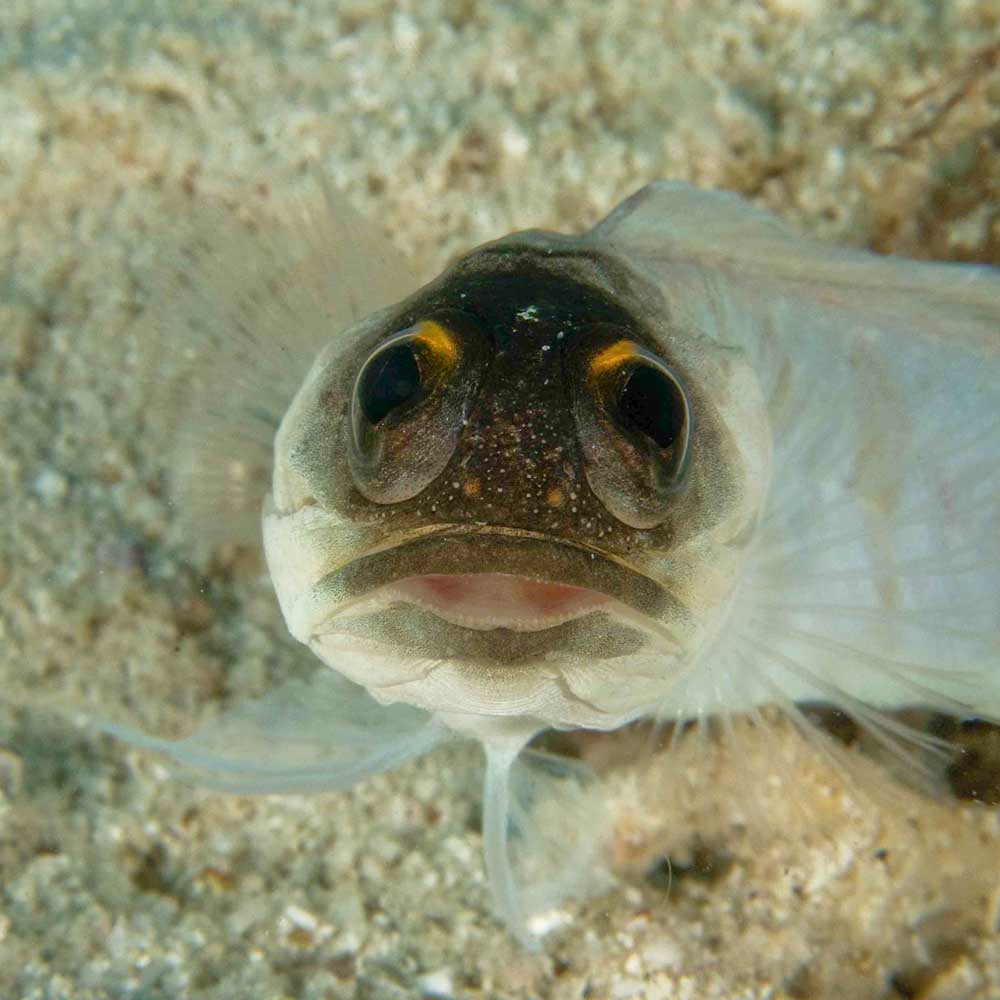
Took the following shots with Nikon 105mm with a +4D. Obviously the focussing distance was quite close! I haven't cropped them yet - the resolution is pretty good and I could go in very tight, so questions are :
(i) would tighter cropping and zooming in for greater detail be worthwhile ?
(ii) how do they fare for the "eye contact" factor ?
(iii) how can they be improved
Mabul Blenny
Commensal Shrimp
Mabul Hairy Squat Lobster
Hope the file linking works - apologies if I screw that bit up.
Steve
Hi Steve,
You certainly got some eye contact - no problem there !
You caught the subjects well and they appear in focus. The main comment I would make is that from my point of view I would like to see the subjects stand out from their backgrounds more. I think perhaps the shrimp would work better is the background were darker - particularly on the right hand side. I think the lobster works better if the bright areas are cropped from the top and bottom - effectively changing it from a portrait shot to a landscape shot. The face on the Blenny, I find a little on the dark side - there is a lot of detail that can come through there with a little post processing.
Hope this helps,
take care,
Rene.
I'd crop the Blenny to a 8x10 (est.) aspect ratio so that the face is in the center. IMHO, the sand on the left side detracts from the subject.
Phil
I'd crop the Blenny to a 8x10 (est.) aspect ratio so that the face is in the center. IMHO, the sand on the left side detracts from the subject.
Phil
Yeah _ I was a bit lazy on the cropping side I think. Here's a post processed crop of the blenny...have tried not to blow out the highlights while bringing out the detail. Have also reduced JPG quality so as not to take up too much bandwidth when uploading, hence some loss of detail.
I'd remove the "dead" negative space from around the blenny, too. Since the other shots are nicely framed, why not try desaturating the negative space to monochrome in Photoshop, using a layer mask to keep the subjects' colour?
There are a couple of examples in my Indonesian gallery.
Tim
Nice shots (like the close crop)
Check out what Jeff (Loftus) posted here about sharpening to make things pop out a bit more from backgrounds if you want to play with them