Skip to content

Shooting Technique, Workflow and Editing / Archived topic

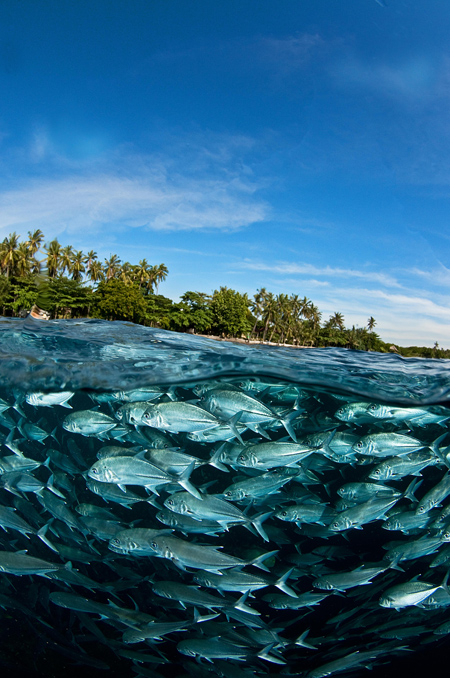
Split Surface/Subsurface Images

Started by jakelevenson ·

  • 14Posts
  • 14Replies

Read-only discussion

Split Surface/Subsurface Images

14 posts
  1. Hi everyone,

    Yes, it's another question from me, thank you all in advance for your kind advice, suggestions and guidance. I really appreciate it!


    I'm trying to get a split level image that makes a scene a bit more dramatic than just shooting above or below. It really needs to be both. I tried to take a shot of this today and either the surface or under was over or under exposed. Any one have any tips for getting a good exposure? Keep in mind I'm currently on an island with just my Aquatica Housed D700, a Mega Dome Port, a 16 mm lens (or my 14-24 zoom) and a Sea and Sea strobes. Any advice?


    I've been playing with those magic filters a bit but the surface comes out all reddish. Right now I'll settle for anything that's an improvement on what I'm currently producing. (a couple examples of my various attempts are below)


    Thanks so much!


    Jake


    http://www.facebook.com/photo.php?pid=6914...mp;id=623935166


    http://www.facebook.com/photo.php?pid=6914...mp;id=623935166

  2. I'd put the filter away - the're for deeper water color correction.


    From your sample shot angle you would benefit greatly from a split neutral density filter to darken the sky.

    Also use a sheeting agent on your dome to minimize water droplets. The following have been reported to work: spit, shampoo, a potatoe, anti fog, .....


    It aint easy :)

  3. Hi Jake,


    I agree with okuma with his advice to get rid of the filter for these type of shots. You might try using a strobe for the underwater portion of the image. Make sure you meter the exposure for the portion of the image that's above the water.


    When I did my over/under images, I also used the 16mm lens.


    I don't know if it's available on the island, but I found Rain-X, which I purchased at an auto parts supply store, to be great for use on the dome.


    Good luck!


    Ellen

  4. Thanks, Rain-X is a great suggestion, don't know if they have any here in Dominica but I'll keep it in mind for the future. Wonder if I can use something else as a substitute?


    I'll ditch the filter, add a strobe for the below part, and meter off the surface and see how it goes. Thanks so much!


    Hi Jake,


    I agree with okuma with his advice to get rid of the filter for these type of shots. You might try using a strobe for the underwater portion of the image. Make sure you meter the exposure for the portion of the image that's above the water.


    When I did my over/under images, I also used the 16mm lens.


    I don't know if it's available on the island, but I found Rain-X, which I purchased at an auto parts supply store, to be great for use on the dome.


    Good luck!


    Ellen


    A potato? Really??


    I've got some baby shampoo for my mask, maybe i'll give that a try.


    The following have been reported to work: spit, shampoo, a potatoe, anti fog, .....


    It aint easy :)

  5. Try turning your rig upside down to use the floats on the arms to help support it out of the water, I have stix floats on mine.

    any shots of the sperm whales?

  6. this was one I tried, but it was very rough

    post-8758-1244334865.jpg

  7. I've been playing with those magic filters a bit but the surface comes out all reddish.


    Hi Jake,

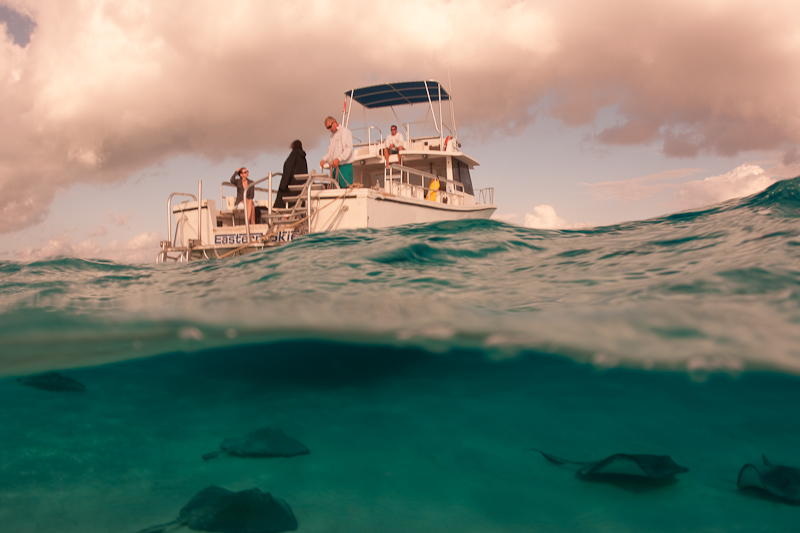
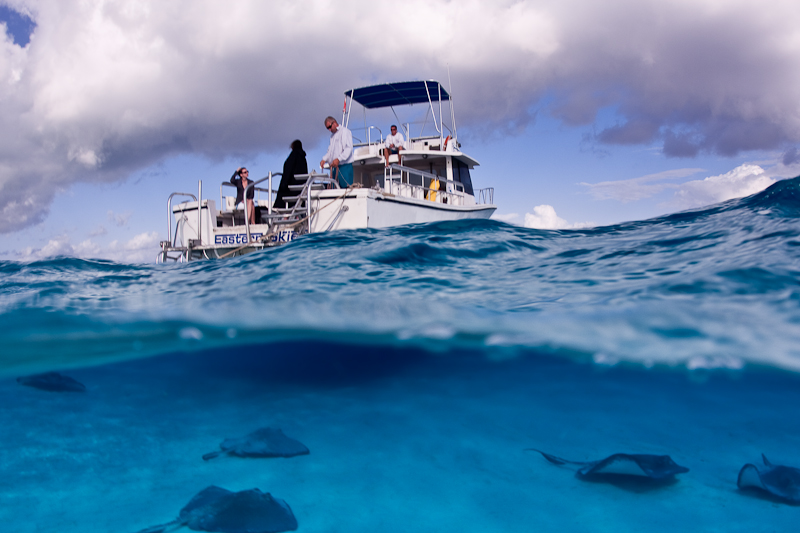
    I've played with over/unders using the magic filters and it just takes a white balance adjustment to get somewhat acceptable results. I wouldn't put on the filter to make the shot but sometimes you have it on after a dive and an image presents itself. I think if you do use the filters it's important to shoot down sun. Here is a before and after processing so you can see the white balance adjustment. I also did a gradient adjustment in LR to pull down the sky exposure. That tool is worth the cost of LR if you like to shoot over/unders. They also added the gradient tool to CS4 I believe but I haven't played with it.


    post-4526-1244382566.jpgpost-4526-1244382532.jpg


    Have fun,

    Steve

  8. Hi Jake,


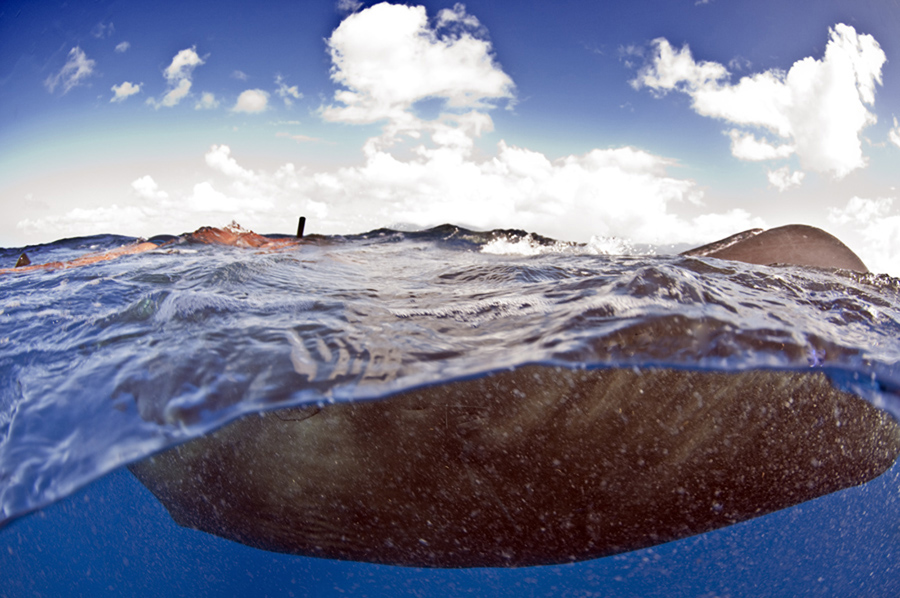
    over/unders are tough and it takes a bit of practice, but a 9.25" megadome is your biggest asset in the battle for the split shot... calm water is kinda key too, but ive done some in nasty chop. As said above, always expose for the topside portion of the shot, allowing the UW portion to underexpose - and use a manual exposure, don't rely on the camera to figure these out. If your uw subject is close, use strobes to add light. then use photoshop to help balance the exposures a bit, i find the Adobe Camera Raw 'Recovery' tool very useful in this case, as i usually overexpose the clouds a touch.


    Also be wary of focus, the uw virtual image appears closer than the topside, so if you focus on a close-ish uw subject, be sure you have the depth of field to get the topside in focus. I usually use 1/125th-1/250th sec depending on the amount of water movement, in order to maximize aperture and DOF.


    Generally split shots are easiest at midday as the sun penetrates teh water more. Also shoot with the sun, not into it, as this will minimize the exposure difference. Of course there are always exceptions:

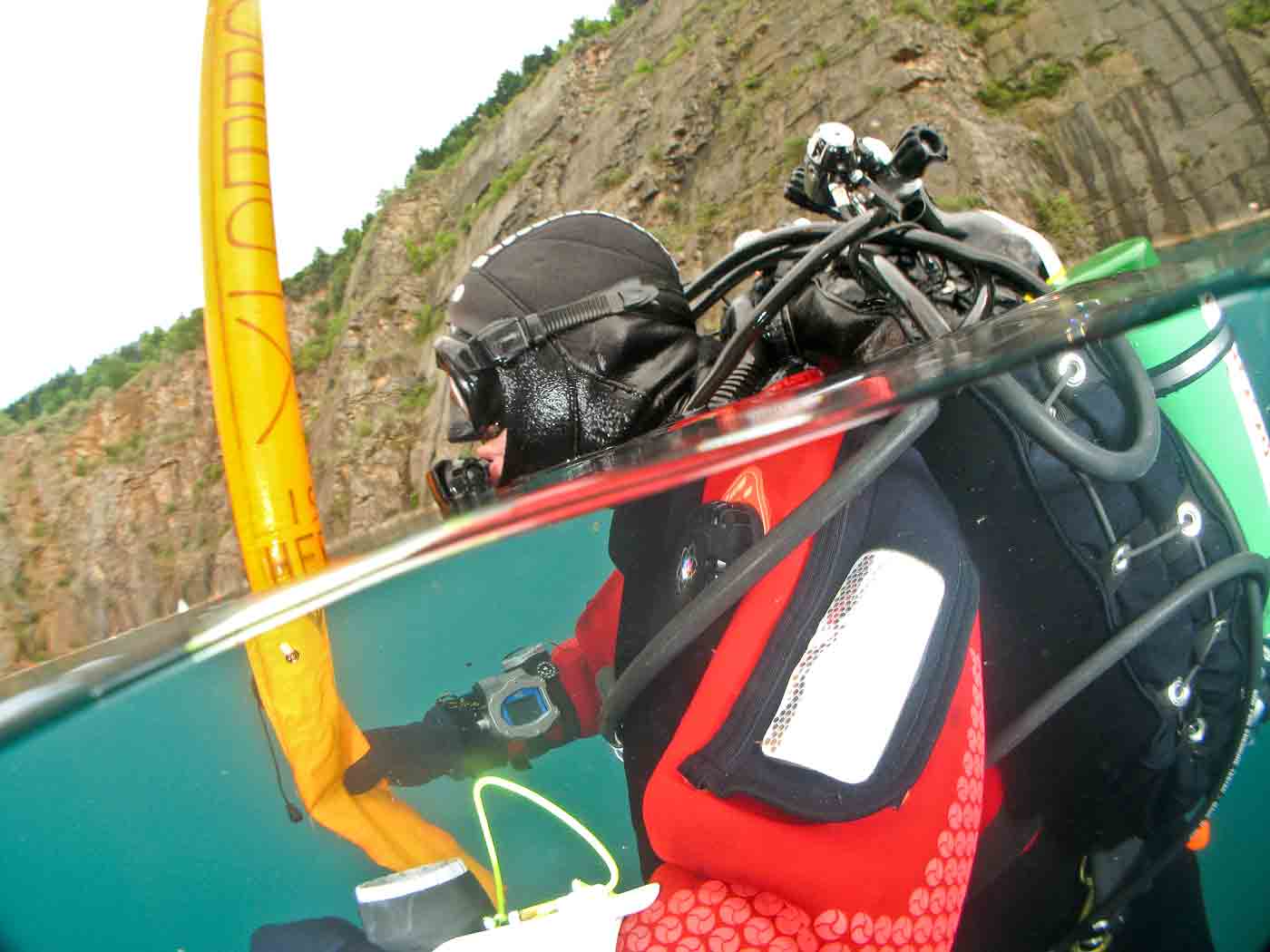
    3607656633_91d876c0df.jpg


    this was shot in quite rough water:

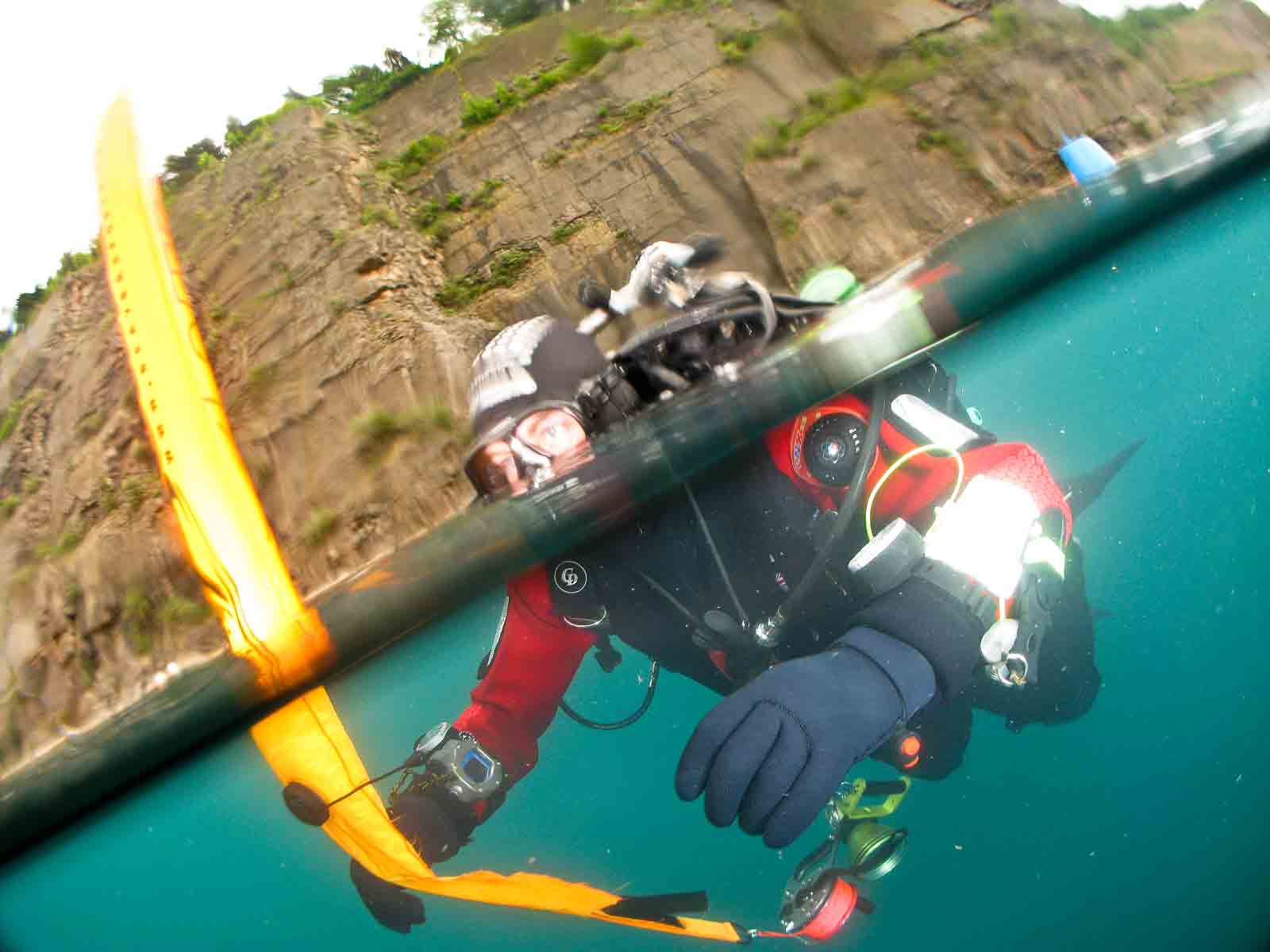
    3608472386_9fd8dcfe3a.jpg


    i had a magic filter on for this one and just set WB after:

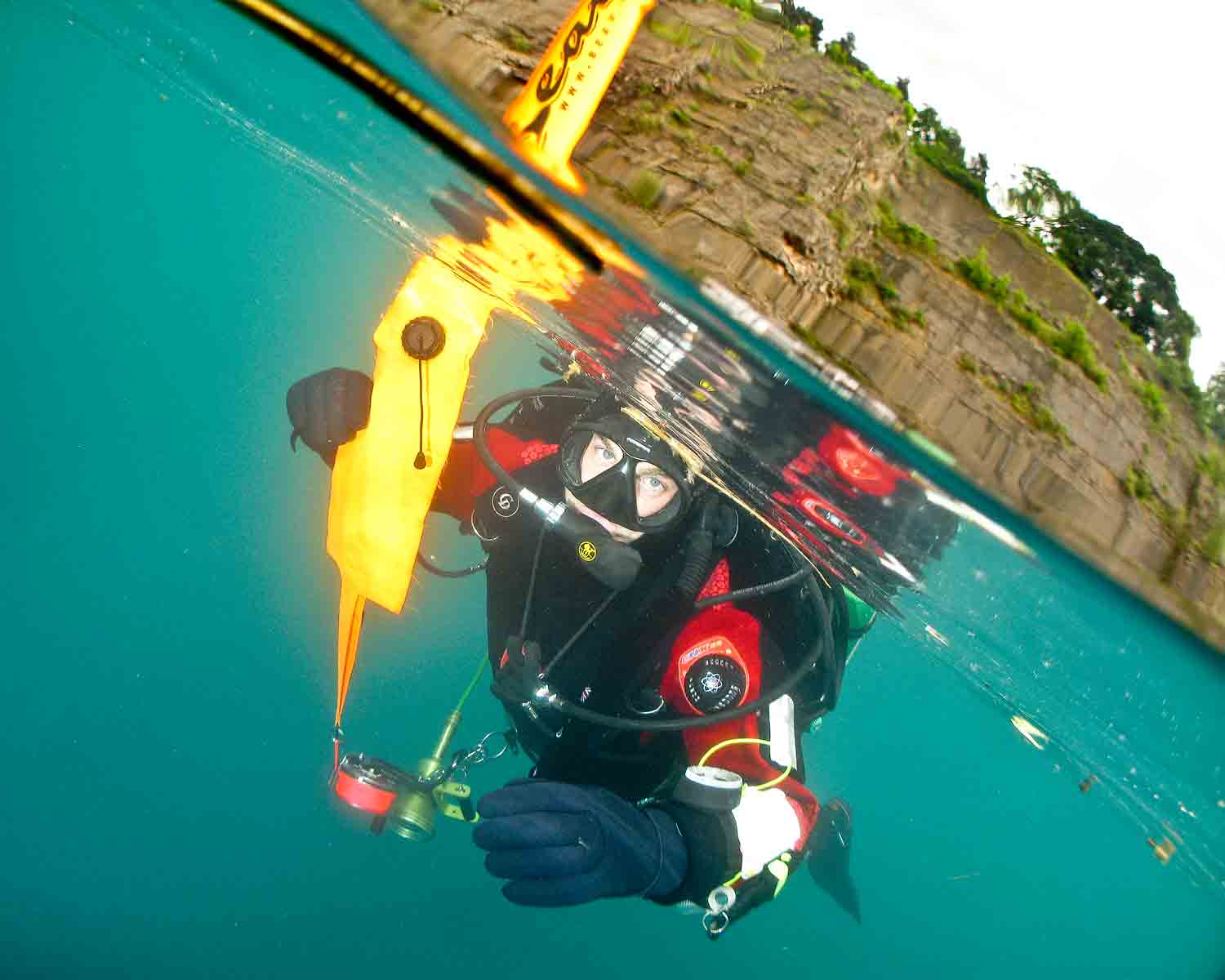
    3607680605_a949ab22dd.jpg 3607656425_9f26e54800.jpg


    First two: 10.5mm FE (on a D200)

    last two: tokina 11-16mm

    Cheers,


    Chris

  9. an example with the 11-16 tokina, I love that lens!

    post-8758-1244501482.jpg

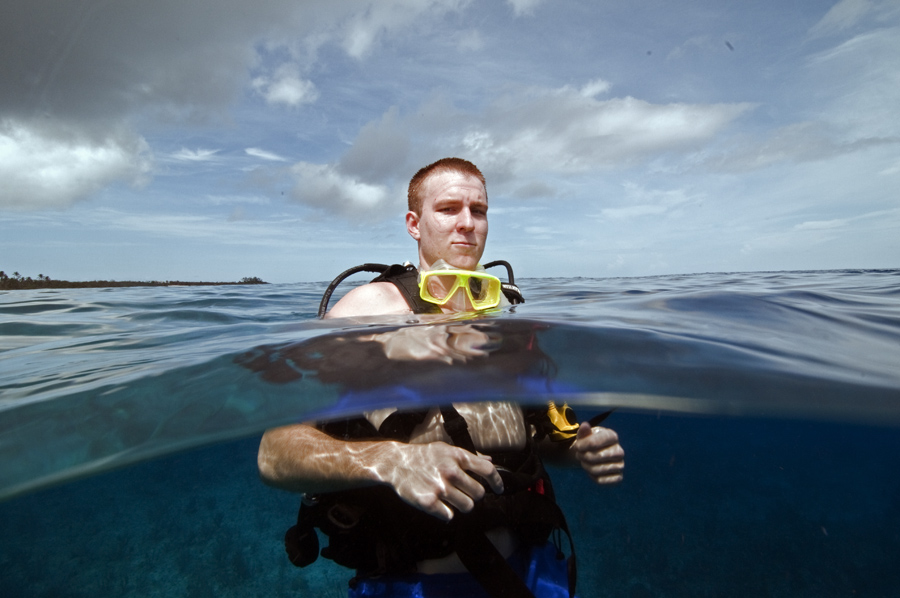
  10. Here's an Over/Under I took in Cozumel. I used my Subal Dome and my 16mm FE lens. I didn't end up using a strobe for the underwater portion of the image. It was taken in mid-day and the sun was very bright. That probably was the reason the underwater portion of the image was not too dark. Another thing that helped make this shot not too difficult was that it was taken very close to shore and I was able to touch bottom when I took the image. If you are able to find a place close to shore where it's shallow to practice these shots, that might help you to get ready for the deeper water over/under images.


    post-5091-1244520671.jpg

  11. FWIW, split images needn't be the exclusive province of the DSLR and megadome. I shot this little collection with my G9, UWL and small dome unit.

    post-13968-1244529583.jpg

    post-13968-1244529596.jpg

    post-13968-1244529618.jpg

    Edited by Timmoranuk
  12. Wow, that's awesome! Seems like I can never get blues that rich either. Any advice?


    Thanks


    Jake

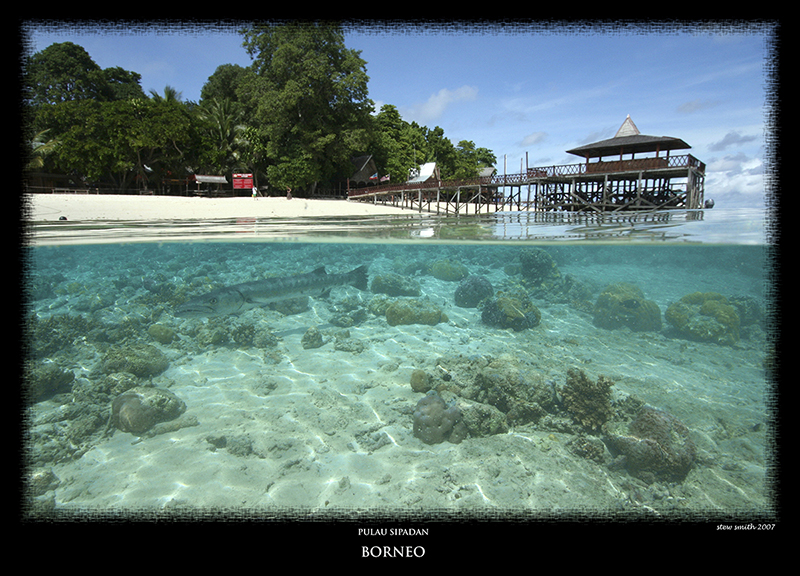
  13. It took me about an hour of shooting and clearing dropleets from my dome to get this one. Luckily for me the Cuda stayed around for the whole time. I found it best to have the sun slightly behind and to one side of me.


    Stew

    post-5742-1244898059.jpg

  14. Hey Jake

    Lots of good advice on this thread. here's my two-penny worth.


    Get the sun behind you.

    Use a highish f stop (f8 or more) to get a depth of field that will give acceptable focus in the upper portion.

    Spot meter the upper part on full manual mode then place the focus point on the underwater subject.

    Try to find a subject that is close enough to fill the lower portion.

    Set strobes below and behind the dome

    Experiment and make a note of your successful settings.


    post-6945-1244962081.jpg


    Enjoy

Ultralight Control Systems

Account

Navigation

Search

Search

Configure browser push notifications

Chrome (Android)
  1. Tap the lock icon next to the address bar.
  2. Tap Permissions → Notifications.
  3. Adjust your preference.
Chrome (Desktop)
  1. Click the padlock icon in the address bar.
  2. Select Site settings.
  3. Find Notifications and adjust your preference.