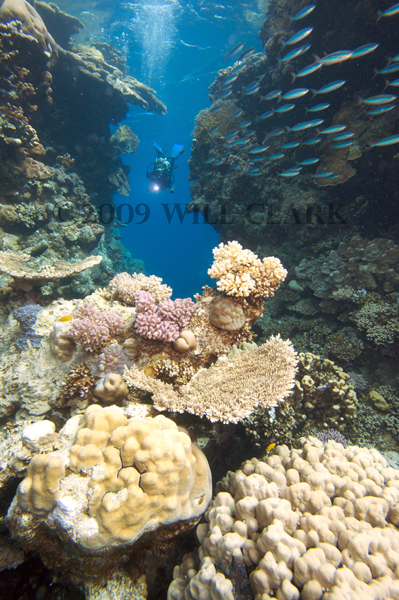
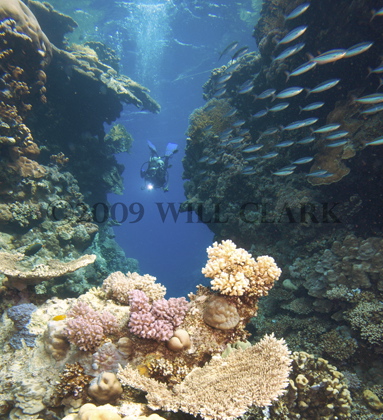
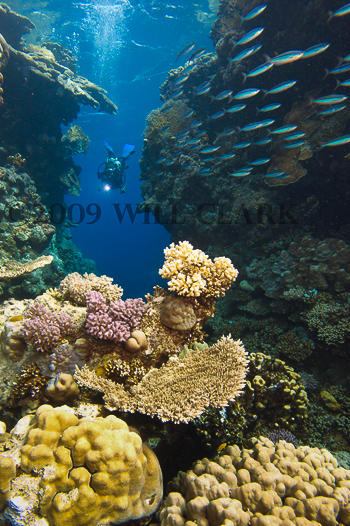
I really like this shot, which I grabbed (before I was set up) when I saw that my model had scared a shoal of fish toward me. I took other better framed shots afterwards as she came toward me, but of them all this one wins because of the sense of movement of the shoal due to a 1/40 shutter speed.
I'm having trouble 'finishing' it though - some advice would be very welcome. It's too busy in the foreground yet I can't settle on a good crop.
Cheers in advance,
Will
Hi Will,
I'd look at cropping it to a landscape with the top 40-50% of the full image. The motion of the school is horizontal which I think lends it a horizontal orientation. True, you'd probably lose most of the foreground, but I think you want to focus on the school and diver, esp. with the nice blue water you've got. I might also try using the rule of thirds and shaving a little off the left side so that the water and esp. the diver end up on that 1/3 line and then put the diver along the horizontal center line. Looks like that might end up almost being a square with the top and right side of the existing image? My 2 cents...
Phil
I'd just cut off the lower third.
Hey Will,
I applied a gradient filter in Lightroom to lower the exposure on the bottom half of the image. I think it helps to make it a little more balanced. Then I cropped the lower and left to place the diver in the upper left thirds area like Phil suggested. Also bumped the saturation just a tad to bring up a little more color in the reef. Cool shot!
Thanks for letting us play with it,have fun,
Steve
Hey guys,
How do I download someone else's pic so I can do what you did and then repost? The verbal description just takes too long.
BTW, nice work!
Phil
Really nice shot
Hey Phil,
On the PC I just right click and "Save Picture as", then import to LR or whatever. Not sure on the Mac.
Steve
It depends on what you plan on doing with the image. If you're printing for personal use or gallery presentation I like Steve's suggestion. If you plan on selling as stock I wouldn't do any cropping. Better to let a designer take care of any cropping that might be necessary.
Just my $.02
Hey guys,
How do I download someone else's pic so I can do what you did and then repost? The verbal description just takes too long.
BTW, nice work!
Phil
On a Mac, just click on the image and drag it to your desktop
What a mass of replies in half a day! Thanks to you all, especially Steve - that looks amazing!
Now to see whether my 'shopping skills are up to matching your result.