Skip to content

Photography Gear and Technique / Archived topic

Canon 17mm Tilt-Shift Used UW for First Time

Started by StephenFrink ·

  • 9Posts
  • 9Replies

Read-only discussion

Canon 17mm Tilt-Shift Used UW for First Time

9 posts
  1. I am teaching a photo course in Key Largo this week, and as we are in the water so much during the seminar, it provides an opportunity for me to try some experimentation. Also, since we are fortunate enough to have Canon technical wizard Chuckie Luzier join us for these courses, I get to play with some very interesting new Canon equipment as well.


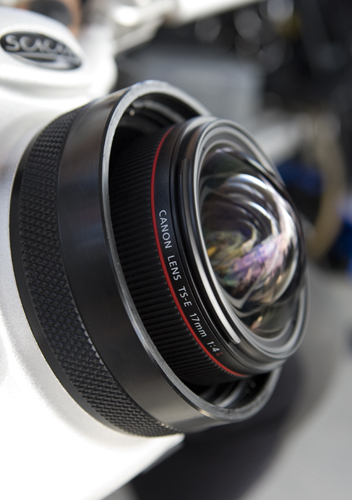
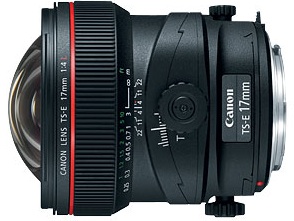
    Today's project was housing the unique Canon 17mm tilt-shift lens. While underwater was never likely in any engineer's mind in creating this lens (it is primarily for architectural photography) it is a very sharp 17mm prime lens, a focal length very useful for me.


    The downside to using it underwater is that it is manual focus only, and because of the tilt and shift controls, adding even a manual focus gear would be tough. But, I guessed at where the focus should be according to the dome's virtual image, and really had very nice performance with the lens. If Seacam ever offers an option to actually focus the lens manually via the housing (the tilt knob will likely be the issue, as that is taller than the position of the focus gear), I'd seriously consider making it a go-to for wide angle work. Not that many would actually buy the lens exclusively to use underwater, but I can see a lot of topside applications for the lens, and if I owned it of course I'd want to use it underwater too. It truly is a beautiful piece of glass!


    Intuitively, I tried the Seacam superdome, a 9" mineral glass wide angle port, in conjunction with a 35mm port extension, which actually worked out quite well for subjects 2 feet to infinity.

     

    post-630-1244597533.jpg


    post-630-1244597563.jpg


    post-630-1244597715.jpg

    Edited by StephenFrink
  2. Stephen, is it that much sharper than the 17-40 with a diopter? From your little pic there, I can see a bit of distortion in the corners?


    Frankly I see the application of the 17 and 24 TSE lens underwater for the video side of the 5D2 for specialty shots. I'd pay for a special port extension which could adjust the tilt/shift controls, and focus too!


    Or I could just do it all in post :P

    Edited by Drew
  3. excuse my ignorance.. :P


    but what exactly is the difference between this lens and a normal 17mm? what does the tilt and shift do?

  4. Mike - I found a new website you should check out. It's all about tilt-shift lenses!

    http://tinyurl.com/naco8l

  5. Did you attempt to use the lens movements? I ask because at finite object distances the virtual image is aspherical. Obviously shifting will screw up the optical axis. However, the if the tilt is at the center of the port's curvature, your concern becomes focusing on the virtual image. Using lens movements will make in-situ manual focusing problematic since any MF ring will have to move along with the lens. It is pretty academic anyway, IMHO AF is more useful than having a tilt ability UW. I think one would need a very narrowly defined situation to use a TS lens UW assuming one does not have virtual image issues.

    Tom

  6. Yes Keith's work is so surreal... looks like bad stop motion puppets! Yet it's fun!


    Here's Mike Fletcher's use on video on a few shots with 24 and 45 TSE

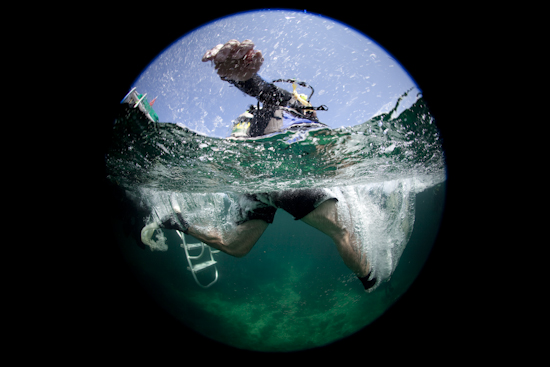
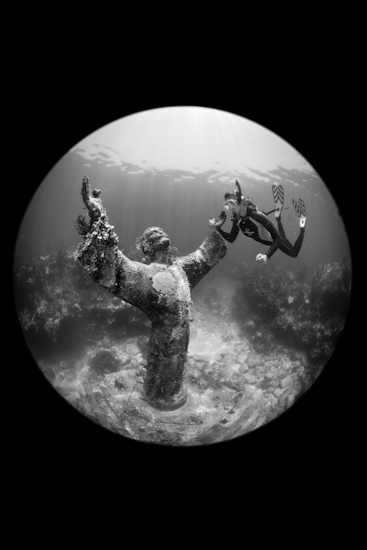
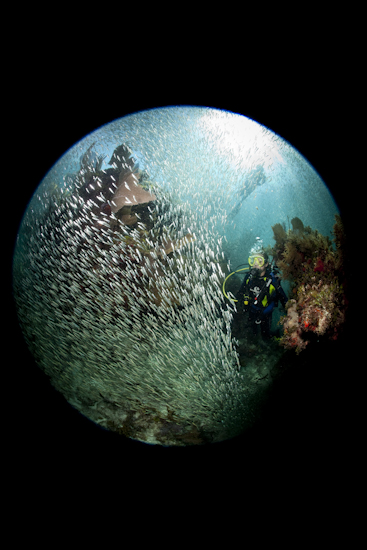
  7. Speaking of experimenting, here's a couple from our photo course today in Key Largo, with the Sigma 8mm on a Canon 5D2. Had to remove the (removable) sunshade on the Seacam Superdome to avoid vignetting, but otherwise plug-and-play.


    post-630-1244862873.jpg


    post-630-1244862910.jpg


    Single Seaflash 150 with diffuser:


    post-630-1244863026.jpg

  8. Those circular fisheye shots are COOL Steven - very dramatic.


    Cheers

    James

Reef Photo & Video

Account

Navigation

Search

Search

Configure browser push notifications

Chrome (Android)
  1. Tap the lock icon next to the address bar.
  2. Tap Permissions → Notifications.
  3. Adjust your preference.
Chrome (Desktop)
  1. Click the padlock icon in the address bar.
  2. Select Site settings.
  3. Find Notifications and adjust your preference.