



Join us for the 8th Digital Workshop & Photo Contest at

Sunday, August 9 - Friday, August 14, 2009
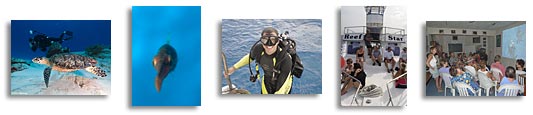
Here's your chance to pick up photo pointers from a pro and improve your underwater photography at our 8th Digital Underwater Photography Workshop and Photo Contest. This workshop is designed to show you how to use your digital camera and get the best shots possible when shooting underwater in Cozumel. No camera is too big or too small! Not only is this workshop a lot of fun, but you'll learn all about how to improve your underwater photography by shooting better and improving on what you've captured by using Adobe Photoshop.
This workshop is lead by Bonnie Pelnar, author of "The Digital Workflow for Underwater Photographers", part of a series of courses available at . Bonnie has made for than 30 trips to Cozumel and she knows where and how to find the best Cozumel has to offer and can show you how to capture it with your camera.
In addition to the presentations and slide shows, Bonnie will be available to dive with you each day. We set up a special photographer's boat, so if you wish to dive with the rest of the shooters, you are welcome to come along.
At the end of the week we'll be having a photo contest with awards and prizes!
If your would like to attend please contact Bonnie to reserve your spot!
For more info visit my website.
Can't make this trip? 
We also have spots on:
Solmar V to Socorro - March 19 - 27, 2008 - more info...
Raja Ampat & Triton Bay Aboard MSY Damai - Dec 4-18, 2010 - more info...
Truk Lagoon Aboard the Truk Odyssey - February 2011


