Skip to content

Beginner Forum / Archived topic

settings, settings and the l shape

Started by bax737 ·

  • 3Posts
  • 3Replies

Read-only discussion

settings, settings and the l shape

3 posts
  1. good day wetpixilians

    I have just taken purchase of a 10-17mm Tonika fish-eye , running it in my Ikelite housing with 2 x z240 type 4 strobes - am after some basic settings for temperate water shots - I tried F5.6 and 1/250 with the z240 set around the .8 (7o'clock position) - Oh I have 2 x 3in arms also - do ppl have them close in pointing slightly out (strobes I mean ) or way way way out pointing straight ahead ? i am after some basic setting for both the camera and Z240's

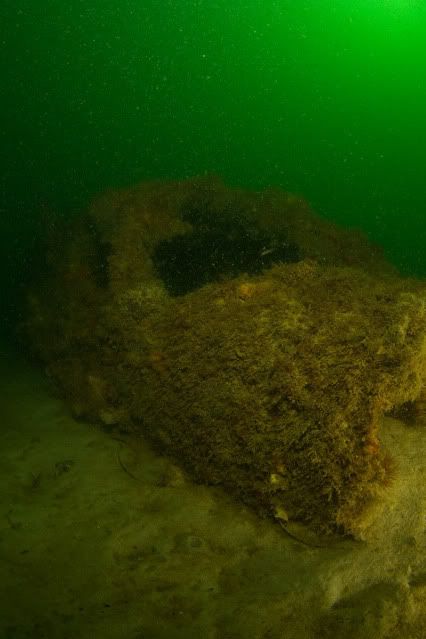
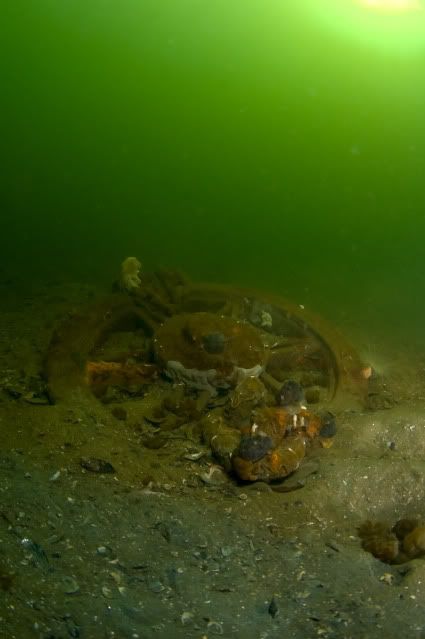
    here is a pic from the weekend
    DBGlyde-st_0076.jpg


    DBTonika4.jpg


    the 1st one is from the river, second from the ocean, both were at about 15 Mt's; as you can see I'm still getting the hot spots in the frame plus way too much back-scatter for my liking ,any suggestions ???? also I can see myself taking a lot of Portrait shots with the fisheye -so do ppl have their strobes in an "L" shape & again are the strobes facing forward or angled towards/away from subject

    cheers and thanks in advance

    Edited by bax737
  2. In green water, it's always more difficult.


    I would try angling the strobe outwards by about 20-degrees, but you must make sure that it is 3-4" (or 8-10 cm) behind the dome port. If that isn't enough, then think about moving it further away from the housing.


    I tend to to put my strobes to either side of the housing in landscape format, but use an L-shape on walls and against wrecks; I do tend to use an L-shape in portrait format.


    Underexposure (critical exposure) helps in green water.


    Tim


    :D

  3. Try lowering your shutter speed too. My local diving is all green water and I don't normally shoot above 1/100th (usually 1/60th). Try experimenting with different shutter speeds to see what works best for you.

Account

Navigation

Search

Search

Configure browser push notifications

Chrome (Android)
  1. Tap the lock icon next to the address bar.
  2. Tap Permissions → Notifications.
  3. Adjust your preference.
Chrome (Desktop)
  1. Click the padlock icon in the address bar.
  2. Select Site settings.
  3. Find Notifications and adjust your preference.