Hi folks:
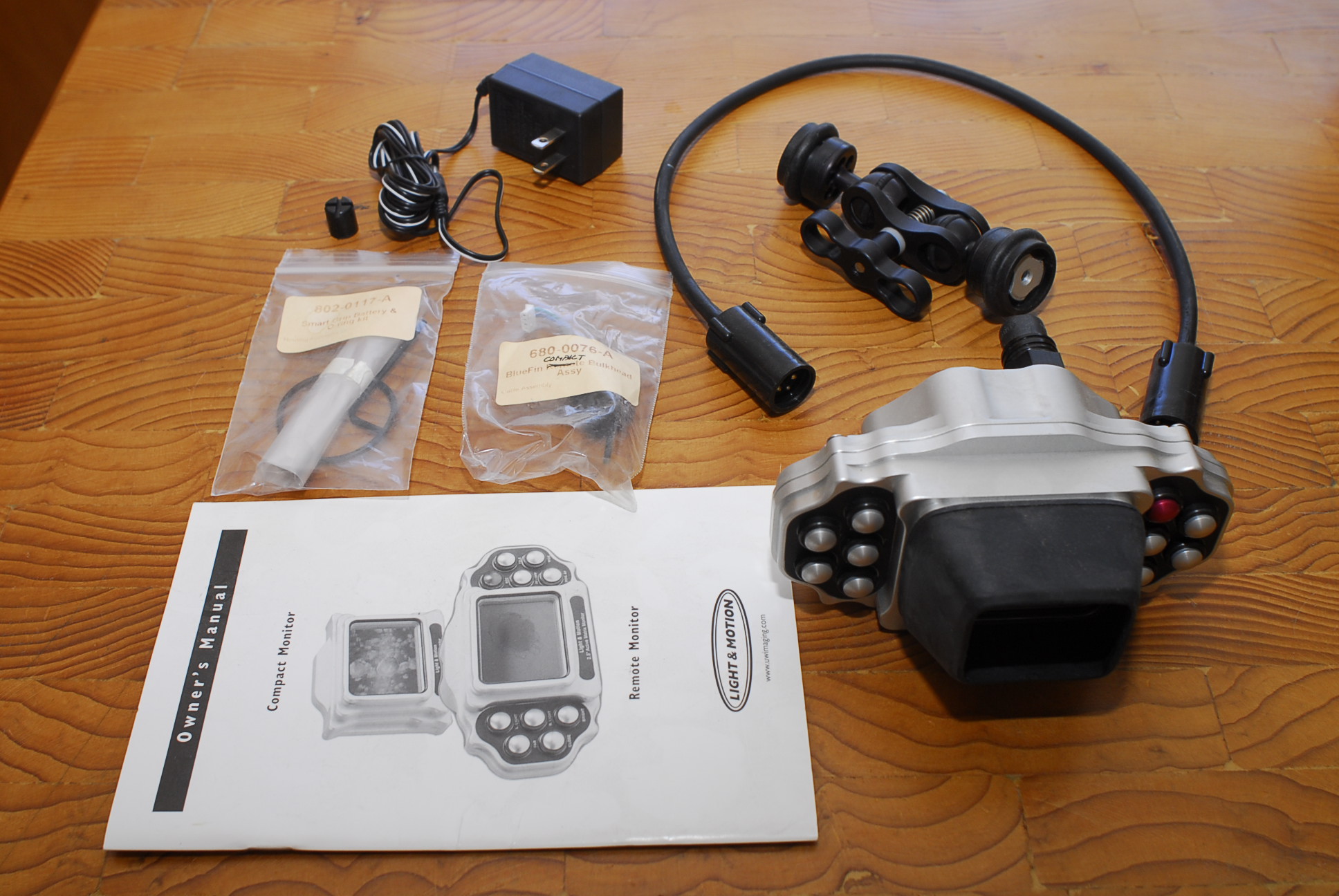
I have a brand new, never used, Light & Motion BlueFin Pro Remote Monitor (complete with all accessories: arm, bulkhead, wet-pluggable cord, manual) for sale. It has been sitting in storage for several years. This remote monitor has controls to control L&M housings.
Remote Monitor: Wish you could shoot those shy creatures who seem to slip away just as you dive in? Simply set up the Bluefin in the water and then view and control your video housing using the Remote Monitor from a distance, a boat or the shore up to 300 feet away. With the Remote monitor you can get full control from a separate location. Shy garden eels always backing into their holes as you approach? Set up your Bluefin Housing in front of the hole, scoot back 50 feet with your Remote Monitor and shoot away.
There is a good writeup here on wetpixel about using this remote monitor as a polecam.
Light & Motion Bluefin Pole Cam Mounting Kit field test and review:
http://wetpixel.com/i.php/full/light-motio...kit-field-test/
Here are photos:
http://photoagent101.myphotos.cc/stuff-for...-web/index.html
I am happy to entertain all reasonable offers. I believe that it retailed for around $1900.
If you are interested, please contact Norbert Wu at temp1_at_norbertwu.com. Please no phone calls. I am happy to entertain other offers. I can accept Paypal, money orders, and personal checks. Money orders and personal checks will have to clear my bank before the product is shipped; which can take up to three weeks. Shipping will be at buyer's expense (at actual cost) and will be UPS Ground, Fedex Ground, or USPS Priority Mail (all of which give tracking of packages). If we conclude a deal, I'll give you a quote for shipping via one of the above methods.
Thanks!
Norbert Wu