



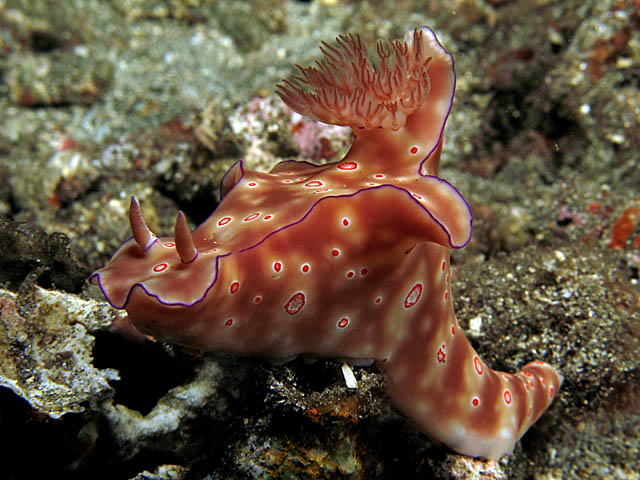
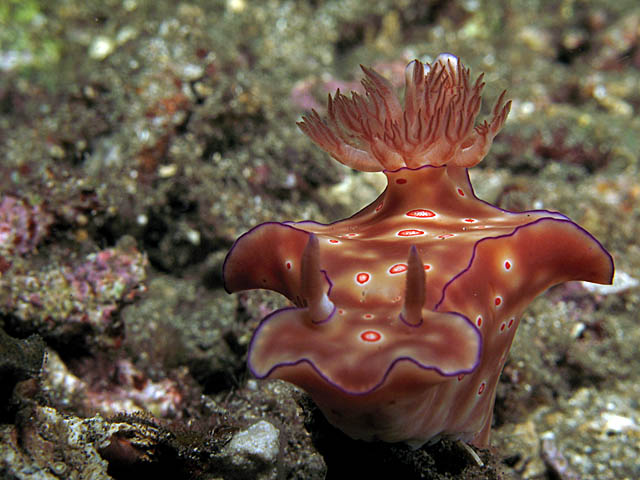
Which of these two pics make a beter picture technically or otherwise, i cant seem to decide.
Thanks for any/all input
Cheers,
Diggy
Read-only discussion
Which of these two pics make a beter picture technically or otherwise, i cant seem to decide.
Thanks for any/all input
Cheers,
Diggy
Ah heck Diggy, can't we just like them both?  The first one has the nudi's whole body in focus which is really nice. I like the composition of the second one though. Unfortunately, it's nose is just a little in front of the focus plane to my eye. I guess if you made me choose I'd have to pick the first one but I can see your problem.
Where did you shoot this cool guy?
Steve
I'm with Steve. I like the focus and the composition better in #1. I think the eye moves over #1 more which is an indicator of a better picture to me. I also agree with Steve in that we can all like the both just fine. Well done...
my vote is for the first one. the whole body gives it a better feeling of unity, the second one gives me an incomplete feeling. plus there is an area of foreground/background in focus on the bottom left that catches my eye and pulls it away from the focal point.
I think a slight pan to the right on the bottom would have made it for me.
I like the first one better as well. Although the second one is nice, it's a little to straight on.
Thanks all for your comments and suggestions. I guess the 2nd one would be better if it was more in focus and at a very slight angle.
Steve these were taken in Amed, Indonesia on a night dive in June.
Cheers,
Diggy
Steve these were taken in Amed, Indonesia on a night dive in June.
Thanks partner, just for fun you might play with bringing the exposure up about a third of a stop and add a slight vignette to the corners.
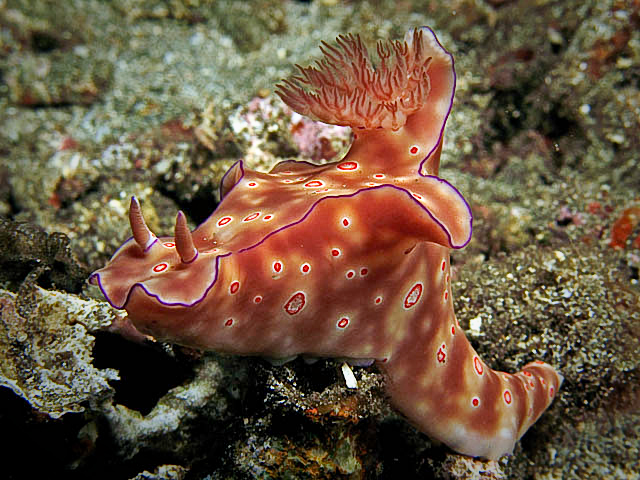
Might make it pop just a little more.
Cheers,
Steve
Thanks partner, just for fun you might play with bringing the exposure up about a third of a stop and add a slight vignette to the corners.
Might make it pop just a little more.
Cheers,
Steve
Would like to try that....but have limited exposure to photoshopCan you if feasible tell me the steps to doing this ?
Cheers and Thanks,
Diggy
Hi Diggy,
It real easy in Lightroom if you have it. Just grab the Vignette slider and move it to about -30. I used to know how to do it using layers in Photoshop but I haven't opened it in 6 months or so. Do you have LR?
Steve
Hey Diggy,
If you have CS3 there is a simple way to add a vignette using the lens correction filters. There are a couple of other ways that give you a little more control.
There is a nice video here; that explains the steps in detail.
Good luck
Steve
First one for me, too!
Hey Diggy,If you have CS3 there is a simple way to add a vignette using the lens correction filters. There are a couple of other ways that give you a little more control.
There is a nice video here; that explains the steps in detail.
Good luck
Steve
Thanks steve will definately try this out over the weekend.
Appreciate your effort buddy...for taking all this trouble.
Cheers,
Diggy

Terms of Use Privacy Policy Guidelines We have placed cookies on your device to help make this website better. You can adjust your cookie settings, otherwise we'll assume you're okay to continue.

A worldwide community for underwater imaging.
