



EDIT: I believe that this should fix the problem! Thank you Hanir, and enjoy the two shots I wanted to post!
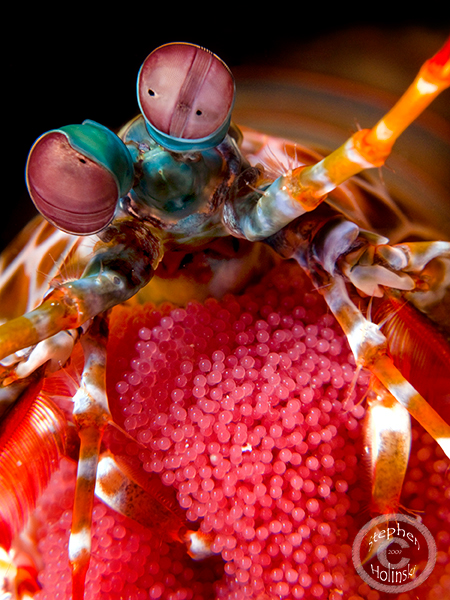
Note: using AdobeRGB space after the file is converted from RAW with Lightroom
Read-only discussion
EDIT: I believe that this should fix the problem! Thank you Hanir, and enjoy the two shots I wanted to post!
Note: using AdobeRGB space after the file is converted from RAW with Lightroom
Wow! That's an amazing photo man!
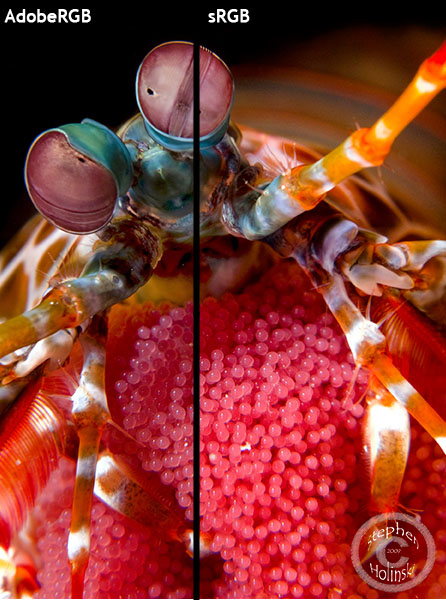
The AdobeRGB colourspace would explain the washed out colours on the web. Most browsers don't support multiple profiles (I think Safari and the latest Firefox does though). Try converting them to sRGB (edit > convert to profile in photoshop).
Looks quite nice and doesn't look washed out to me though (probably cos I don't know what I'm comparing with hehe).
Hey, I've changed the profile and uploaded it to save you the trouble of checking. Does this one look better? It looks the same to be but that may just be my browser.
EDIT: yeah just checked with IE and the colours are definitely more washed out in the originals. All 3 look the same in firefox.
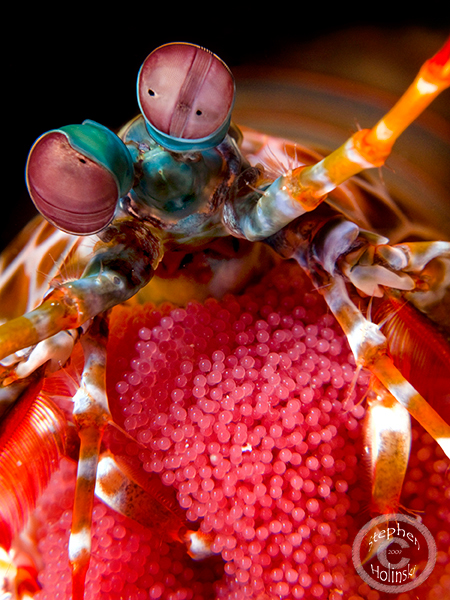
Here is a screenshot of what it looks like in IE for me
Fantastic images!!!
There is no way around it. My "prep for web" action in Photoshop includes a saturation bump of 10-15 for the same reason as you noted. This is regardless of the color space used. It's the difference between a color managed environment and unmanaged environment. When I started using SmugMug, the same "bumped" jpegs now are over cooked with saturation.
Awesome! beutiful
Must be tough having shots like that 
Great photos!
Hanir that made the world of difference to me! Wish I had known it to be so simple! Woohoo!!!
Thanks for the comments on the shots. They really are a couple of my favorites and I wanted to share them.
Awsome shots Stephen!
Mike
Brilliant shot!
Awesome shot!!
Thanks for sharing!
Wow! What a wonderful shot!
Michel
What a fantastic shot. Great job.
very nice, great detail on the eggs!

Terms of Use Privacy Policy Guidelines We have placed cookies on your device to help make this website better. You can adjust your cookie settings, otherwise we'll assume you're okay to continue.

A worldwide community for underwater imaging.
