



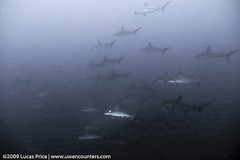
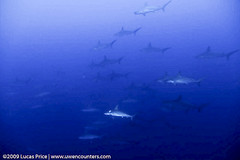
Here are two versions of the same photo.


Any suggestions for using lightroom to help the sharks stand out better against the background? Thanks,
Read-only discussion
Here are two versions of the same photo.
Any suggestions for using lightroom to help the sharks stand out better against the background? Thanks,
Any suggestions for using lightroom to help the sharks stand out better against the background? Thanks,
You could try the clarity slider, and perhaps add some contrast using the curves sliders after increasing the exposure maybe about half a stop. For anything more effective I'd say you need something like Photoshop, with more flexibility.
Here are two versions of the same photo.
Any suggestions for using lightroom to help the sharks stand out better against the background? Thanks,
Here is one attempt with simple auto correction in lightroom
Hi Lucas,
I tried everything I could think of and can't come up with one I like. Bill's is the best I could do. I think maybe you'll need to go back and get a tad closer if they'll let you. It must have been a wonderful sight. I'll bet the image in your mind is much better anyway. Your website is looking great by the way.
Cheers,
Steve

Terms of Use Privacy Policy Guidelines We have placed cookies on your device to help make this website better. You can adjust your cookie settings, otherwise we'll assume you're okay to continue.

A worldwide community for underwater imaging.
