



I am not a dedicated videographer but enjoy shooting occasionally. That said, I have an important project that I need help and advice with in regards to my software's features. I am currently working with iMovie'08 (because frankly, that's all I've needed until now) My client has asked for streaming text to run at the top and bottom of the frames of the two minute video. I have attached an example below.
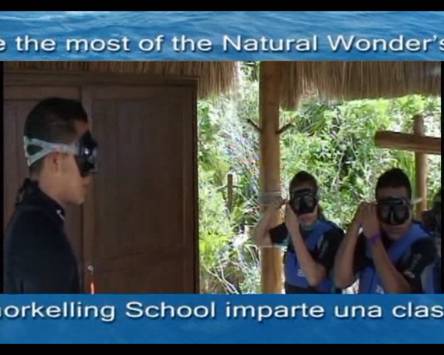
As best as I can tell, iMovie '08 has a limited number of title options with only one option being even remotely similar to their request. However, the max time it can run is 8 sec and it fades out like a transition so that won't work at all. It also limits me to placement only at the bottom so the top titling also remains a problem. SO, if anyone is running iMovie 09 can you tell me based on my attached example if that style of titling is an option or if I had to purchase Final Cut Express to get that feature. Ideally, I don't want more video editing software because I do so little work but this client has the potential to turn into something bigger so I want to get it right.
I am on a very tight deadline so I REALLY appreciate your help!
Karen


