Skip to content

Shooting Technique, Workflow and Editing / Archived topic

Dust spots

Started by razorrob ·

  • 6Posts
  • 6Replies

Read-only discussion

Dust spots

6 posts
  1. Why am I getting nasty dustspots and what can I do?


    I've been shooting RAW photos with a Nikon D300 / Sea & Sea MDX-300 setup / 2 ys-110 alpha strobes / TTL converter. Generally, I have been intentionally underexposing most of my shots, especially when taking pictures of light objects on a colorful background. When I bump up the exposure of the photos, however, I get big, nasty dust spots that weren't visible until I loaded these up on a PC and tried to edit the photos. The D300 has a self-clean feature for dust, which unfortunately I did not use until I got back from my trip and saw the pictures on a big screen. I'm not sure if the dust spots are from the sensor or from the lens, which I carefully rinsed in large, fresh-water, photo-only tanks for several hours each eve (and for a shorter time after each dive). Anyway, 100's if not 1000's of photos with this problem...


    Is this a lens cleaning issue? A sensor issue? A problem with my technique (of underexposing and then bumping up)? What are the best practices in cleaning port lenses?


    One thought is that the problem came from using a 60mm lens in a macro port that was meant to work for a 60mm or a 105mm, so the face of the macro port was a fair distance from the end of the 60mm lens.


    Thanks for any advice!


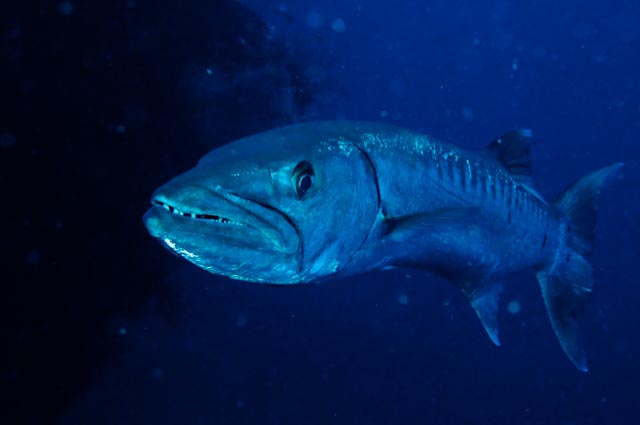
    PS 3 examples attached. I know that taking a picture of a black frogfish is nearly impossible anyway... this one just illustrates the problem nicely. The barracuda may just have been too far away (and not sure the flash fired). Again, it just illustrates the problem.
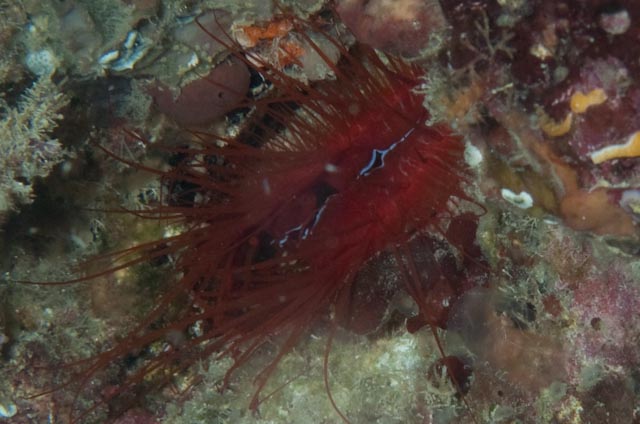
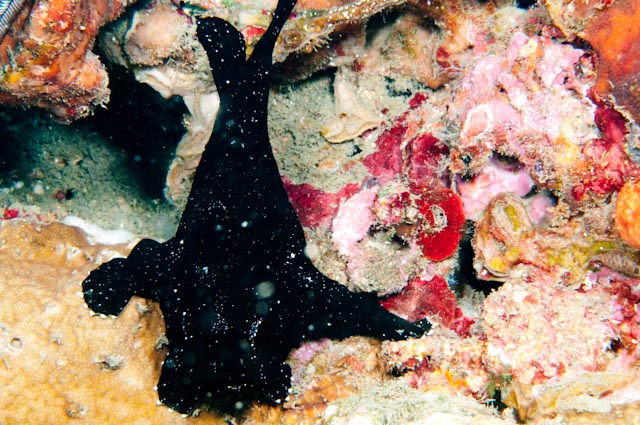
    post-19995-1262218790.jpg

    post-19995-1262218812.jpg

    post-19995-1262218981.jpg

  2. It's not your camera or lens, they are out of focus particles in the water being illuminated by your strobes.

    Try moving your strobes out further (longer arms) and maybe pointing them out a little.

  3. I agree!


    What you have there is backscatter!


    There is lots of info on avoiding it on this forum, and also dealing with it in Photoshop or the like. Alex Mustard wrote a great article on it here


    I prefer to try an angle my strobes "away" from the subject and to keep the strobe power as low as I can to gte whatever effect I'm after.


    I agree on black frogfishes too!


    All the best


    Adam

  4. I agree with Adam and Balrog.

    The case is mainly in strobe positioning. You can take look at this site as well.


    Cheers

    Karel

  5. Thanks all for the scientific identification of the problem and the tips! Looks like we have a confirmed backscatter sighting, and I have to start working with Photoshop! ;)

    Edited by razorrob
  6. Work your strobe angle before playing with PS, is easier, faster, and more natural.

Sea & Sea

Account

Navigation

Search

Search

Configure browser push notifications

Chrome (Android)
  1. Tap the lock icon next to the address bar.
  2. Tap Permissions → Notifications.
  3. Adjust your preference.
Chrome (Desktop)
  1. Click the padlock icon in the address bar.
  2. Select Site settings.
  3. Find Notifications and adjust your preference.