Skip to content

Shooting Technique, Workflow and Editing / Archived topic

B&W Grain

Started by PRC ·

  • 4Posts
  • 4Replies

Read-only discussion

B&W Grain

4 posts
  1. In another post [here] Alex M suggested that the perception of how much and the quality of grain in B&W may have changed between film and the digital world.


    Alex suggested it would be interesting for some shots taken on film with pleasing grain be compared with some digitally processed with the likes of Photopshop or say Silver FX Pro.


    Myself I have no film archive at all, so maybe someone out there has and can supply some images ?


    As a starter here is an image of mine (Digital) that has had quite a lot of grain added - suspect some may have been lost during the size reduction to be able to post it here.


    Sorry it is a land image - no in water images to hand, taken with a borrowed D70 as my D300 would not work in IR.

     

    post-3386-1262847808.jpg


    So who has some film images to share ?


    Paul C
  2. OK my error - seemed to have posted the above in the wrong area - can some mod move it to the 'general' area rather than image improvement please.


    Paul C

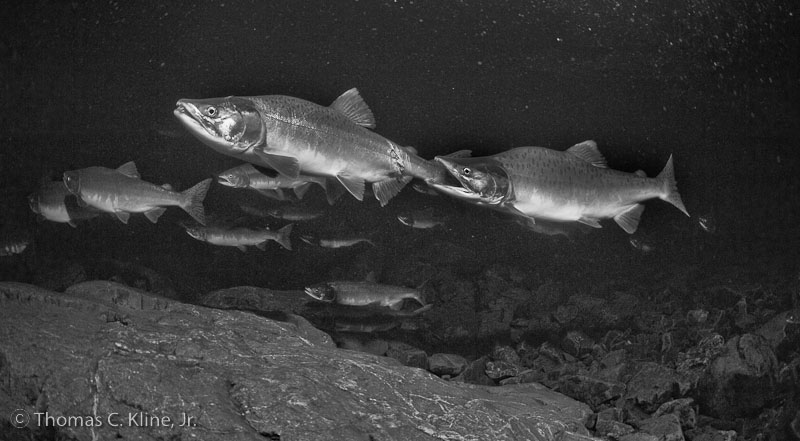
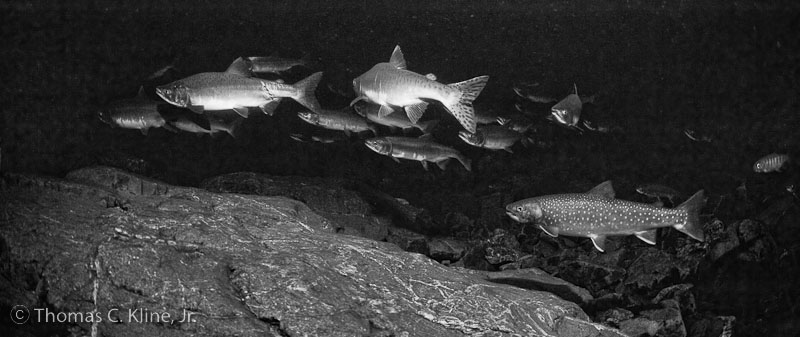
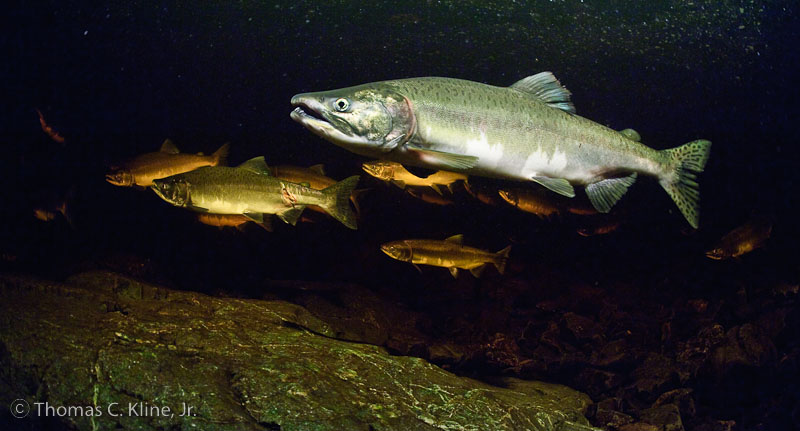
  3. This may not address your purpose but nonetheless are UW pix converted to B&W using LR2. I was PPing these a couple days ago so they were handy. You could say that the conversion was a salvage job. The water is so stained here that it was out of range of fixing except for when the salmon very close to the lens (see color shot). I salvaged these two because they show spp association and aggressive behavior.

    post-3540-1262880196.jpg

    post-3540-1262880204.jpg

    post-3540-1262880216.jpg

  4. Hi Paul,

    here are some 'real' photo's for you to compare. Taken in Scapa Flow earlier this year on Ilford 3200 negative B&W film, ambient light. I made scans from the negatives. Camera Nikon 801 in a Subal Miniflex housing, 14mm Sigma lens behind a 6" dome.

    Best regards,

    --Rob


Fotosub Shop

Account

Navigation

Search

Search

Configure browser push notifications

Chrome (Android)
  1. Tap the lock icon next to the address bar.
  2. Tap Permissions → Notifications.
  3. Adjust your preference.
Chrome (Desktop)
  1. Click the padlock icon in the address bar.
  2. Select Site settings.
  3. Find Notifications and adjust your preference.