



Hiya,
An article that my mate wrote and the photos I took have been published in the December 2009 issue of Asian Geo Passport magazine. It's a first for me. Hope to have more in the near future. Just wanted to share with you guys.
Cheers
Shaff
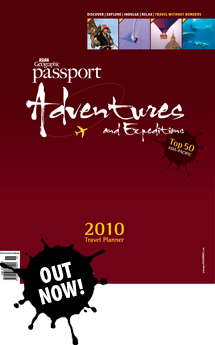
Photo / Video Showcase / Archived topic
Started by Shaff ·
Read-only discussion
Hiya,
An article that my mate wrote and the photos I took have been published in the December 2009 issue of Asian Geo Passport magazine. It's a first for me. Hope to have more in the near future. Just wanted to share with you guys.
Cheers
Shaff
You might want to get the invoice in soon - last time I dealt with a Passport publication for Asian Geo it took 6 months for a cheque to arrive.
Yep...already sent the invoice. Thanks for the heads up.
good job
Well done Shaff. Hows things out in the Maldives at the moment. Are you still busy with your new job. I have been really busy with work and orgainising a few trips lately but will email you during the coming week.
Again well done.
Stew
Thanks Mike. And Stew, the job is great. loving it...diving all over the Maldives...untouched dive sites! Woo hoo! Let me know about ur plans for this year. I've got a few boats for Hanifaru, some really cheap trips too....
Hi Shaff,
Somewhat off topic; can you PM me with details on some of the boats you're organising to go to Hanifaru in August as I'm interested in heading out there and would appreciate any advice!
Cheers, e
Thanks Mike. And Stew, the job is great. loving it...diving all over the Maldives...untouched dive sites! Woo hoo! Let me know about ur plans for this year. I've got a few boats for Hanifaru, some really cheap trips too....
Good job, it's always a buzz getting your first works published.
Yeah well done once again Shaff 

Terms of Use Privacy Policy Guidelines We have placed cookies on your device to help make this website better. You can adjust your cookie settings, otherwise we'll assume you're okay to continue.

A worldwide community for underwater imaging.
