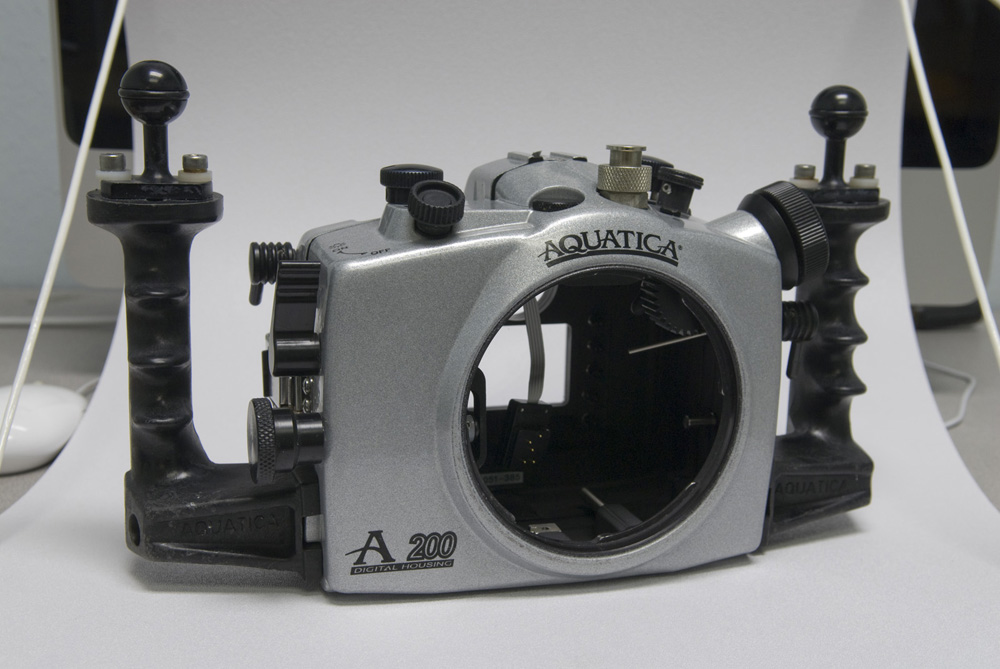
Housing, no ports, no view finder. Need rubber ends on two levers and an adjustment to the front command dial control. Should probably get a new body o-ring. $1250
Aquaview viewfinder. Looks a little rough. Has around 300 dives on it. $500
D200 $850
D200 $800
Both went through a full Nikon servicing for $250 each about six months ago. The cheaper one has a CF door lever that sticks. When you push it to open the CF door, you have to push it back. Otherwise everything is fine.
Housing, no ports, no view finder. Need rubber ends on two levers and an adjustment to the front command dial control. Should probably get a new body o-ring. $1250
Aquaview viewfinder. Looks a little rough. Has around 300 dives on it. $500
D200 $850
D200 $800
Both went through a full Nikon servicing for $250 each about six months ago. The cheaper one has a CF door lever that sticks. When you push it to open the CF door, you have to push it back. Otherwise everything is fine.
DM
Housing, no ports, no view finder. Need rubber ends on two levers and an adjustment to the front command dial control. Should probably get a new body o-ring. $1250
Aquaview viewfinder. Looks a little rough. Has around 300 dives on it. $500
D200 $850
D200 $800
Both went through a full Nikon servicing for $250 each about six months ago. The cheaper one has a CF door lever that sticks. When you push it to open the CF door, you have to push it back. Otherwise everything is fine.
Sorry, I've been gone for a while.
All are still available. Pictures to be available tomorrow.
Hi do you still have the Aquatica D200 Housing? I might be interested. Thanks
Sorry, I've been gone for a while.
All are still available. Pictures to be available tomorrow.