Skip to content

Photo / Video Showcase / Archived topic

crayfish

Started by renep ·

  • 10Posts
  • 10Replies

Read-only discussion

crayfish

10 posts
  1. Hello all,


    I've been taking underwater shots for a few years. I put a lot of them here www.renepotvin.com. First with an A95 without strobe. This worked well for me since I was taking mostly large fish action shots. I later got a G10, soon saw that all pictures taken at iso above 80 were too noisy so I got a strobe. First a Fantasia strobe (newer model with 9 levels) and now a UFL1 which i like a lot better.


    I took this crayfish with the g10 at f2.8 1/60. I would have liked to change the to f5.6 but my canon casing does not give me access to the dial! whatever, another story. Next time i'll preset at 5.6 or 8 but let talk about this picture.


    This picture of a 5/8 inch freshwater crawfish (about 20mm) was cropped (I have to recrop to get the end of the leg in there :goodpost:. I took it 10-15 cm away. half power on the ufl1 but still had to lower the exposure a quarter stop on lightroom.


    I'm basically hacking away trying to take a very good freshwater crawfish picture. Thank you for your comments.
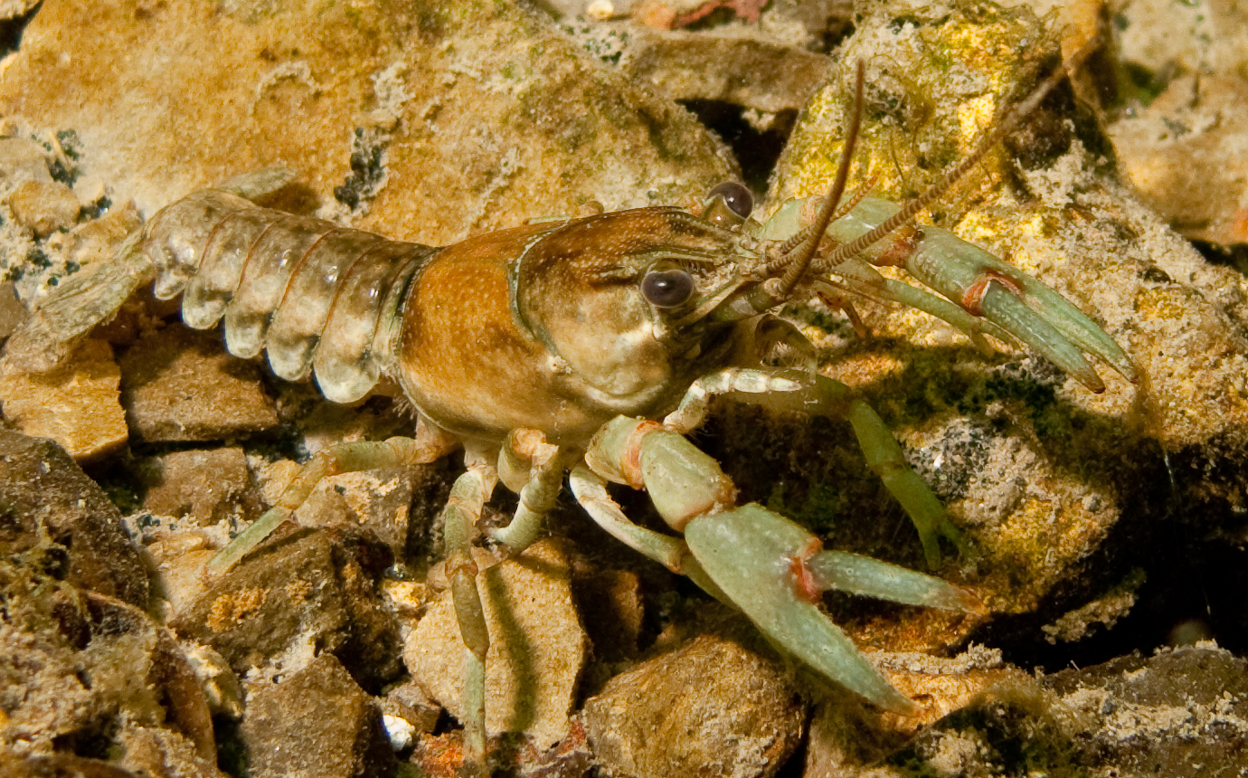
     

    fleuve_ufl1_5251.jpg

  2. my old set up was the canon g10 and canon wpdc-28 housing and although you cant accses the wheel from the housing their is a shortcut button in the upper left hand corner that you hold down and then press the macro or flash button to change the shutter speed and the F-stop. It sounds like allot but it is really quite easy when you get the hang of it. hope this helps.

  3. Hi!


    As I understood You are looking for comments how to take a better picture of this subject and not trying to fix the one You posted? If that's the case, then:


    Firstly - Matt allready gave You a good hint how You can change You'r F'stop UW. You defenetly want to try and boost it up to 5,6 til 8 to get more DOF. To get more light to the backround You can set shutter speed even to 1/20 sec. (You'r subject is not moving very fast :goodpost: ). But in this case You could check if You can rest You'r arm down to a rock etc. to be sure that blurry images will not occur because of hand shakening etc.


    For second, I dont think the cropping and missing a bit of lower part from the leg is an issue here. It doesnt bother me atleast not one bit.


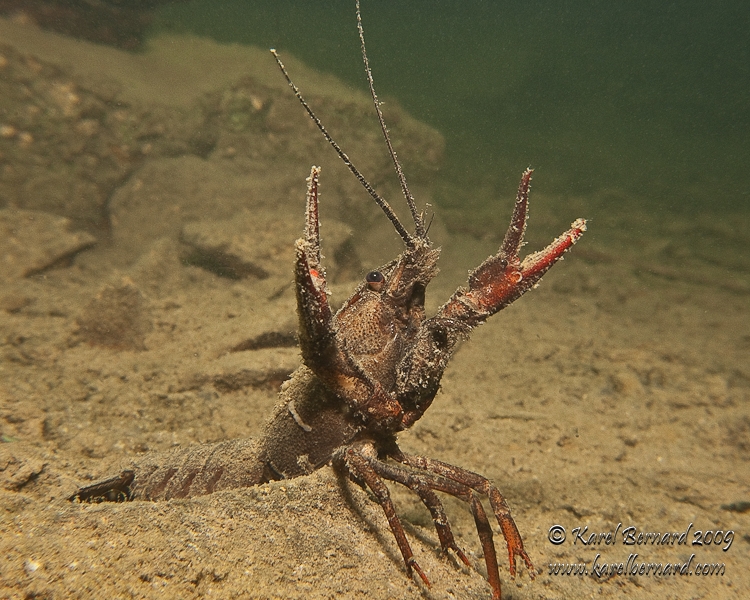
    What is an issue IMHO is the weak negative space on this image and the similar colour of the backround to the main subject. Your subject is not popping out. Allso the angle of the shot could be improved - try to shoot from the side or upwards.


    Maybe something like this:

    (F/8, 1/60 and ISO 100 - one strobe)

    post-22881-1270558206.jpg


    or this (F/8, 1/60 and ISO 100 - one strobe)

    post-22881-1270558315.jpg


    Cheers

    Karel

  4. This is what I'm talking about! The hint on getting f control is gold!


    I was sort of aware of the background issue. That's why I'm not hoping to do anything phenomenal with this picture except maybe a tight crop on the head. Problem is the ground where these tiny critters hang is often that particular color, it probably has to do with not getting eaten :goodpost:


    I would favor a side shot too. I'll need to find one that is not in a crack.

  5. This is what I'm talking about! The hint on getting f control is gold!


    I was sort of aware of the background issue. That's why I'm not hoping to do anything phenomenal with this picture except maybe a tight crop on the head. Problem is the ground where these tiny critters hang is often that particular color, it probably has to do with not getting eaten :goodpost:


    I would favor a side shot too. I'll need to find one that is not in a crack.

    As far as I am aware the G series has a flash sync speed of 1/1000s so you could jack up the shutter speed to eliminate the ambient light thus removing the distracting background. You can also try varying the strobe position to achieve a less exposed background.


    Enjoy


    Duncan

  6. Thanks, now that i've regained control of my M mode I'll be able to test setting the flash to high, the f to the roof and the time to something faster than 1/60. I'll post some results.

  7. I won't repeat Karel's advice, but what about trying a black background, leaving the shutter speed at 1/100 - 1/200? Try and get down in front of the beastie:


    I won (sadly an old Fuji & housing, that was promptly stolen from my gear bag) a UK competition with this (follow the link):


    http://www.flickr.com/photos/timsdiving/32...57623837767218/


    Tim


    ;)

    Edited by tdpriest
  8. I won't repeat Karel's advice, but what about trying a black background, leaving the shutter speed at 1/100 - 1/200? Try and get down in front of the beastie:


    I won (sadly an old Fuji & housing, that was promptly stolen from my gear bag) a UK competition with this (follow the link):


    Tim


    :lol:


    Ooops! New link:


    http://www.flickr.com/photos/timsdiving/45...57623909675034/


    Tim


    :notworthy:

    Edited by tdpriest
  9. Now that's a nice crawfish picture!


    Up here it's the end of the winter and the fresh water is still pretty murky.

    Still I've been able to use my newfound control of the manual mode on my G10 to take some shots.

    Previously I have to set the M mode before putting the camera in the casing (insane).

    Unfortunately the crawfish have all disapeared for some reason.

    I took some picture of bass and walleyes.

    I've obtained black backgrounds with f8 but I prefer this sort of surrounding with a f5.4.

    I could clean up the water by reducing noise on lightroom but I think I'll wait for clear water instead.


    _5432.jpg

  10. glad the f stop tip help.


    Bring on the clear water

AOI

Account

Navigation

Search

Search

Configure browser push notifications

Chrome (Android)
  1. Tap the lock icon next to the address bar.
  2. Tap Permissions → Notifications.
  3. Adjust your preference.
Chrome (Desktop)
  1. Click the padlock icon in the address bar.
  2. Select Site settings.
  3. Find Notifications and adjust your preference.