



I just wrote a full report about my first NAB Show experience. Keep in mind that I am both a video and 3D newbie!
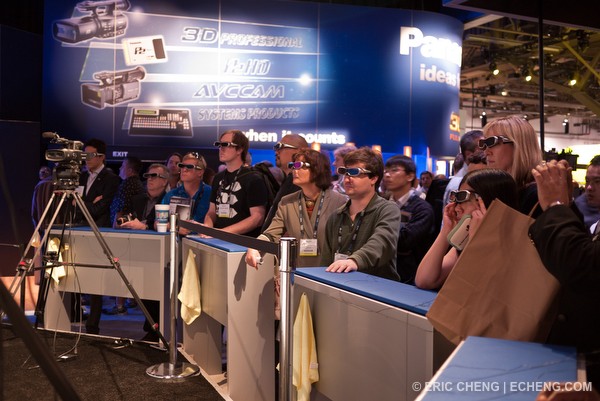
Link: http://wetpixel.com/i.php/full/2010-nab-sh...port-las-vegas/
Read-only discussion
I just wrote a full report about my first NAB Show experience. Keep in mind that I am both a video and 3D newbie!
Link: http://wetpixel.com/i.php/full/2010-nab-sh...port-las-vegas/
Great write-up Eric. I've been looking into experimenting with 3D underwater, as I think it's a really exciting area. I'd already been thinking of mounting two gopro heros together as an inexpensive way of experimenting with 3D underwater, so it's interesting that they're developing the stereo housing. Unfortunately it seems that the current gopros are out of focus underwater, so seem to need some modification to optics to work properly when submerged, but there's potential as the cameras are so small you can get a reasonable IO distance. No monitor though, so framing would be a bit hit or miss.
I've also been in touch with this guy in Germany who is building housings for a pair of small sony hdv cams. He sent me some sample footage which played on a 3D player with the red/cyan glass and the 3D effect seems to work pretty well. Colours would obviously look better using a polarised viewing system, or the active 3D glasses.
http://www.digi-dat.de/produkte/index_eng.html#scuba
Would love to get two dslrs housed side by side, but as you mention, not sure how well the effect would work, especially with fisheyes and close subjects.
Unfortunately it seems that the current gopros are out of focus underwater, so seem to need some modification to optics to work properly when submerged, but there's potential as the cameras are so small you can get a reasonable IO distance. No monitor though, so framing would be a bit hit or miss.
GoPro is going to work on putting a flat port on the housing to help the system to focus underwater. I'll find out more from them. I ordered 2 at NAB pricing ($200 for ... motorsports kit, I think?) and am going to do some 3D stuff on land. 
Looks pretty neat....more toys...lol
I wonder what the 3D focus range will be underwater.
Those Go Pro's are bloody awesome, I used one for some surf stuff and they are amazing for the money. I just wish they also shot 25 and 50 fps.
Which Go Pro did you use Jonny? What depth can you take it to?
Steve
The current HD GoPros cannot focus underwater because of their tiny domes. I've seen 2 homebrew fixes, and GoPro are working on a fix, themselves.
Here's my hack 3D GoPro setup! 
I use a plate on the back to align the cameras.
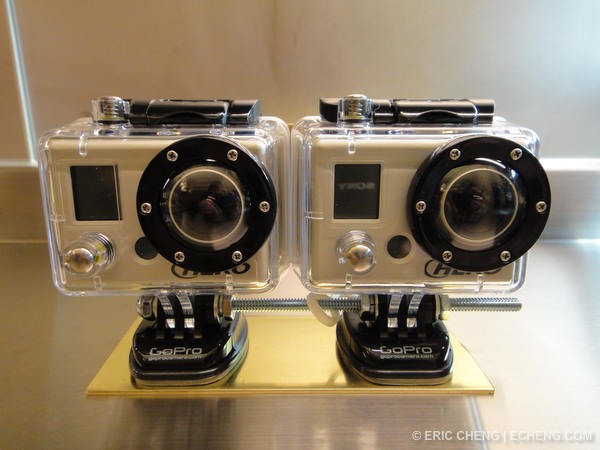
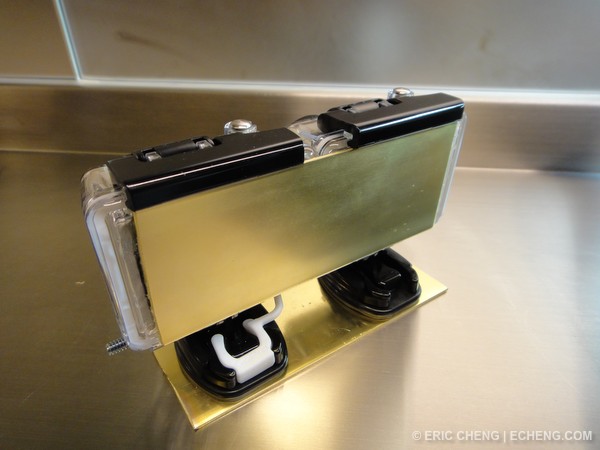
Click through and view this in 3D at 720p with your anaglyph glasses (or in whatever mode you can see). I shot this today in Monterey with the above 3D GoPro setup.
Hey Eric,
I only had a pair of those cheapo red and blue lens in cardboard glasses to use and there certainly was a greater depth to the image. Now to develop a workflow to converge the 2 images to one and to burn it that way as well.
Nice setup you made.
Steve
Am here in Joburg where they are prepping for the world premiere of the first 3D live broadcast of the FIFA world cup. Nelson Mandela Sq is filled with a tent with 3D projector for the lucky few who get in. I will be hunting sardines so won't bother with that. But Sony is making a big play for 3D.
On a side note, many producers and directors have refused 2D-3D post conversion for older films. It'll be interesting to see how this "new" trend plays out.
Hey Eric,
How about writing up your editing workflow for this system from download to finished project. That would be an amazing article I think.
Steve
Click through and view this in 3D at 720p with your anaglyph glasses (or in whatever mode you can see). I shot this today in Monterey with the above 3D GoPro setup.
Watching clips like this and getting the 3D effect without any glass is quite easy as well, one you get the hang of it.

Terms of Use Privacy Policy Guidelines We have placed cookies on your device to help make this website better. You can adjust your cookie settings, otherwise we'll assume you're okay to continue.

A worldwide community for underwater imaging.
