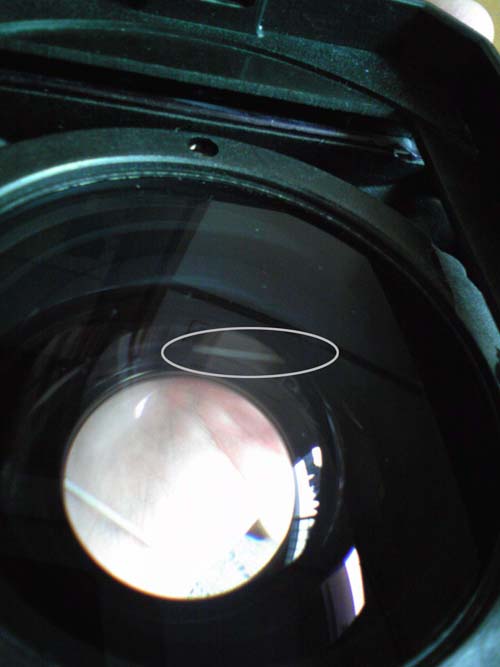
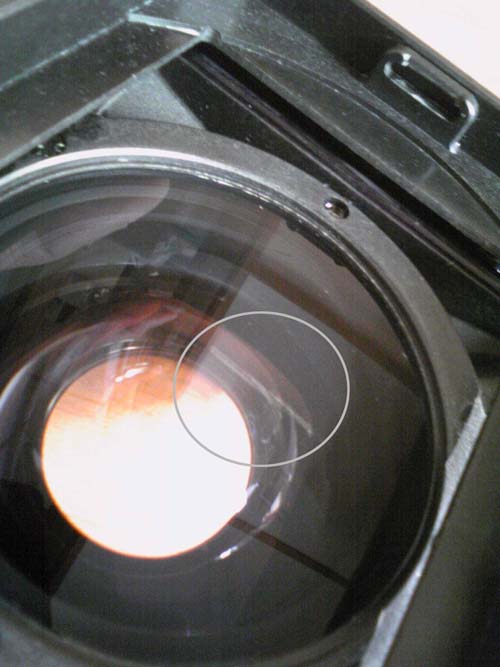
Has anyone encountered this? I had soaked my housing for a few hours after returning from a 4 day trip and I found a streak of water between the lens immediately after removing from the tub. I have not seen this when i soaked the the housing in their camera tank immediately after the last dive. I guess I have to send this for servicing.
My questions are:
1) How did this happen? (aged oring/seal?)
2) Will the water mark be permanent? (I have send this to Singapore as I am residing in Japan, by then the water will have dried and possibly leaving a mark)
3) How do i prevent this? (Is overnight soak too long for the housing?)
You can see the streak of water as marked.
Cliff
O dear not good to see.
Well first of all I would not leave you housing sitting in water for long periods, how many housings have leaked because of that hey.
Just a quick dip in , push all the buttons a few times and and out is good enough...
That port looks like you have to send it in for a service, never seen that before and never had it happen on mine.
Those ports are all over the place, used on many DV models, so you might be able to find one for sale some place.
Good luck
Thanks Wagsy,
I guess I was fortunate that the housing and the camera are safe. But this will definitely be a lesson learnt. My only worry now is the water mark and if it will be removable when sent for servicing.