




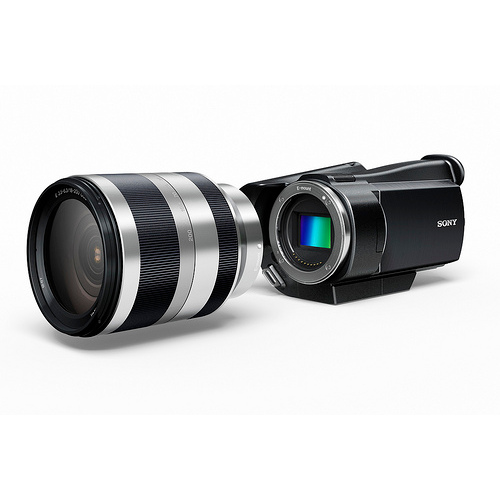
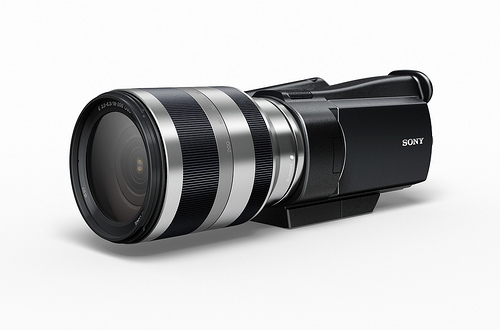
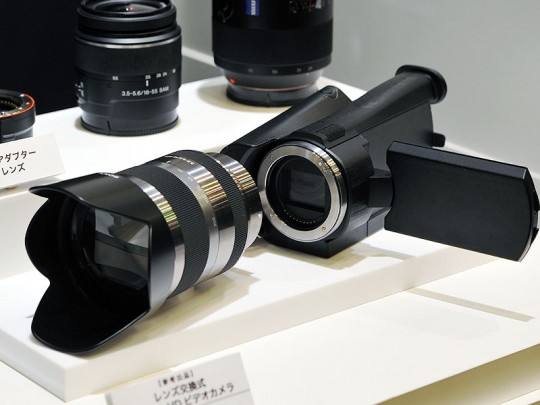
Quite an exciting moment to see Sony developing an interchangeable lens HD video camera on a consumer videocam body by using the new E mount adaptor
Looking forward to it !!
Video Gear and Technique / Archived topic
Started by edmond320 ·
Read-only discussion
Quite an exciting moment to see Sony developing an interchangeable lens HD video camera on a consumer videocam body by using the new E mount adaptor
Looking forward to it !!
Yes. it looks very interesting. Sony plans to commercialize the new HD camcorder by the end of 2010.
There's very little information about it other than it will be equipped with the same 14.2 megapixel “Exmor” APS HD CMOS sensor to be used in “NEX-5” and “NEX-3.”
Remains to be seen if the sensor uses "line skipping" or if the processor is powerful enough to interpolate the full pixel count...hopefully the latter.
Codec will be AVCHD/H.264...bit rate not announced yet. Looks like a nice form factor for putting in a compact housing...
From Sony's marketing blurb:
"Three new E-mount lenses are being introduced, including a 16mmF2.8 wide angle prime lens (model number SEL16F28), an 18mm-55mmF3.5-5.6 standard zoom lens(model number SEL1855)and an 18mm-200mmF3.5-6.3 (model number SEL18200) high magnification zoom lens.
The E-mount lenses provide the cameras with extreme compactness as well as the performance required for quiet continuous auto focus and auto exposure during HD video capture. These all new lenses are of premium construction, with brushed aluminium barrels and steel mounts."
Seems they'll also have in-lens "Optical SteadyShot" image stabilization...hopefully the gyros won't sound like Canon's coffee grinder IS system.
There's a useless little video from Sony about it on Youtube:

Terms of Use Privacy Policy Guidelines We have placed cookies on your device to help make this website better. You can adjust your cookie settings, otherwise we'll assume you're okay to continue.

A worldwide community for underwater imaging.
