



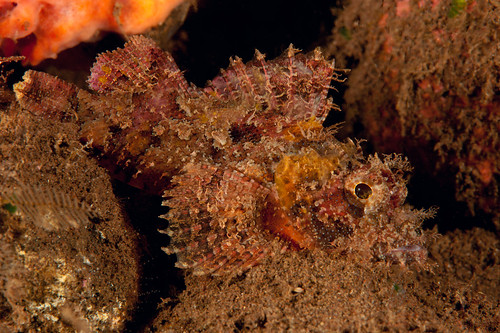
First time muck diving and really loved it. The resort was Scuba Seraya and divesites mainly from the beach. Hope to enjoy. Comments are welcome.
Aksu


Read-only discussion
First time muck diving and really loved it. The resort was Scuba Seraya and divesites mainly from the beach. Hope to enjoy. Comments are welcome.
Aksu
Hi Aksu,
Some nice photos! I particularly like the one with the xeno crab on the whip coral.
I also was at Scuba Seraya at the same time as you with my Nauticam, if u remember?
Here are my photos from my trip:
http://www.flickr.com/photos/50434684@N07/...57623992602057/
Good to hear that you love the muck. If you have the chance to go to Lembeh in Sulawesi you won't be dissapointed with the amount of critters you can find there.
Cheers
Daniel
I also was at Scuba Seraya at the same time as you with my Nauticam, if u remember?
Yes I remember. Have you already get fixed the housing problem? And where did you order that wet diopter? Was it +5?
Aksu
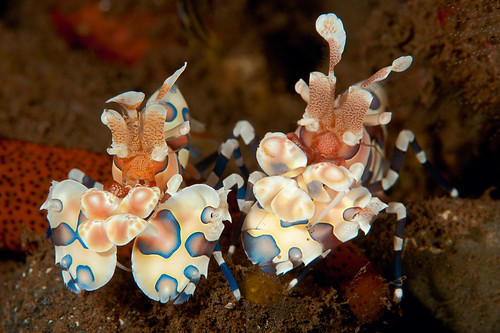
Very nice shots, that place is fantastic for macro. I love the harlequin shrimps!
Yes I remember. Have you already get fixed the housing problem? And where did you order that wet diopter? Was it +5?
Aksu
No, I haven't. I will go through Singapore in July. I will drop my housing at that time to the place I bought it (Scubacam).
Yep that's right I used a +5 diopter on most off my shots. I did not want to bother to remove it. Since the visibility was bad, I liked the reduced working distance (using a Canon 100 mm). I think that David, the guy at Scubacam, makes them make for his shop. There is no brand on it. Let's just say it is a Scubacam.
Cheers
Daniel
.jpg.857dbbfbdc4d79d9c6ebf7b4ba96ed1b.jpg)
Terms of Use Privacy Policy Guidelines We have placed cookies on your device to help make this website better. You can adjust your cookie settings, otherwise we'll assume you're okay to continue.

A worldwide community for underwater imaging.
