




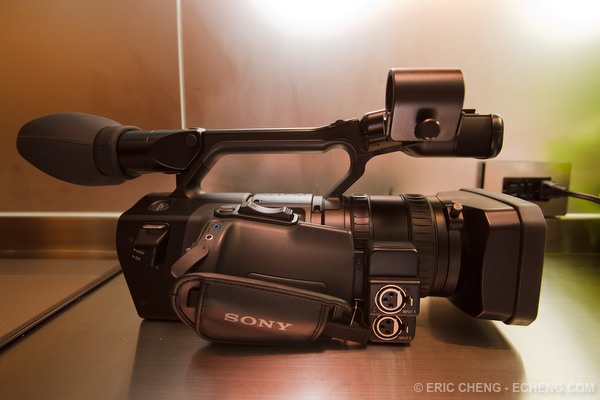
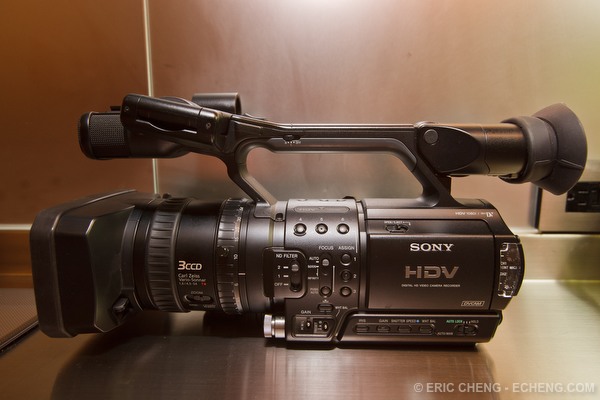
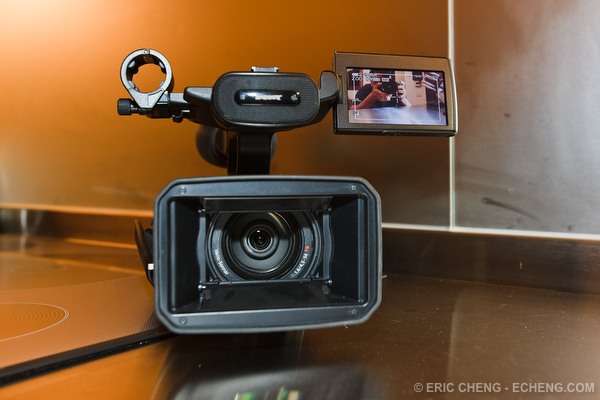
The Sony HVR-Z1U is a professional Sony camcorder that records in 1080i HDV in both NTSC and PAL (50i/60i/30F/25F). It uses three 1/3" 16:9 Super HAD CCD imagers for great performance in low light, and features a 12X optical zoom Carl Zeiss Vario-Sonnar T* lens.
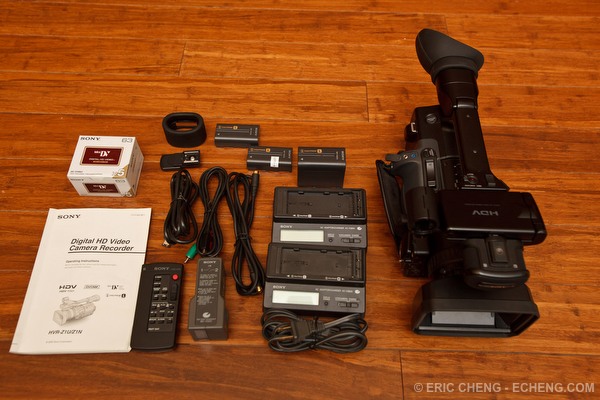
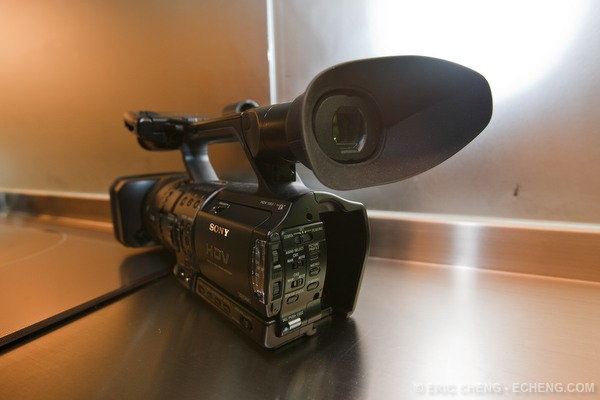
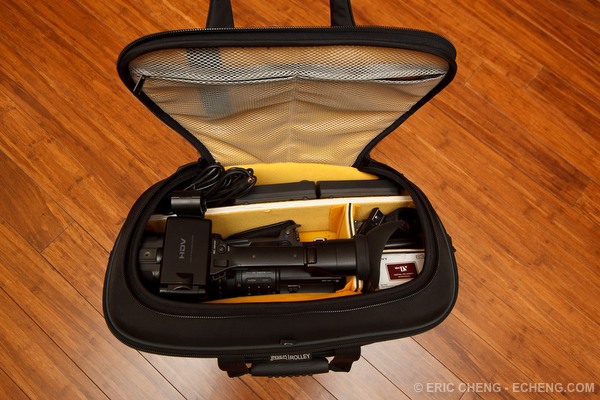
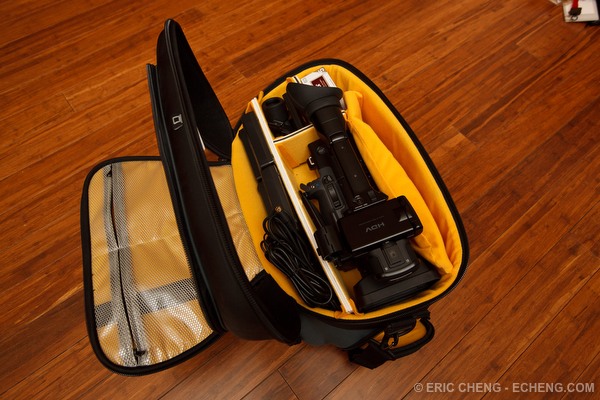
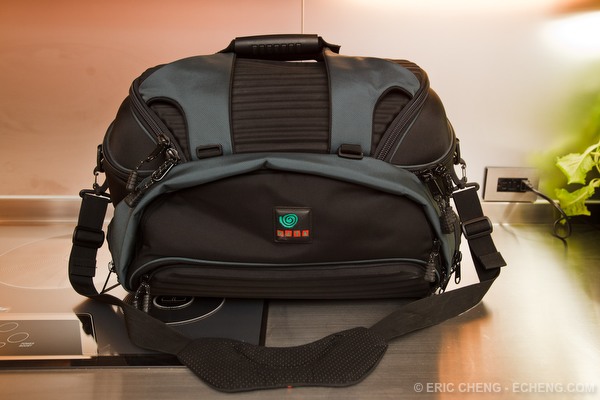
Great condition, and working perfectly. Glass is perfect. Also includes extra batteries, extra battery chargers, a high-quality Kata multi case, and 5 Sony HDV tapes.
$2,350 + $60 insured shipping anywhere in the continental USA. Contact me if you're interested.
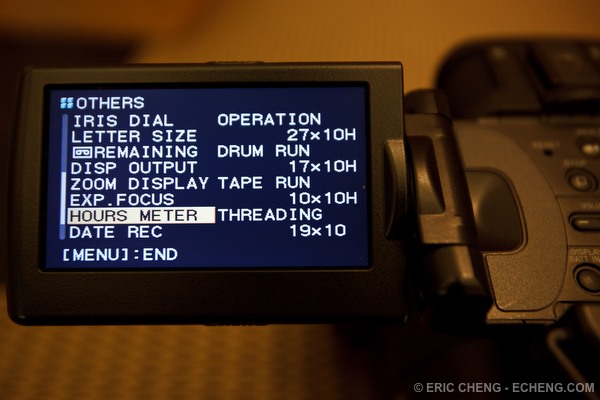
Hours Meter:
Operation 27x10H
Drum Rum 17x10H
Tape Run 10x10H
Threading 19x10H
Please see Sony's product page for more information about the camcorder.
Includes:
- Sony HVR-Z1U 3CCD 1080i HDV Camcorder
- 2 x Sony AC-VQ850 AC battery adapter/charger (charges Sony InfoLithium L and M batteries) -- only 1 power cable for these 2 chargers
- Sony BC-V500 Battery Charger (compact charger charges 2 batteries at once)
- Sony NP-F970 7.2V 47.5Wh Li-ion batteries
- 2 x Sony NP-F570 7.2V 15.8Wh Li-ion batteries
- Sony RMT-841 infrared remote control
- Large eyecup
- Small eyecup
- Component video cable
- Firewire cable (mini to full size)
- s-video cable
- Hotshoe adapter
- Lens hood
- Manual
- 5 Sony DVM-63HD HDV tapes (new)
- Kata MC-61 multi case shoulder bag product page. Plenty of space for everything listed above, plus a lot more.
.jpg.857dbbfbdc4d79d9c6ebf7b4ba96ed1b.jpg)

