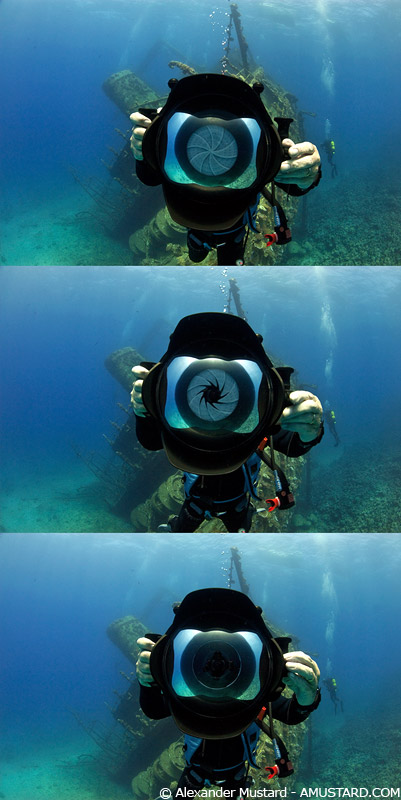
Here are some photos of the Nauticam WB port in action - from my workshop in the Red Sea last week. You close the aperture to get your WB target, then open it to take pictures.
It works really well, Peter Rowlands, who was reviewing it for UWP Magazine (and who is using it in these pictures) commented that it was particularly good for shooting video sequences with very consistent WB between shots. So even if colour correction is required in post, it will be the same between clips.
Thought people would be interesting in seeing it.
Alex
NIce back drop Alex.
Stew
Nicer foreground
I had forgotten about this. Peter put the video he shot on this dive on YouTube a couple of weeks ago, with 7D + 10-17 + Nauticam:
The is no colour correction in post - as he was keen to show what the system could produce straight out of the box.
Alex
Hi Alex,
Is Peter using any filters for the video?
Ryan.
Hi Ryan,
Credits at the end of the piece say
"Original Magic Filter" - so I think it may be a fair bet that was probably used.
Impressive straight out of the box video Peter.
Paul C
Very impressive how Peter has managed the ambient exposure in the wheelhouse.