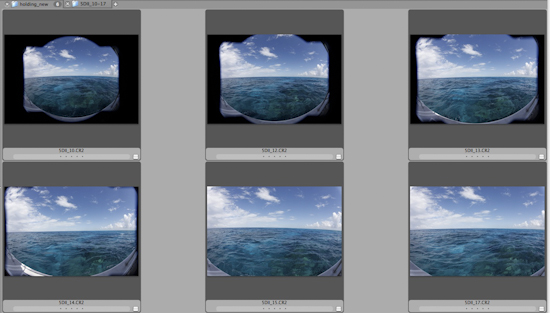
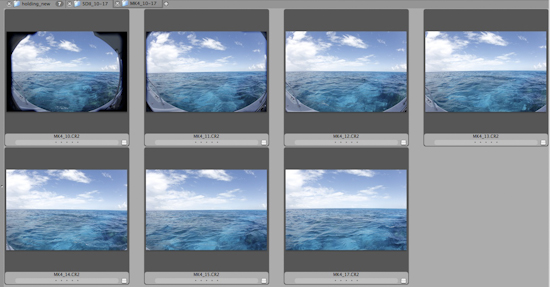
Short story is the Tokina 10-17mm lens will work on full frame (Canon 5DMKII) but you only get 15mm - 17mm end of lens without vignetting. 1DMKIV allows 12mm - 17mm without vignetting. Look at sky to see where vignette starts to occur.
From preliminary in-water test today, it seems it should be useful for MKIV.
5DII
MKIV
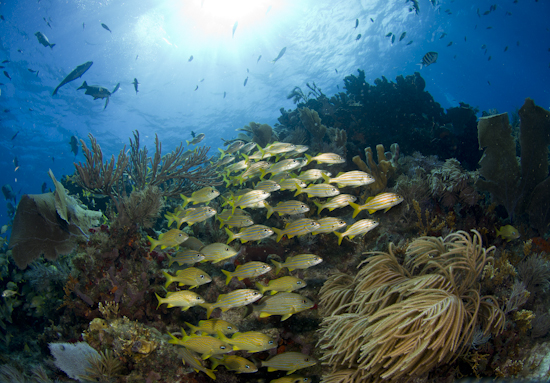
Here it is underwater, on MKIV, SEACAM with Superdome, no port extension. It can't be set wider than 12mm or it will vignette.
Looks nice though. Seems like a useful tool for MKIV shooters with the 1.3 crop.
thanks for your info Steve. Have you or anyone tried the Sigma 17-70f2.8-4.5DC Macro with a full frame camera? My 16-35 f2.8L Canon will not fit in the Ikelite 8 inch dome and I am trying to find a zoom that will work with my Canon EOS 5DMk II
Thanks, Steve.
That reef looks full of life too.
Alex
Thanks, Steve.
That reef looks full of life too.
Alex
Thanks for noting, Alex. That's my hometown, Key Largo. The fish life inside our Sanctuary Preservation Areas (SPAs) is quite impressive. No spearfishing or hook-and-line in the SPAs. As you would expect, fish behavior is quite different there as well, and they are far less skittish than other reefs outside the protected zones.
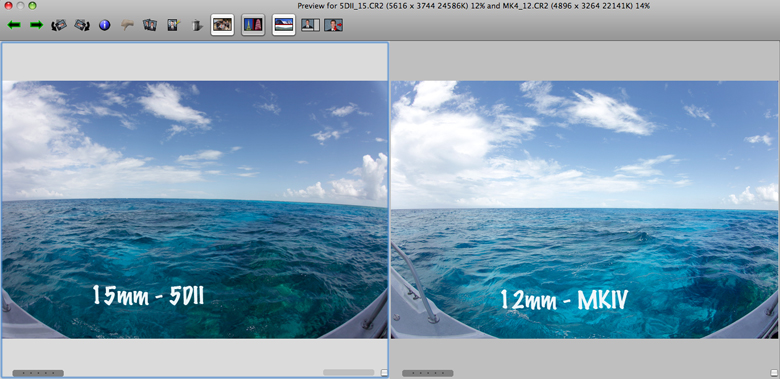
It looks like the perspective and coverage is much the same with the full frame 5DII at 15mm, and the 1.3 crop MKIV at 12mm. Hand held on a rocking boat, so some variables.