Skip to content

Photography Gear and Technique / Archived topic

What dome port for Sigma 8mm?

Started by TisTam ·

  • 7Posts
  • 7Replies

Read-only discussion

What dome port for Sigma 8mm?

7 posts
  1. I've just bought a Sigma 8mm lens for my Canon 5D (mk1) and am considering getting a new dome port for it. I use a Sea & Sea housing and currently use a S&S compact dome port, but I was wondering if there's a flatter port available which will still be compatible with my housing. The problem is that the front of my existing dome sits about 4 or 5 cm away from the end of the lens, which can focus only about 2cm in front of itself, so there's a lot of wasted space. The lens only extends about 2cm out of the housing, so I was wondering if there's a flatter dome port which will do the job.


    Some domes I have seen include:

    * the AquaTech LP1 which looks ideal (very flat dome port) but I've seen it advertised as not being suitable for use underwater, and I'm not sure why. Distortion maybe?

    * the Athena 170 which I think is about 1cm shallower than my existing port and is made glass (mine is acrylic) so if the glass would offer improved quality it may be worth the outlay

    * the Aquatica mini dome looks interesting but I wasn't able to find out the depths of any of the aquatica ports


    Can anyone suggest any suitable dome ports that would make it worth buying a new one? I particularly want to use the lens for wide angle macro so getting as close as possible to the subject is going to be important. Currently the best position for a nudibranch for example is going to be on the inside of my dome! Not ideal!


    Thanks!


    Tamsin


    www.teup.co.uk
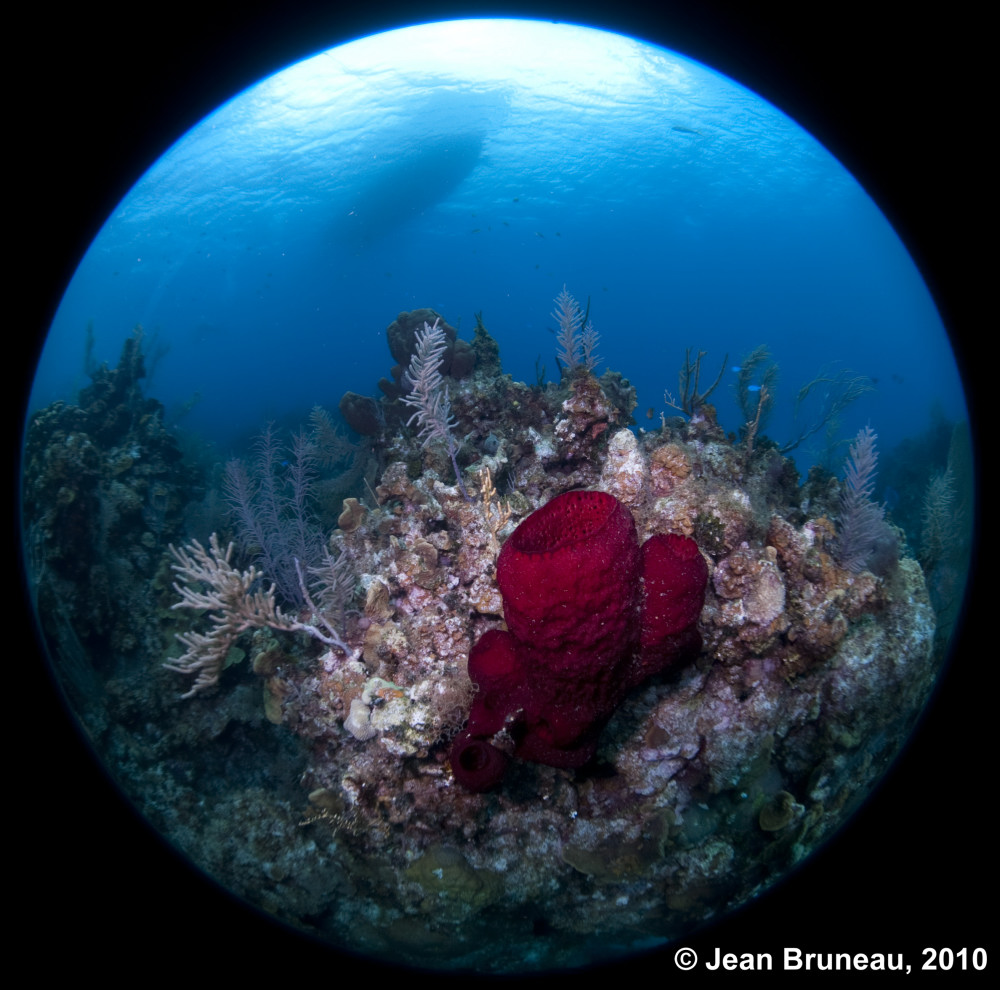
  2. I shot with a 4.5mm Sigma on a D300s, pretty much the same recipe as the 8mm on a 5D Mk II, I was shooting behind a 6" / 150mm dome port with the dome shade removed (an absolute necessity), in retrospect I find that the 4x8x8" strobe arm I used where to short, so get long arms, you want thoses strobe in a different zip code and so backed up you'll be lighting your bald spot.


    The Aquatica Mini dome does not have a removable shade, nor do the other 100mm dome port that I know of. Also the last thing you want is a flatter port with this lens

    post-1676-1282734771.jpg

    Edited by Viz'art
  3. Hi Viz'Art


    Thanks for the info - and for the lovely example photo!


    Yes I'd noticed from trying it in my housing that I'd need to be able to remove the shade! I don't necessarily need a flatter dome, just a smaller one if possible: I'd really like to be able to make the most of the great close focusing qualities of this lens. What would be the disadvantage of a flatter dome? Distortion? Light reflection?


    I looked at the Aquatica website but the dimensions aren't listed. Do you know what depth the 6" dome is?


    Useful to note that I'll need longer strobe arms - that's saved me some trial and error!

  4. Roughly 55mm from flange to inside of dome, I do remember using an extension ring of 16.5mm with the lens or else it was too close to the front, I don't know how it will translate in Sea & Sea terms.


    For the record is was using about 70cm of arm on each side


    Any flatter dome might translate in vignetting or loss of details on the edges.


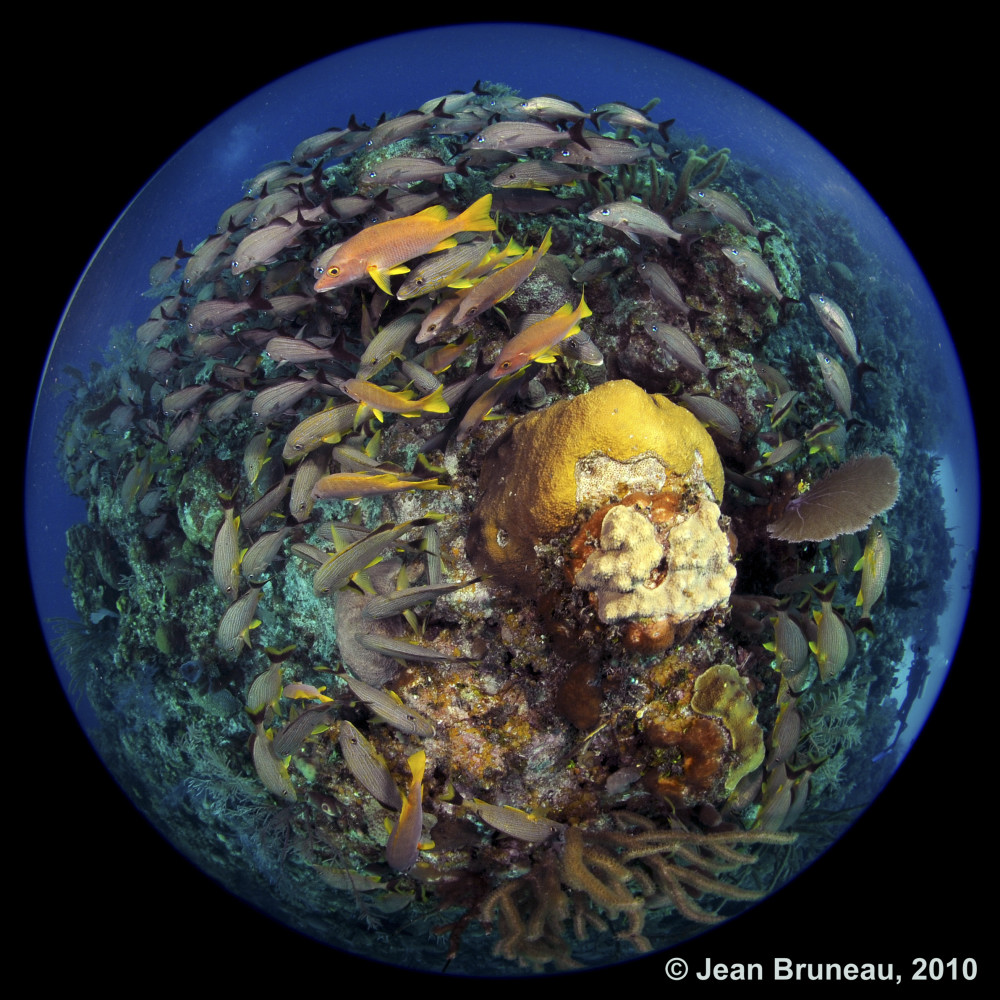
    I had the lens for a month as it was provided to me from the Sigma folks for the Digital Shootout and I had to return it :P I definitely will be getting one in the future, one thing I did find is that when shooting horizontal sea scape the result more or less appeared like my Tokina 10-17mm at 10mm but with a circular mask around it, so i was kind of disapointed with the visual impact, overhead, now that was another story! I just love the planetary look i got when shooting this way, its got that blue fringe that nicely frame the shot, here one horizontal you can see that the drama is toned down in this shot because of the angle.


    I definitely want to see your stuff when you start with the ultra close wide angle stuff (and before they put it... weitwinkel or wetwheener not sure :D )

    post-1676-1282744787.jpg

  5. Thanks Jean!


    Do you know if I'd be able to connect an Aquatica port onto a Sea&Sea housing?


    Another great photo, and yes I prefer the more exaggerated distortion as well; so the shooting angle is definitely worth considering! I've got some lovely big froggies in mind that I think will work well - as if a frogfish doesn't look weird enough as it is! I'd love to try it with a snoot too but one thing at a time!


    Tamsin

  6. Sorry Luv, you won't be able to use Aquatica ports on the Sea & Sea, I think your best choice will be the Sea & Sea NX compact port (can you remove the dome shade on these I don't know) and possibly a SX extension ring 50261 9but if you can get away from having to used it, even better.


    Also check the Athena people to see if they have an even smaller dome with removable shade (I think someone more knowledgeable of their products on this forum can better help you here).


    Indeed if anything that frog fish might endup looking handsome for all we know :D imagine a puffer fish with this lens!!!!

  7. Oh well - I already have the S&S compact dome, and yes you can remove the shade. Definitely don't need an extension ring - the lens is miles away from the dome, which is the problem I'm trying to overcome! OK, not 'miles' but a couple of inches anyway.


    There's an Athena dome which is about 1cm shallower than mine, but I think they only make their bigger one with a choice of base options to fit different housings. Anyway, I don't think 1cm is really worth the outlay on a new dome; I might just wait til I can afford one of the new canon 8-15mm lenses - mmm nice!

Marelux

Account

Navigation

Search

Search

Configure browser push notifications

Chrome (Android)
  1. Tap the lock icon next to the address bar.
  2. Tap Permissions → Notifications.
  3. Adjust your preference.
Chrome (Desktop)
  1. Click the padlock icon in the address bar.
  2. Select Site settings.
  3. Find Notifications and adjust your preference.