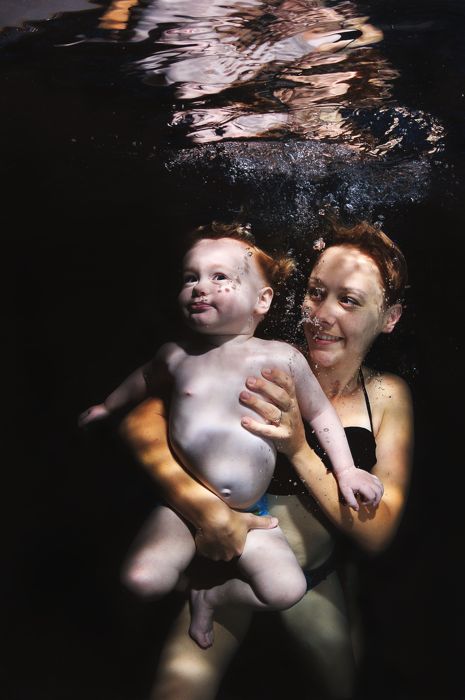
Hey guys last weekend my friends asked me if I could take some shots of their little girl in their family pool. This is the first time I have tried this type of underwater photography and I must say it was harder than I thought especially to get the right facial expressions in the models.
I would love to hear what you guys think needs improving.
Cheers Matt Shepherd
Hi Matt,
Great job on your first go around. There are so many nuances with photographing people underwater, but this photo looks really nice. Were your friends happy? And if they were, then that's what counts!
Kids seem to be fairly easy to get good expressions from if they're comfortable underwater. I always think it's the parents and adults that are the hardest! (open your eyes, don't blow bubbles, stop puffing your cheeks out . . . etc.)
~abi
Nice first attempt. I think baby images lend themselves to a more high key treatment. I think more light with a strobe on the left would be more flattering.
I agree - it's a great shot - but it has a dark and stormy mood to it - not what people usually want from a family photo (unless they're the Munsters ;-)
A bit more ambient light would help as would some light on the people's eyes. Some catchlights in the eyes makes a big impact too.
Cheers
James
Sweet
Thanks for the comments guys. I was shooting in an indoor pool so I thought I would go for the black background look but I do agree that I lighter image might suite the subject better.
Cheers
Cool stuff. I did some myself recently. Hard work!
If I was going to add something constructive I would say the way she is holding the baby could be improved a little bit