



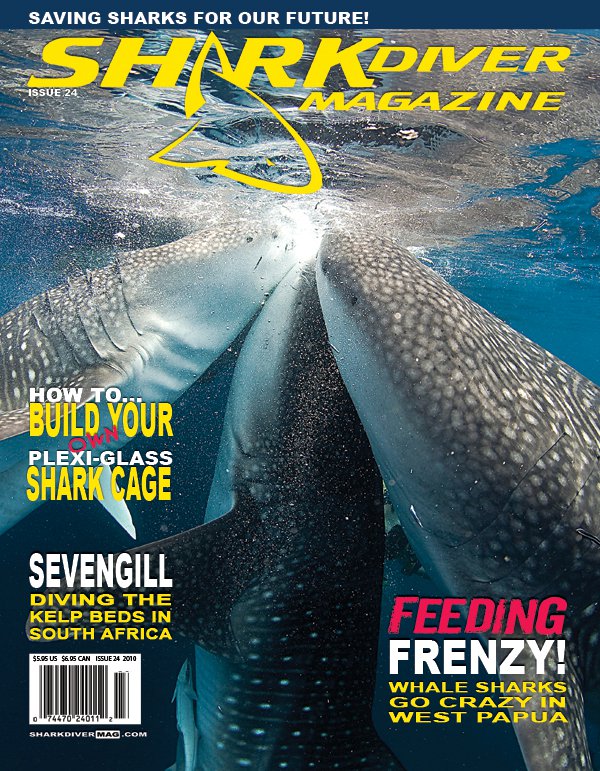
One of my shots is on the cover of the Shark Diver Magazine issue 24.
Story and more pics will be inside.
Read-only discussion
One of my shots is on the cover of the Shark Diver Magazine issue 24.
Story and more pics will be inside.
Wow, thats a lot of whaleshark! Where was that? Congrats and great cover
Thanks Mike!
It was in Cenderawasih Bay, West Papua!
It was an awesome Experience. We are planing an LOB for next year to discover more of this area! :-)
Cheers
Markus
That's awesome. Great shot and great cover!
Alex
Thanks, Alex! :-)
Awesome! Congrats mate 
Cheers
Karel
Thanks, Karel! :-)
Awesome shot! - congrats!
I didn't realise they had 'buses' in West Papau...
Thanks, Col!
They have a lot of buses in West Papua! :-)
Not using quite such a good shot but another story about the whalesharks of West Papua here: http://www.divernet.com/Travel_Features/fa...ale_sharks.html
Congratulations. Great capture.
Todd
Not using quite such a good shot but another story about the whalesharks of West Papua here: http://www.divernet.com/Travel_Features/fa...ale_sharks.html
Yeah, really nice Story and pics. Mike was an the island during our stay! It was really funny! :-)
Both, Dave and Mike, are really great personalities!
Cheers
Markus
Congratulations. Great capture.
Todd
Thanks Todd! :-)
Cheers
Markus
Awesome shot. Congratulations.
Amazing shot! Will look forward to reading the article.
Cheers,
Nigel
Thanks Nigel and limeyx!

Terms of Use Privacy Policy Guidelines We have placed cookies on your device to help make this website better. You can adjust your cookie settings, otherwise we'll assume you're okay to continue.

A worldwide community for underwater imaging.
