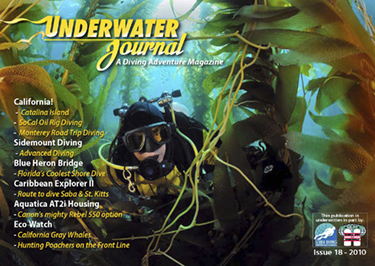
Since the introduction of the iPad, reading books and other publications in electronic format – epub, ebook and pdf (Portable Document Format) is becoming more convenient and easier than ever. After Apple’s newer version (Version 1.1.2) release of their newer iBooks app for the iPad, subscribers are no longer limited to reading epub formats limited to devices like Amazon’s Kindle and Barnes & Noble’s Nook.
Recently, we went back and re-rendered all our 2010 issues of the Underwater Journal (issues 13 to current) so that they can be viewed the way they should be on Apple’s iPad using Apple’s latest version of iBooks. The new file (9 to 11 mb in size) are both universal for Mac, PC and the iPad. I can even put it on my iPhone
For us at Underwater Journal, the new app is a boom to our free, downloadable publication, as it is both simple and costs you nothing, but a moment of your time.
Here’s how.
Directly to your iPad: After downloading your copy of the Underwater Journal pdf from our website on your iPad, tap the upper right corner of the screen to make the Open in iBooks button. Tap again to save it to iBooks library. That’s it, now you can open and read your issue of UWJ at any time, as often as you like.
To your home (Mac or PC) computer or notebook: After downloading your copy, save it to your desktop, then launch iTunes
Click the Books library in the left column (in iTunes 9.1 or later). If you don't see the Books library, open iTunes Preferences. In the General tab, click the "Books" checkbox to enable it to show in your iTunes Library.
Next, drag the Underwater Journal pdf into the iTunes Books window to add it to your library.
If you have not yet done so, download the latest version of the iBooks app (version 1.1.2) from iTunes to your iPad.
Sync your iPad and your new issue of the Underwater Journal will be added to your iBooks library where it will be displayed on the same library shelves as your epubs and pdf books and publications.
Free Downloads
Apple iBooks app - http://itunes.apple.com/us/app/ibooks/id364709193?mt=8&ign-mpt=uo%3D2
iTunes for Mac and PC - http://www.apple.com/itunes/
*Note: O'Reilly Books (oreilly.com) offers wonderful Mac-related books called "iPad: The Missing Manual" and "Mac OS X Snow Leopard: The Missing Manual."