



Hi all,
I am going through all my images shot last week in Roatan and am puzzled by two cream-colored damselfish that look remarkably similar but which I labeled after the dives as Dusky and Bicolor damselfish, respectively. I am quite convinced the bicolor is correct and it is very similar to an image in Humann & Deloach that was also shot in Roatan.
The one I identified as a dusky damselfish does not resemble any image in Humann & Deloach or FishBase and is lighter than any dusky damsel I remember having seen before. However, I normally label images right after a dive and expect I had good reason to believe the ID is correct based on behavior or other clues. In addition, the anal and dorsal fins are rounded, the pectoral fins are not yellow, and there is no yellow in the iris. All signs that it is not a bicolor damsel.
As a result I am wondering if this is an example of a dusky damselfish mimicking a bicolor damselfish. If so, is this color pattern a regional variant of the Bay Islands or NW Caribbean or has it been seen elsewhere. As usual the bicolor damselfish in Roatan displayed a large number of different color patterns and most dusky damselfish had the normal dark olive to black color.
Any insights are greatly appreciated.
Bart
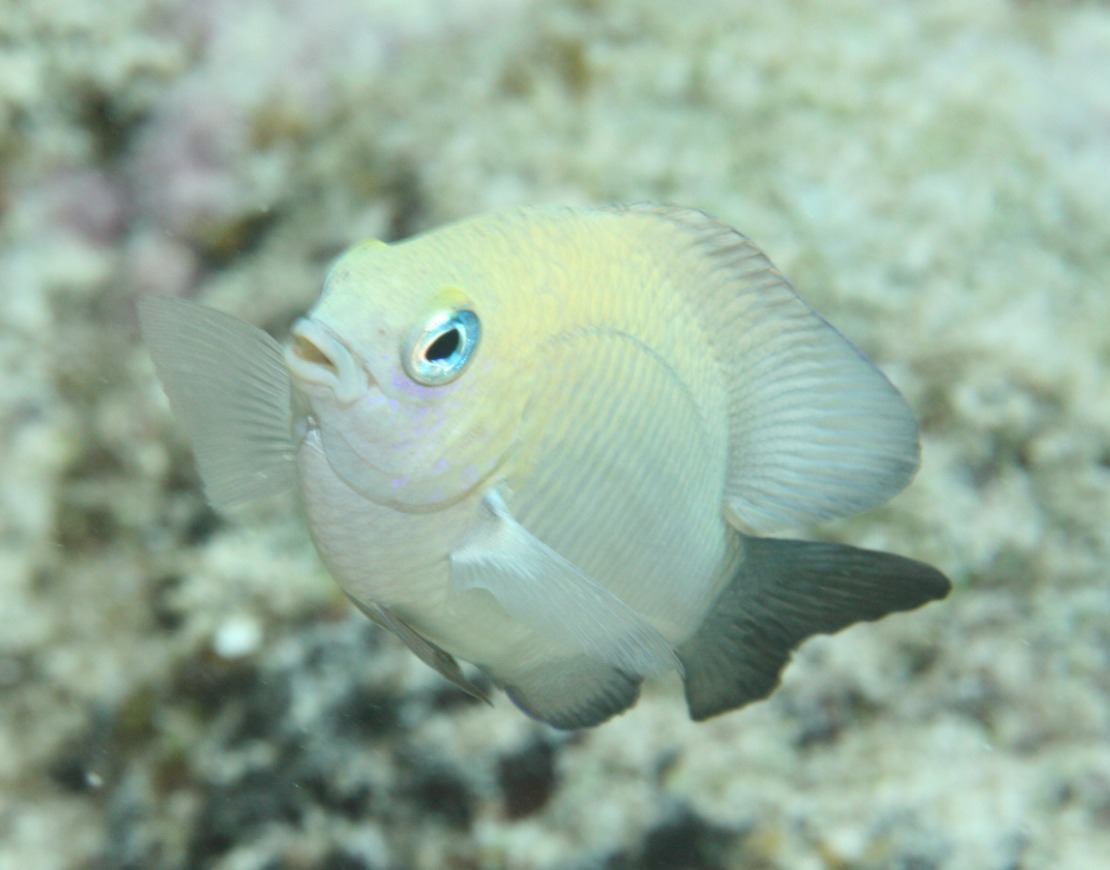
Dusky damselfish? (shot at 10:45am, 10-15ft deep with mixed sand and coral substrate)
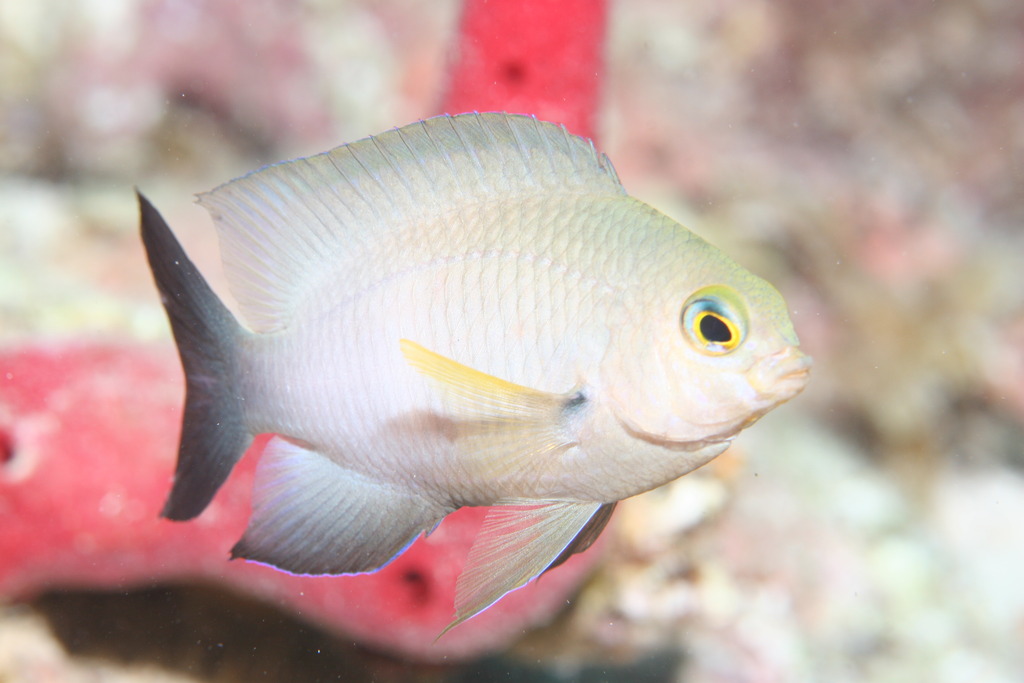
Bicolor damselfish


