Skip to content

Photo / Video Showcase / Archived topic

Macro Shots from Grand Cayman

Started by pdemaagt ·

  • 12Posts
  • 12Replies

Read-only discussion

Macro Shots from Grand Cayman

12 posts
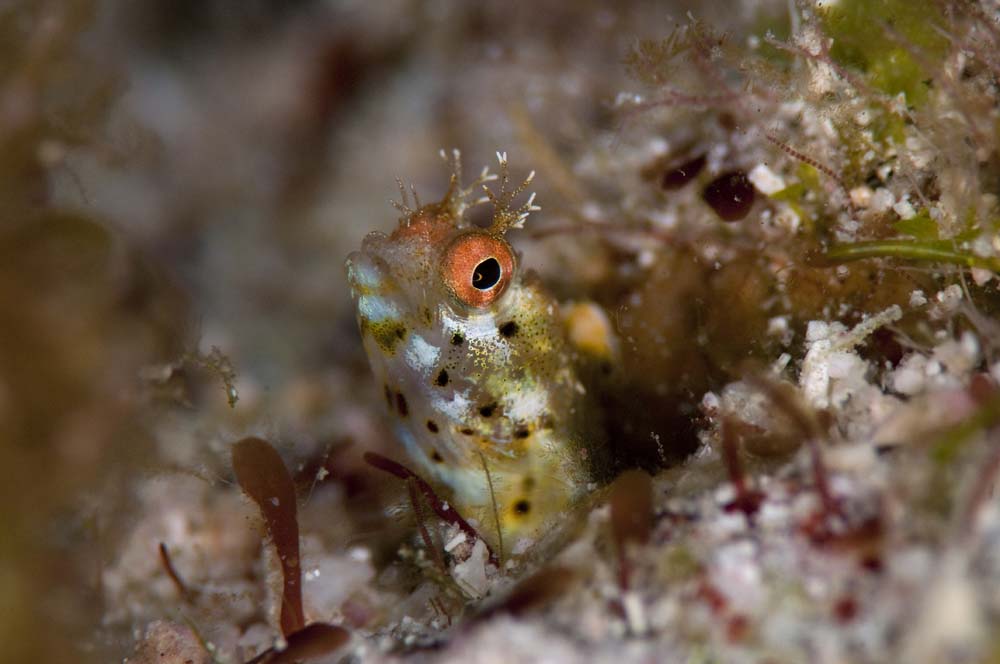
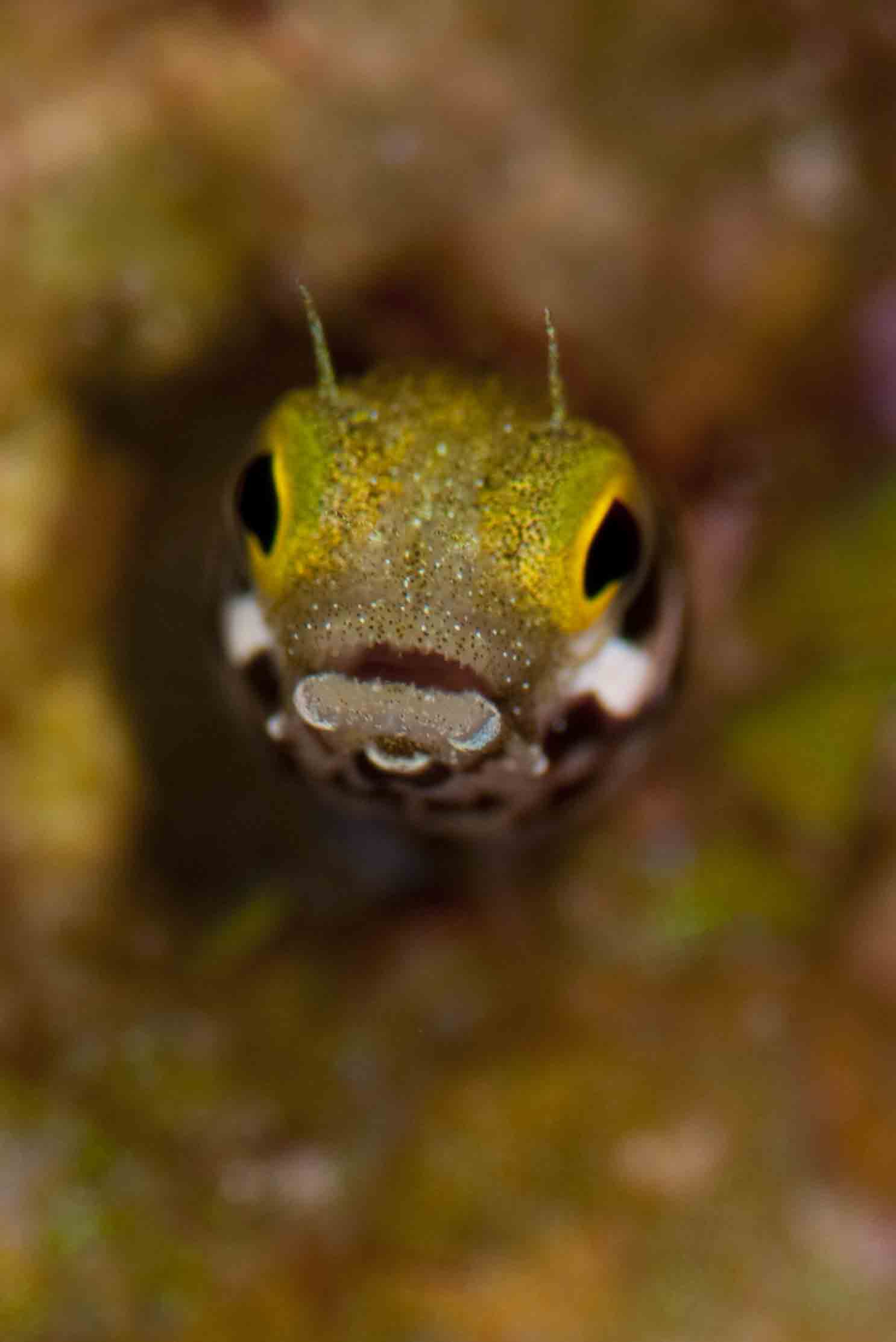
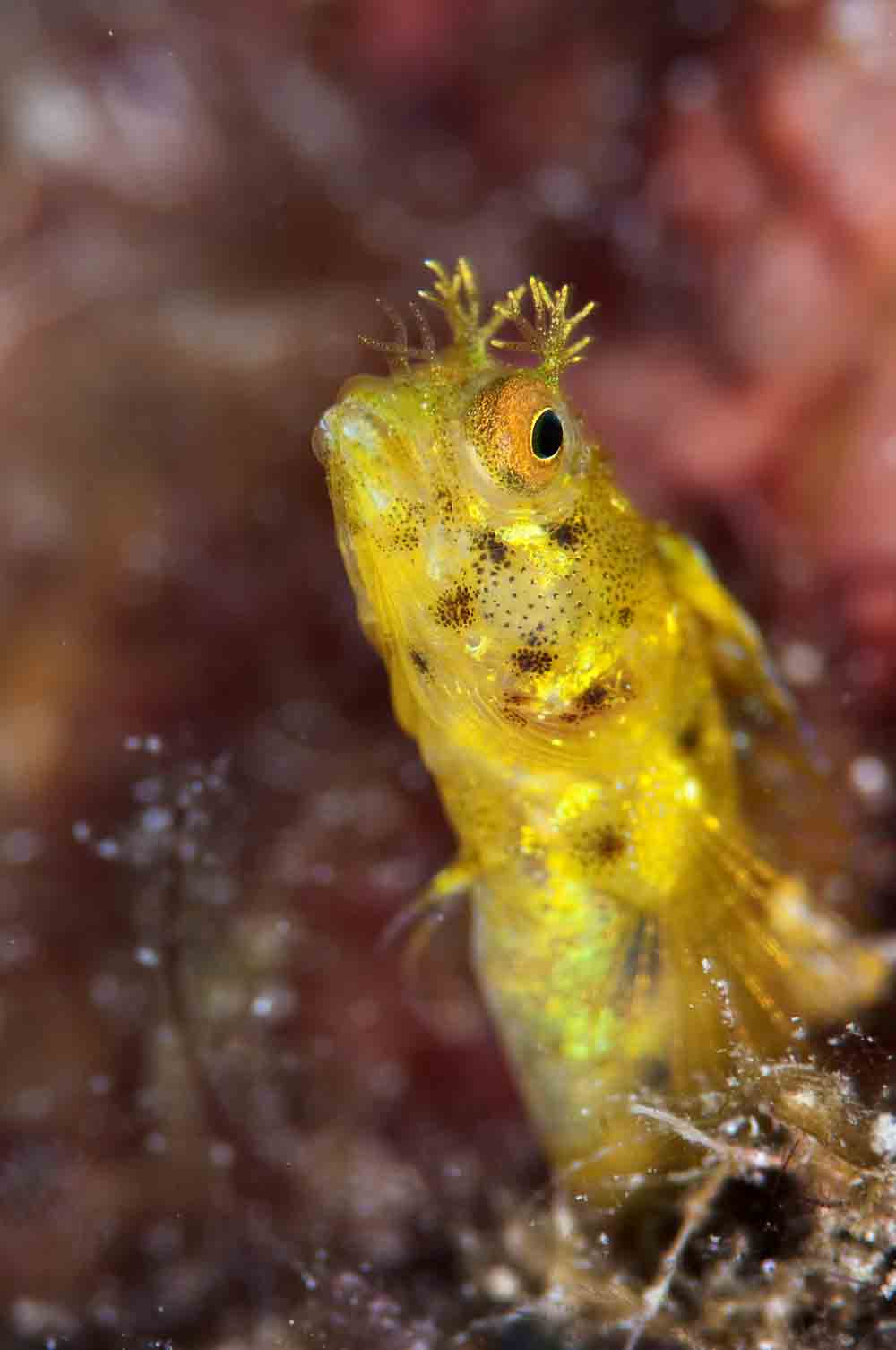
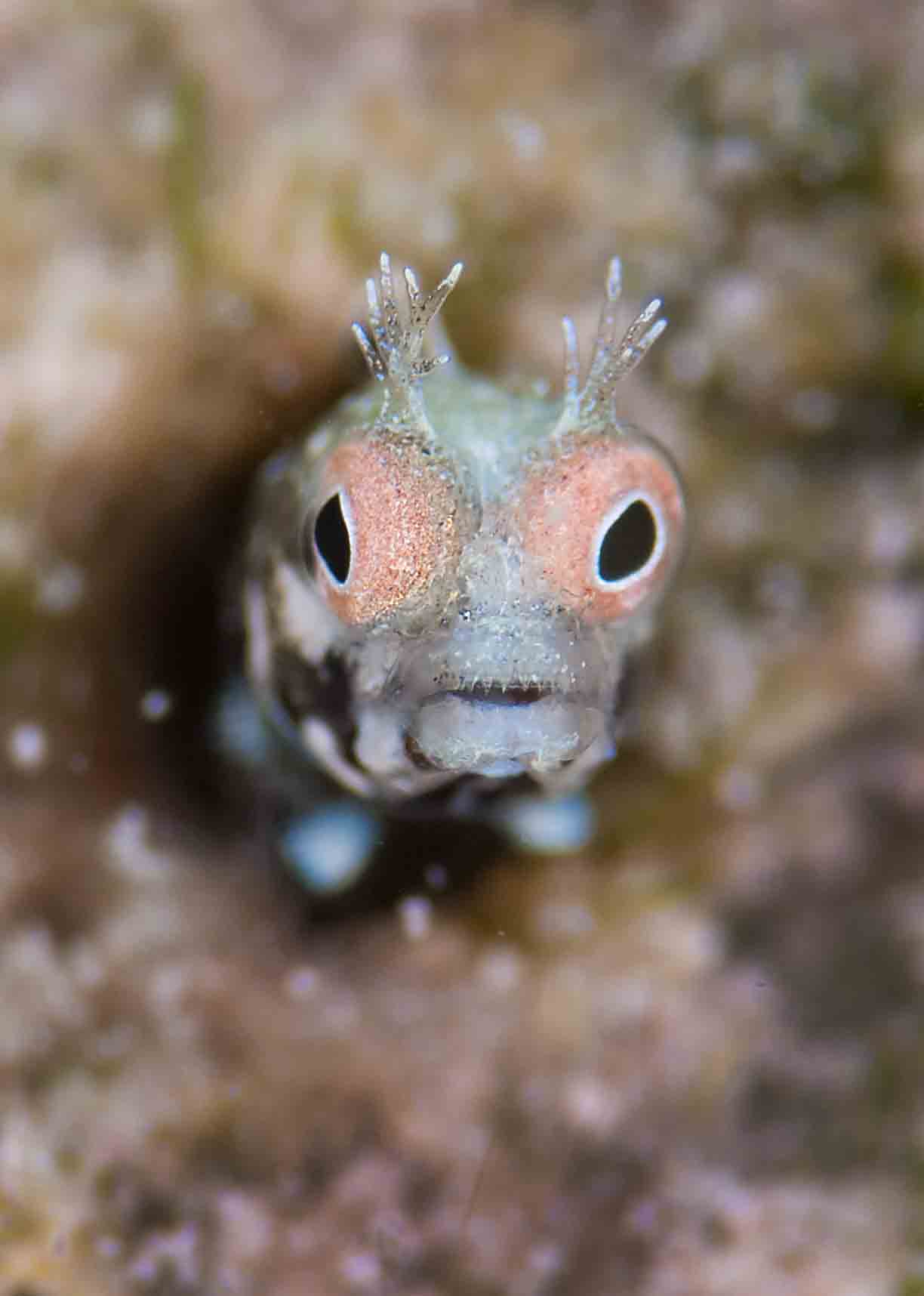
  1. Just to post some macroshots that I took with the Nikon 105VR and the Nikon TC-20E III times 2 Teleconverter.


    I made those during the Digital Madness course of Alex Mustard a week ago.


    On the website of Nikon it indicates that autofocus would not work using the 105VR, but I didn't notice any issues.


    Hope you enjoy them…..feedback appreciated.


    Peter

    post-28134-1296222249.jpg

    post-28134-1296222263.jpg

    post-28134-1296222270.jpg

    post-28134-1296222276.jpg

  2. Some really nice photos here and you have me missing the the Caymans (which I just got home from last week). The 3rd photo is my favorite.

    I do have a question regarding the look of pixelization. Maybe it is the web compression?

  3. Great collection of faces!

  4. Happy days! Great memories and some excellent super-macro work, Peter. Which ones were taken with your ring-flash?


    Alex

  5. Some really nice photos here and you have me missing the the Caymans (which I just got home from last week). The 3rd photo is my favorite.

    I do have a question regarding the look of pixelization. Maybe it is the web compression?


    Unfortunately the pixelization is due to the compression. I am not sure if I did the correct thing just attaching it. The original is pretty sharp and I can keep zooming in for quite some time and it stays sharp..

    How did you convert your pictures?

  6. Happy days! Great memories and some excellent super-macro work, Peter. Which ones were taken with your ring-flash?


    Alex


    Hi Alex,

    thanks once again for your help with taking these pictures!! I actually shot all of them using the ringflash as i wanted to get some more experience with it. The thing that bothers me is that I have to move the camera away form my face if I want to change the power settings of the ringflash. Of course if you do that you don't know where the critter is anymore and you can start "hunting" for it again :-)

    I need to find a configuration that allows me to fidn the dial quickly without looking up.

    Peter

  7. You have fired my enthusiasm, you know...


    ... I've got the new aspherical TC, but I hadn't thought to use it in the water. I've also found that AF seems to be preserved with the 105VR, despite what Nikon say.


    The images look great, as long as I squint to blur out the unfortunate pixellation!


    Tim


    :island:

  8. Unfortunately the pixelization is due to the compression. I am not sure if I did the correct thing just attaching it. The original is pretty sharp and I can keep zooming in for quite some time and it stays sharp..

    How did you convert your pictures?


    I am doing all of my PP in Aperture and then uploading to my website which runs Gallery software. For uploading I use Gallery Remote so I get full sized images available on my website and it does a nice job with the web compression for pasting URLs. When I post a photo to a forum I use the URL from smaller "mid-sized image" that Gallery compressed.


    If you have an interest in using Gallery software it is free and offered here: http://gallery.menalto.com/ and if you don't already have a web host there are some that are certified to work with Gallery here: http://gallery.menalto.com/wiki/Web_Hosting_Referral_Page


    I am still running a very old version of Gallery 1.5 but it works well for me so I haven't messed with it yet. If you want to see my Gallery for an example... This would be a thumbnail page:

    http://www.sealec.com/faulk/album185?page=40

    This would be a mid sized photo: http://www.sealec.com/faulk/album185/IMG_0504 this would be that mid sized photo's URL that I would post to a website: http://www.sealec.com/faulk/albums/album18..._0504.sized.jpg

    And this would be the full sized photo: http://www.sealec.com/faulk/album185/IMG_0504?full=1


    You can click on any photo to see how it goes on my site. Click once on a thumbnail for mid sized, click again for full sized.


    Sorry to be so long winded, I am just trying to be (probably overly) helpful.

  9. I am doing all of my PP in Aperture and then uploading to my website which runs Gallery software. For uploading I use Gallery Remote so I get full sized images available on my website and it does a nice job with the web compression for pasting URLs. When I post a photo to a forum I use the URL from smaller "mid-sized image" that Gallery compressed.


    If you have an interest in using Gallery software it is free and offered here: http://gallery.menalto.com/ and if you don't already have a web host there are some that are certified to work with Gallery here: http://gallery.menalto.com/wiki/Web_Hosting_Referral_Page


    I am still running a very old version of Gallery 1.5 but it works well for me so I haven't messed with it yet. If you want to see my Gallery for an example... This would be a thumbnail page:

    http://www.sealec.com/faulk/album185?page=40

    This would be a mid sized photo: http://www.sealec.com/faulk/album185/IMG_0504 this would be that mid sized photo's URL that I would post to a website: http://www.sealec.com/faulk/albums/album18..._0504.sized.jpg

    And this would be the full sized photo: http://www.sealec.com/faulk/album185/IMG_0504?full=1


    You can click on any photo to see how it goes on my site. Click once on a thumbnail for mid sized, click again for full sized.


    Sorry to be so long winded, I am just trying to be (probably overly) helpful.

     

    Thanks! that was definitely helpfull....i will try it like this next time. Bit weird why it when wrong using CS4 and just attaching it..


    Peter

  10. Hi Peter,

    Looks like you had a ball in Cayman, :PFlickr is another option for you to post your images online. It's simple and there is a wonderful community of U/W photographers who post there. Wetpixel has a group where you can see what others are doing, http://www.flickr.com/groups/wetpixel/ maybe even make some new friends. Easy to then link your images into Wetpixel as Scott suggests. Smugmug is another nice option to consider.


    I'm guessing you somehow constrained the image size when you created it in CS4. Do you remember the settings you used?


    Cheers,

    Steve

  11. I would agree with Steve that somehow the image may have been constrained by CS4 depending on what settings you are using to save your final work into .jpegs.


    On a side note, I don't know if you use Lightroom or Aperture but you might consider one of those to save some editing steps. Many photographers can usually skip any work in Photoshop now by using one of these and there are a lot of options right in both programs for output of your images for web, print, slideshow and display.


    And here I go again agreeing with Steve on Flicker and Smugmug as other good hosting options. Having a web hosting site to post your photos to and from will probably help with the product everyone sees.

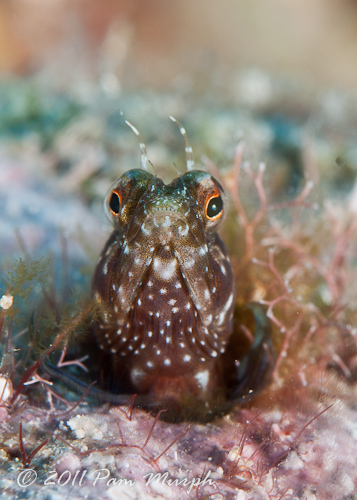
  12. Peter - Great shots! It was a pleasure to dive with you all week. I manage to get a few keepers of the blenny - but mine are cropped since I had the 60mm lens on. After seeing your stuff and comparing shots with the same blenny, I may have to open up the pocketbook soon for this lens.


    Here is one of my blenny shots -the first one we came across during the week.


    post-25529-1296524759.jpg


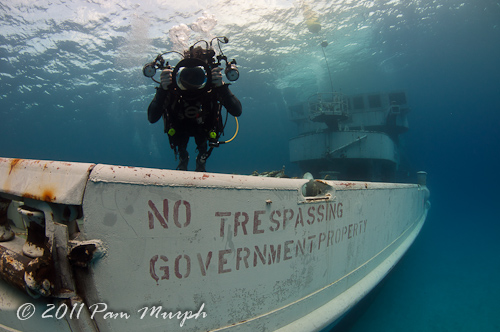
    And for the folks on here, this is Peter behind the lens on the Kittiwake.


    post-25529-1296524738.jpg


    Happy diving - DiverPam

AOI

Account

Navigation

Search

Search

Configure browser push notifications

Chrome (Android)
  1. Tap the lock icon next to the address bar.
  2. Tap Permissions → Notifications.
  3. Adjust your preference.
Chrome (Desktop)
  1. Click the padlock icon in the address bar.
  2. Select Site settings.
  3. Find Notifications and adjust your preference.