Skip to content

Photography Gear and Technique / Archived topic

Sony NEX-5 FishEye (with dome port) or 18-55 lens

Started by dunfield ·

  • 13Posts
  • 13Replies

Read-only discussion

Sony NEX-5 FishEye (with dome port) or 18-55 lens

13 posts
  1. I will be getting a Sony NEX-5 with a Nauticam housing and a Inon Z240 strobe. For the Nauticam housing I now have to decide if I want to start with the port for the 18-55mm lens which can accept a macro lens or to get the dome port for the 16mm lens with Fish Eye lens.


    I am torn between the two. Any comments or experience. I am upgrading from a Canon SD870 P&S.


    In the long run I will probably get both but would prefer to start with one and get use to the setup for our first trip down south.


    Thanks


    Jim

  2. I will be getting a Sony NEX-5 with a Nauticam housing and a Inon Z240 strobe. For the Nauticam housing I now have to decide if I want to start with the port for the 18-55mm lens which can accept a macro lens or to get the dome port for the 16mm lens with Fish Eye lens.


    I am torn between the two. Any comments or experience. I am upgrading from a Canon SD870 P&S.


    In the long run I will probably get both but would prefer to start with one and get use to the setup for our first trip down south.


    Thanks


    Jim


    Hi Jim,


    Well, both of course :-)


    The 18-55mm has a lot of flexibility/range whereas the 16+FE does one thing but does it well. I was impressed with how close the 16+FE focused.


    If you want to be able to get snapshots of many different types of subjects, if this is your only lens, and especially coming from a similar zoom in your P&S, I'm thinking 18-55mm would be the place to start. If you want to get more dramatic close-focus-wide-angle types of the shots, but be limited to wide angle, then 16+FE.


    As for macro, the 18-55mm lets you get close, but not quite into macro range. An optional 67mm threaded adapter is available so you can add the closeup lens of your choice which can get you some very nice macro results.


    Cheers,

    Chris

  3. Hi Jim,


    I agree with Chris while I loved using the fisheye it has limited use compared to the zoom and I am sure that you will be adding it at a later time. The zoom is a more forgiving lens in terms of its use and with the diopter adapter the macro is quite good. This is an excellent housing for the Sony camera and I am sure you will enjoy it for many years.


    Phil rudin

  4. Thanks very much Chris and Phil for your quick replies. I think I will start with the 18-55mm port with the macro adapter. Later, once I have got a handle with it I will progress to the FE and dome.


    Phil I very much appreciated your review of the camera and housing.


    Jim

  5. Thanks very much Chris and Phil for your quick replies. I think I will start with the 18-55mm port with the macro adapter. Later, once I have got a handle with it I will progress to the FE and dome.


    Phil I very much appreciated your review of the camera and housing.


    Jim


    No worries.... enjoy the system. :-)


    Cheers,

    Cp

  6. P.S. One thing I really like about the NEX-5 - the panorama mode... very cool:

    http://nauticamusa.com/?p=1497


    Cheers,

    Cp


    hi cp

    apparently "pixel-to-pixel hunters" are not happy with the panorama.

    sweep panorama underwater is a challenge though.

    with bubbles and so on.


    i would like to ask.

    does nauticam allows any extension on the nex5 housing?

    im interested to use other lens than the e-mount.

    thanx

  7. hi cp

    apparently "pixel-to-pixel hunters" are not happy with the panorama.

    sweep panorama underwater is a challenge though.

    with bubbles and so on.


    Given that it stitches the photo in a matter of seconds, in camera, one can imagine that it will be pretty easy to find places where things aren't stitched perfectly, especially with moving things like bubbles. for a "real" panorama, one would want to use a more traditional method, with tripod, and stitch offline. Still..... it is a lot of fun and, given the right subject/background, can make some cool images.


    i would like to ask.

    does nauticam allows any extension on the nex5 housing?

    im interested to use other lens than the e-mount.

    thanx


    Right now, no, but we are investigating some other lens options. For example, I recently shot an alpha lens using the Sony alpha adapter. While I don't have anything specific to announce right now, I will say that we will have more lens options coming down the road. And Sony has announced new lenses coming in 2011 too, so stay tuned.


    Cheers,

    Cp

  8. What about the nikonos underwater lens adapter?

  9. We also a port available now - EA30 port for Sony LA-EA1 and SAL 30mm f2.8 lens for the Sony A mount macro lens. I have not used this combination yet but think that the working distance of this lens seems very short.

  10. since we're in the topic of nex5,lenses & ports,

    i cant help but noticing that aquatica have only a mini-dome port for the 18-55m.

    can sum1 (preferably from aquatica)

    explain the difference between using the 18-55 with a flat port and the mini-dome.

    i stumble upon this thread

    http://www.scubaboard.com/forums/underwate...-port-help.html


    and i know there's a fine line between macro & WA.

    but really would like to see some sample shots from 18-55 & mini-dome.


    thanx

  11. This gallery has photos taken with the 18-55 lens with a flat port, and at times with an Inon UCL-165M67 wet diopter attached in front of the port.


    http://nauticam.smugmug.com/HousingTests/N.../15322039_67H4L


    I think the combination is quite versatile.


    Edward


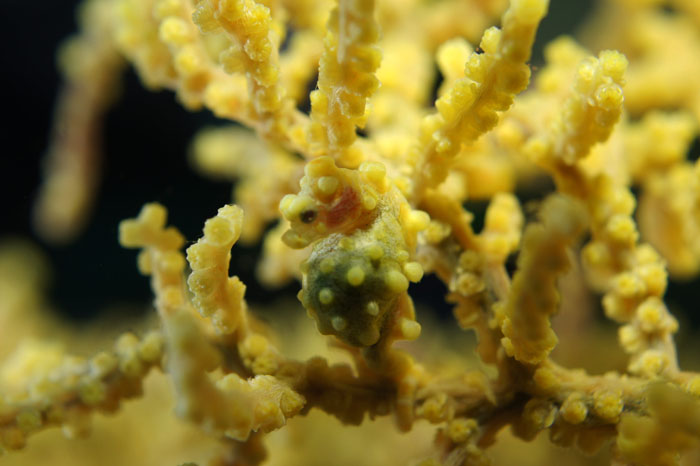
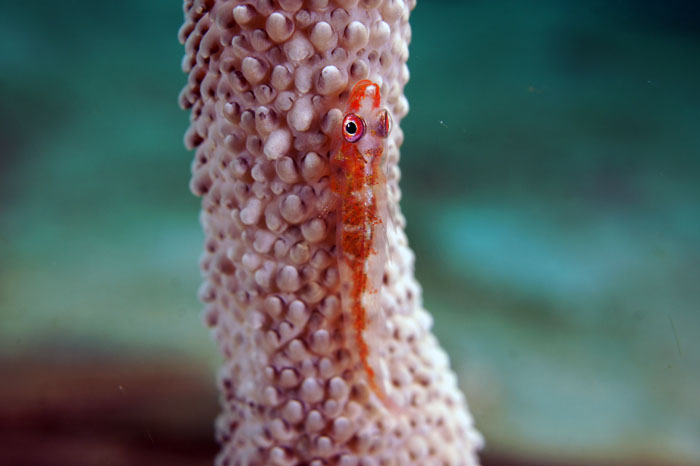
    Here is some sample I took with Sony Alpha 30mm lens. AF is little slower than 18-55 but, is an option. Wet diopter not used.


    Sam

    post-815-1296718339.jpg

    post-815-1296718358.jpg

    Edited by shchae
Retra

Account

Navigation

Search

Search

Configure browser push notifications

Chrome (Android)
  1. Tap the lock icon next to the address bar.
  2. Tap Permissions → Notifications.
  3. Adjust your preference.
Chrome (Desktop)
  1. Click the padlock icon in the address bar.
  2. Select Site settings.
  3. Find Notifications and adjust your preference.