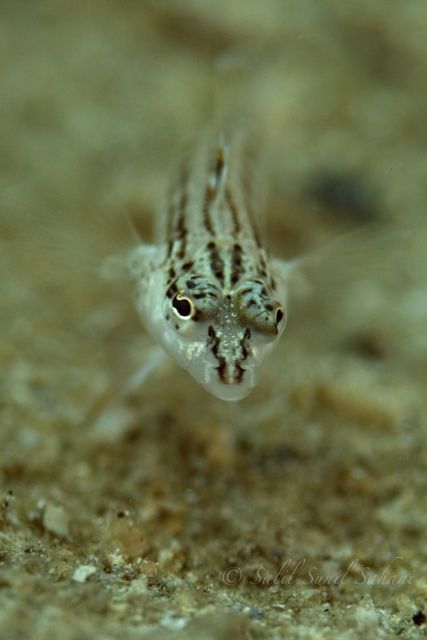
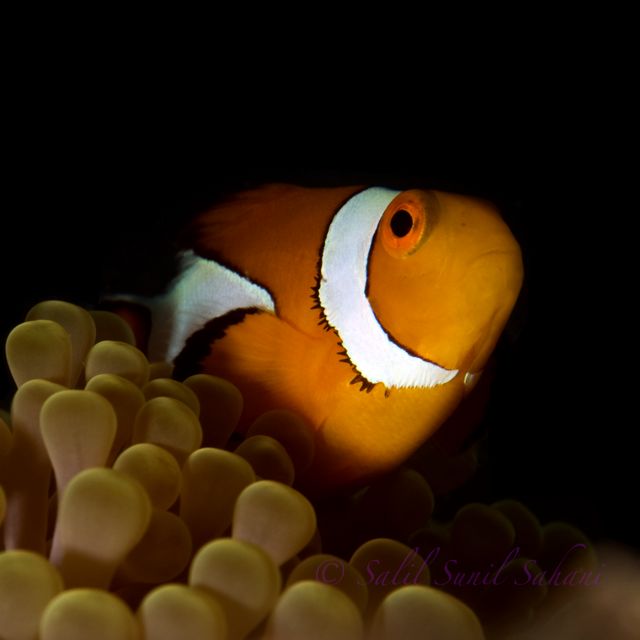
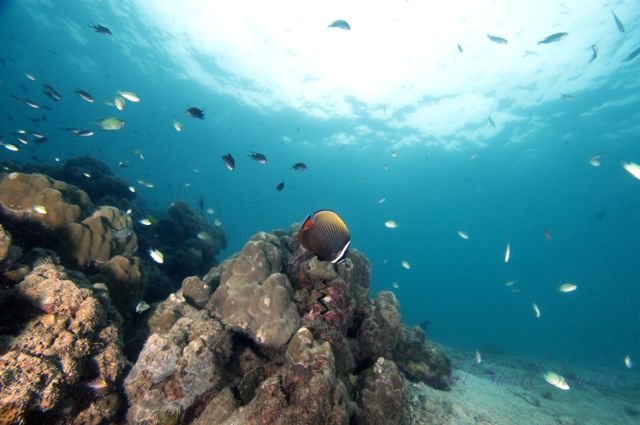
These are a few of My First of the Photos Taken Underwater with My New Gear. I have a D300 in Ikelite Housing and 105 Macro and 10-24 Nikon Lens
Please Let Me Know what You think - What the Photos are Lacking and where the Photos can Be Improved Upon
Have edited in Photoshop and Cropped them
Hello,
Wow, for your first photos you're off to a great start! The things I really like about the pics are the selective focus & depth of field in the first photo, the framing and dark background of the anemonefish, and the nice exposure of the sunny area in the wide angle photo. If you're looking for things to improve I would suggest sharpening the focus a bit as the first two photos seem a bit soft, and the third photo is lacking a strong point of visual interest -- the butterflyfish is there, but he's a bit small. If he were close to the lens he would draw your eye in more. Good work overall!
-Gina
Hello,
Wow, for your first photos you're off to a great start! The things I really like about the pics are the selective focus & depth of field in the first photo, the framing and dark background of the anemonefish, and the nice exposure of the sunny area in the wide angle photo. If you're looking for things to improve I would suggest sharpening the focus a bit as the first two photos seem a bit soft, and the third photo is lacking a strong point of visual interest -- the butterflyfish is there, but he's a bit small. If he were close to the lens he would draw your eye in more. Good work overall!
-Gina
Thankyou Gina
Oh Ok Will Try to Improve On them The Next time for Sure




 ,
,

 Will Try to Improve On them The Next time for Sure


